Drag & Drop Website To Create Desktop Shortcut Not Working
If I drag & drop a website from Firefox to my Windows 10 desktop it creates a .url file instead of a shortcut like it used to. The .url file can't be opened. Any help would ber very much appreciated
If I drag & drop a website from Firefox to my Windows 10 desktop it creates a .url file instead of a shortcut like it used to.
The .url file can't be opened.
Any help would ber very much appreciated
Opaite Mbohovái (2)
In the past I always used Create Shortcut and DeskCut. Now I use the "drag and drop"(of the i in a circle at the start of the URL Bar) without problems; double clicking the desktop shortcut to get the (URL) site back without problems What form do you think the desktop short cut should take? What does it open?
Moambuepyre alan_r rupive
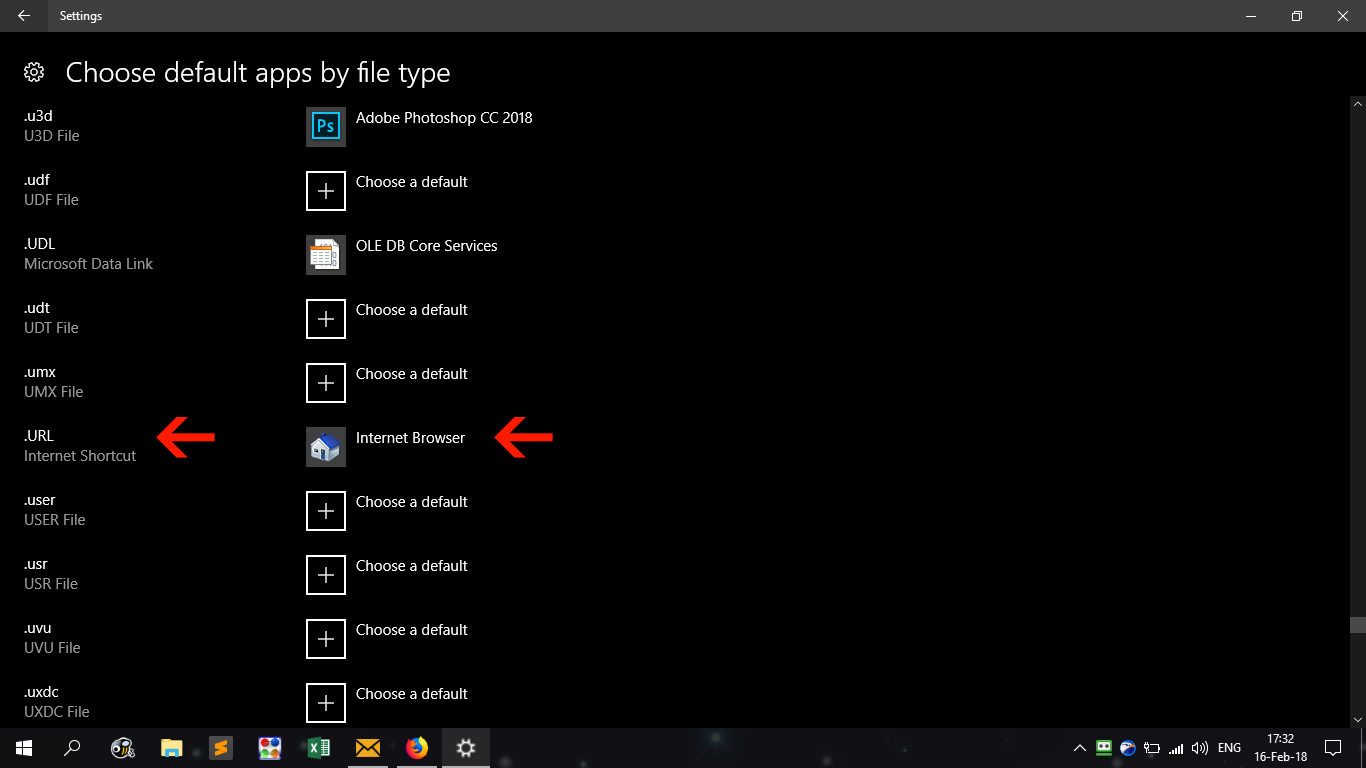
I've worked it out by setting the file extension.url to open with Web Browser (see attached screenshot).