

Ko téma oñeñongatúma.
Ejapo porandu pyahu eikotevẽramo pytyvõ.

Oĩporãmava
Ñongatupyre
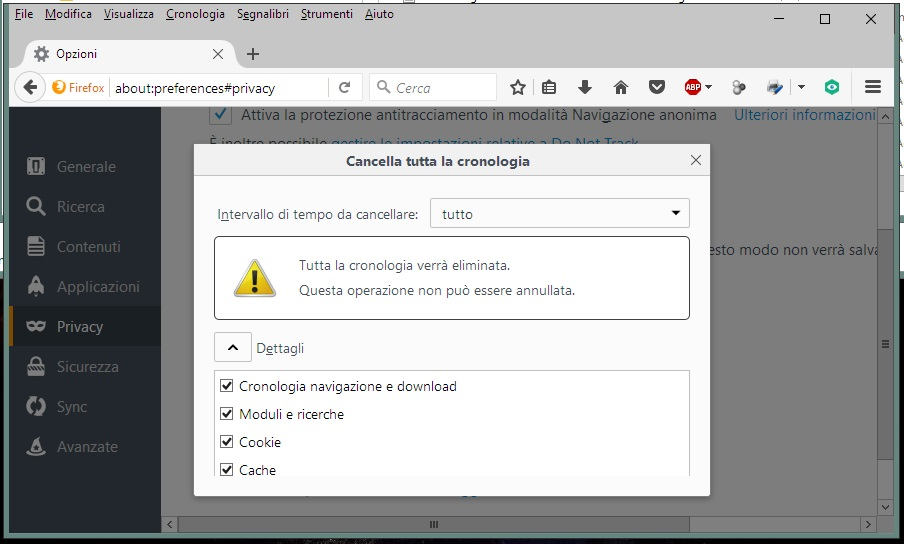
With smaller window on the desktop by selecting Options / Privacy / Clear all current history, the "Clear Now - Cancel" buttons will NOT appear

With smaller window on the desktop by selecting Options / Privacy / Clear all current history, the "Clear Now - Cancel" buttons will NOT appear; the scroll to the right does NOT work. My PC is an HP Pavilion i3 with NVIDIA GeForce G105M; I could see the same problem even on other PCs, the problem disappears with full window desktop display.
With smaller window on the desktop by selecting Options / Privacy / Clear all current history, the "Clear Now - Cancel" buttons will NOT appear; the scroll to the right does NOT work. My PC is an HP Pavilion i3 with NVIDIA GeForce G105M;
I could see the same problem even on other PCs, the problem disappears with full window desktop display.
Opaite Mbohovái (2)
hi, as a workaround you could get the same screen in a dialog window when pressing the ctrl+shift+del key combination.
Ñemoĩporã poravopyre
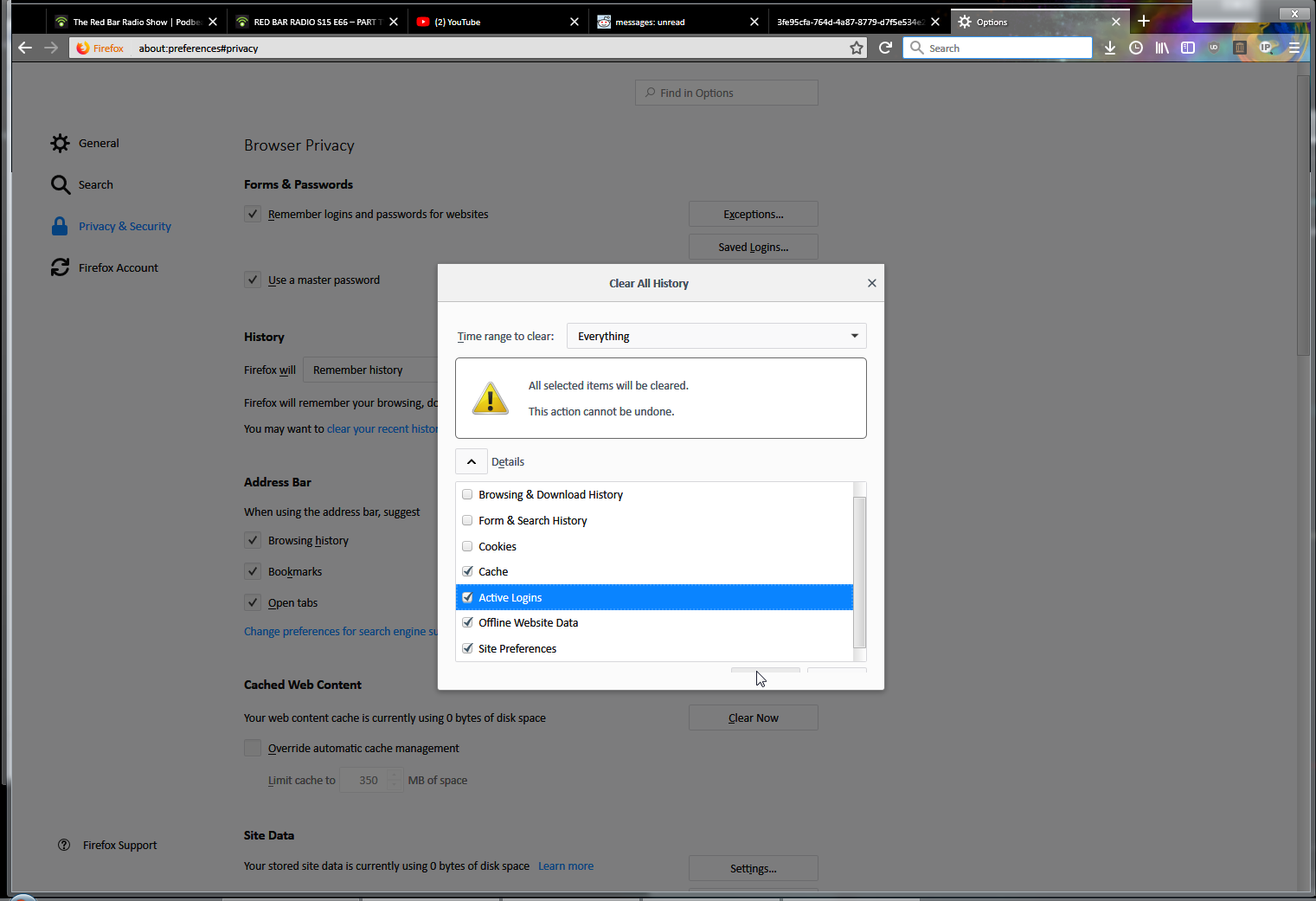
I have same problem. Buttons get hidden as slider appears on the right.
You can solve this with changing zoom level by holding Right Ctrl and using mouse wheel or Right Ctrl and + or -
Moambuepyre blurker rupive