


How do I put a shortcut to a web page on the desktop?

In bushfire season, we use the CFA emergency site all the time, and it would be nice to have a shortcut to their page on the desktop for quick access when I don't have the browser open

Ñemoĩporã poravopyre
Here you are;
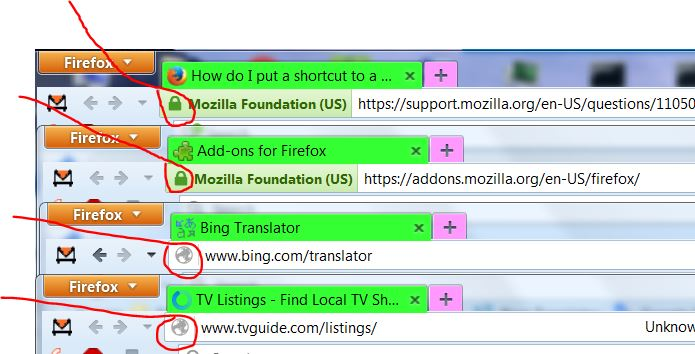
Opaite Mbohovái (5)
Open the browser to that web page. After the page is loaded, mouse to the address bar. Hold down the right button on the icon, and drop it on the desktop. Once done, move it where you want it to be.
Correction===Hold Down The Left Button=
Moambuepyre FredMcD rupive
FredMcD said
Open the browser to that web page. After the page is loaded, mouse to the address bar. Hold down the right button on the icon, and drop it on the desktop. Once done, move it where you want it to be.
Which Icon? Ihave tried the little globe to the left of the URL without success - this used to work before I installed the latest Firefox.
Ñemoĩporã poravopyre
Here you are;
I knew that was the one I used before, but this tiime I had to Left-click it to achieve the desired result, not right-click. Thanks!
Ouch! My bad :-/