


How do I down load facebook pictures to my computer using the firefox browser.

I recently switched to windows 10. Since doing this I am unable to download pictures from Facebook into my computer. It appears that the type of picture used is no longer jpeg. I get an image into my computer for the picture but the picture is not there. Before switching to windows 10 I simply right clicked on the pic and saved it to my pictures. Is there an app that I can download to fix this problem? thanks.
Ñemoĩporã poravopyre
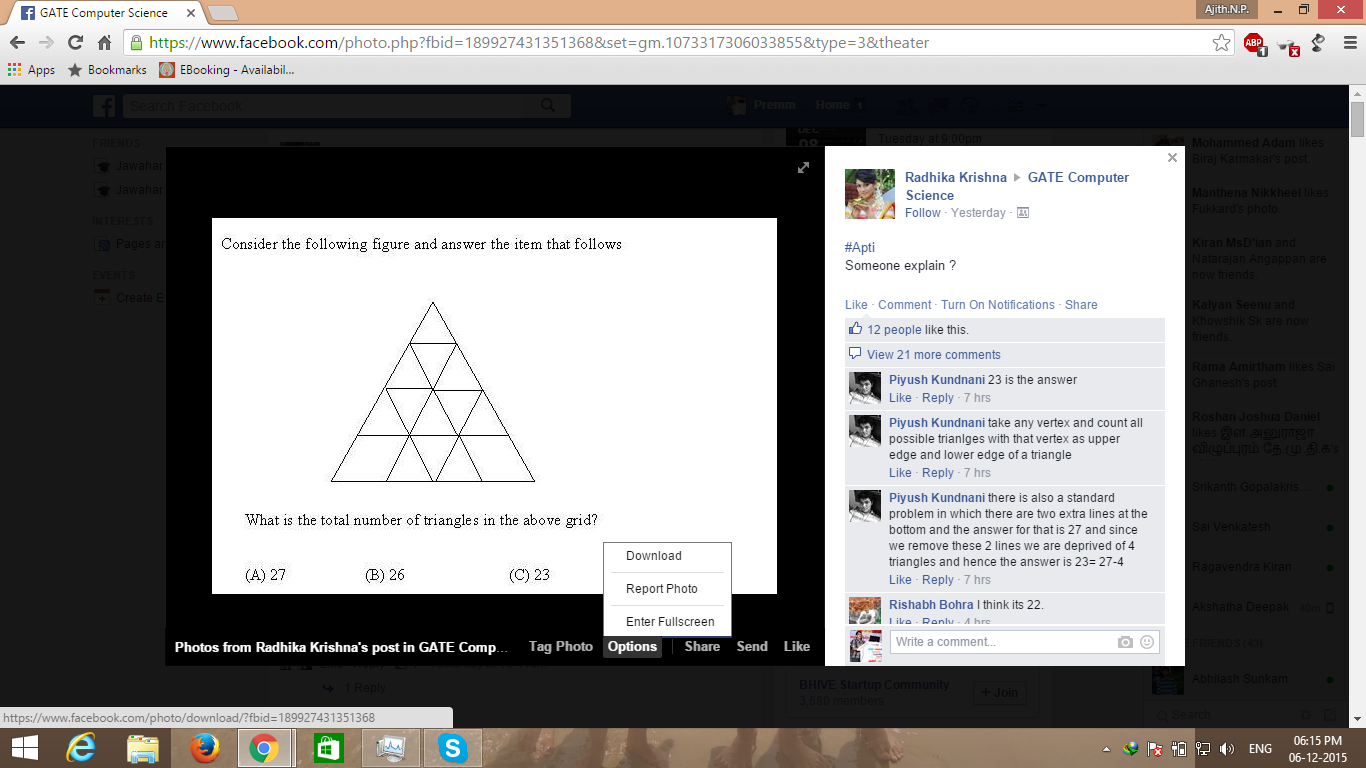
You could always open the photo and select download option from the photo options iteself.See screeshot below for more info.Only constraint that they must make the photo downloadable from privacy settings. Or I think it has nothing to do with the version of windows.But could you try the same with any other browser and report.I had this problem but reinstalling firefox fixed it. :)
Emoñe’ẽ ko mbohavái ejeregua reheve 👍 4Opaite Mbohovái (2)
Ñemoĩporã poravopyre
You could always open the photo and select download option from the photo options iteself.See screeshot below for more info.Only constraint that they must make the photo downloadable from privacy settings. Or I think it has nothing to do with the version of windows.But could you try the same with any other browser and report.I had this problem but reinstalling firefox fixed it. :)
Thank you very much for your suggestion about opening the picture. I did this and your suggestion worked for me. Much appreciated!