


How to make text clearer to read

I am having a hard time reading the words since I changed over to this browser. How can I change the type of text, or at least make the letters clearer? I am getting a headache reading this style text. If need be, I can go back to I.Ex. it is clearer. This text is too generic and hard for me to focus. Thank you.
Opaite Mbohovái (3)
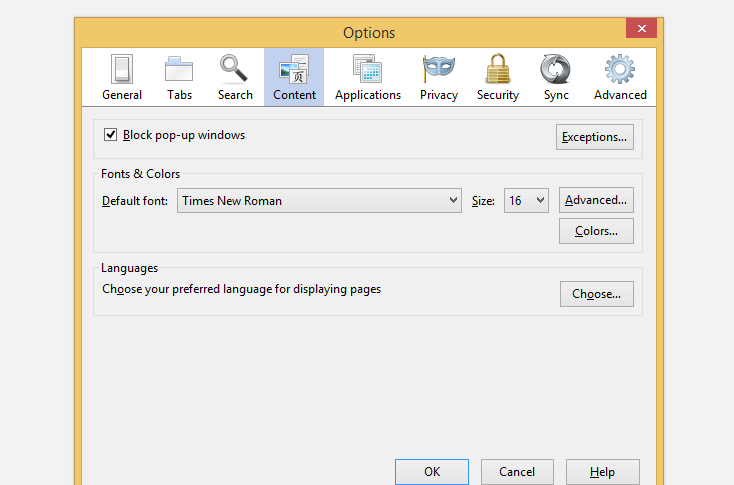
open menu of your browser and then click on "options", then u will see a content option, choose that and you will see options to change the font style and size.
open menu of your browser and then click on "options", then u will see a content option, choose that and you will see options to change the font style and size.
You can use the NoSquint extension to set font size (text/page zoom) and text color on web pages.
You can check if ClearType is enabled system wide for all programs to make other programs like Firefox use it. Vista: Control Panel > Personalization > Window Color and Appearance > Effects: "Use the following method to smooth edges of screen fonts"
- http://support.microsoft.com/kb/306527 - HOW TO: Use ClearType to Enhance Screen Fonts in Windows XP