Cannot get started with Mozilla VPN

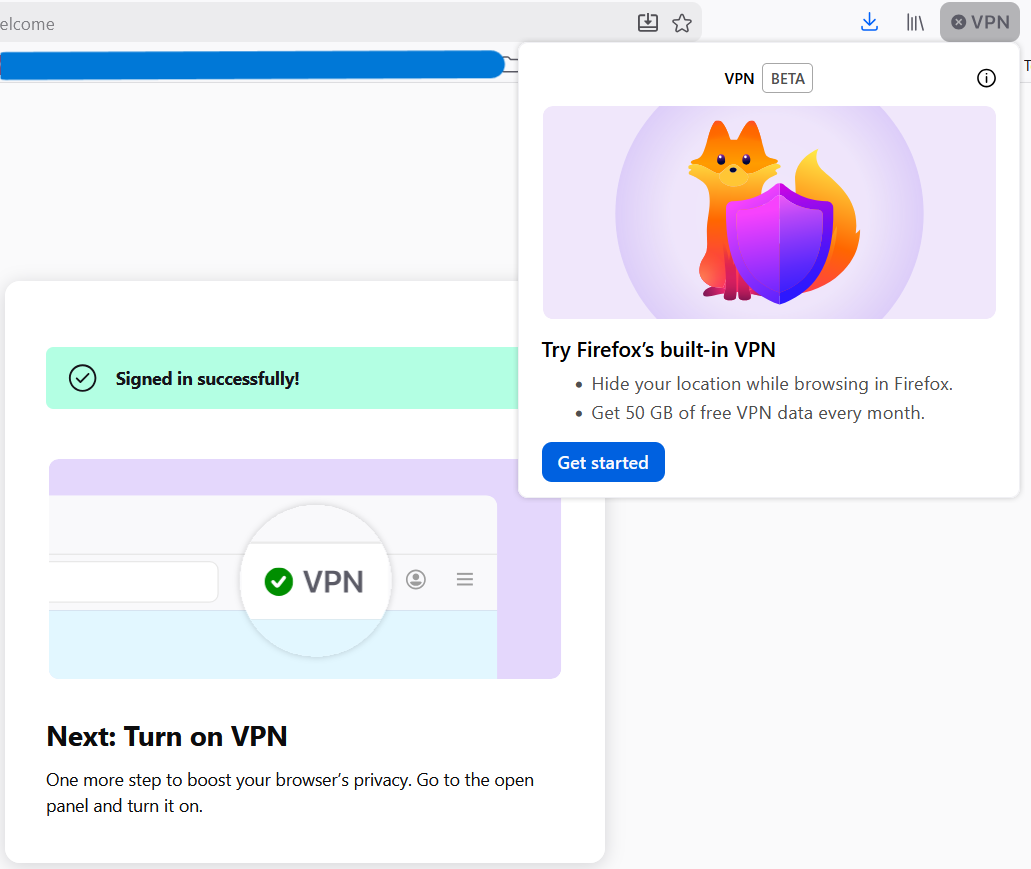
When I open the Mozilla VPN window I am met with the "Get Started" page. I click the "Get Started" button and sign in. When I get to the "Signed in successfully!" page, it tells me to open the Mozilla VPN window again (it does this for me) and to turn it on and all that. However, when the window is opened again, I am met with the same "Get Started" page from the beginning, leaving me in the endless loop of logging in. I am running a fully updated Windows 11. Could it be an extension I have?
When I open the Mozilla VPN window I am met with the "Get Started" page. I click the "Get Started" button and sign in. When I get to the "Signed in successfully!" page, it tells me to open the Mozilla VPN window again (it does this for me) and to turn it on and all that. However, when the window is opened again, I am met with the same "Get Started" page from the beginning, leaving me in the endless loop of logging in. I am running a fully updated Windows 11. Could it be an extension I have?