


I just upgraded to Firefox 4 and I get this error window that displays off and on screen this what I can read " ug-in object: TypeError:" and the second line "id] is undefined" but when I click the OK button the Firefox opens ok. What's wrong?

I'm running Mac OS 10.6
All Replies (4)
Here is an image of the error window
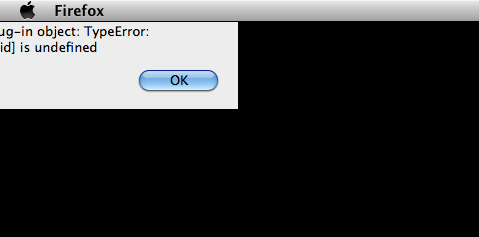
This is most likely caused by an error with one of the installed plugins. Here are some steps I would try to troubleshoot the problem.
- First try running Mozilla's plugin check to see if any of your plugins are out of date. If any are out of date, follow the instructions to install the latest versions.
- If that doesn't fix the problem, try starting Firefox in safe mode to see if you still get the error.
- If running in safe mode makes the error message go away, try following the instructions on the Troubleshooting plugins page to determine which plugin is causing the message.
Hope that helps.
Yes! I found it. the error popped up again and I was able to read it all this time. It was the McAfee SiteAdvisor plug-in that was causing the problem. I uninstalled it and problem solved.
I also have the same issue with McAfee SiteAdvisor and FF4 on a MacBook Pro running the latest version of Snow Leopard. I have put in a service request with McAfee and will update this post in approx 48 hours unless they respond sooner. Seems like a far to common app to somehow have "missed" testing on a browser release that was scheduled for a while.