


Can't Dismiss Amazon Search from my Firefox page

I am unable to dismiss the Amazon Search icon from my Firefox Homepage. I can dismiss others, but whenever I click on Dismiss for the Amazon Search it just always remains. I want it gone.
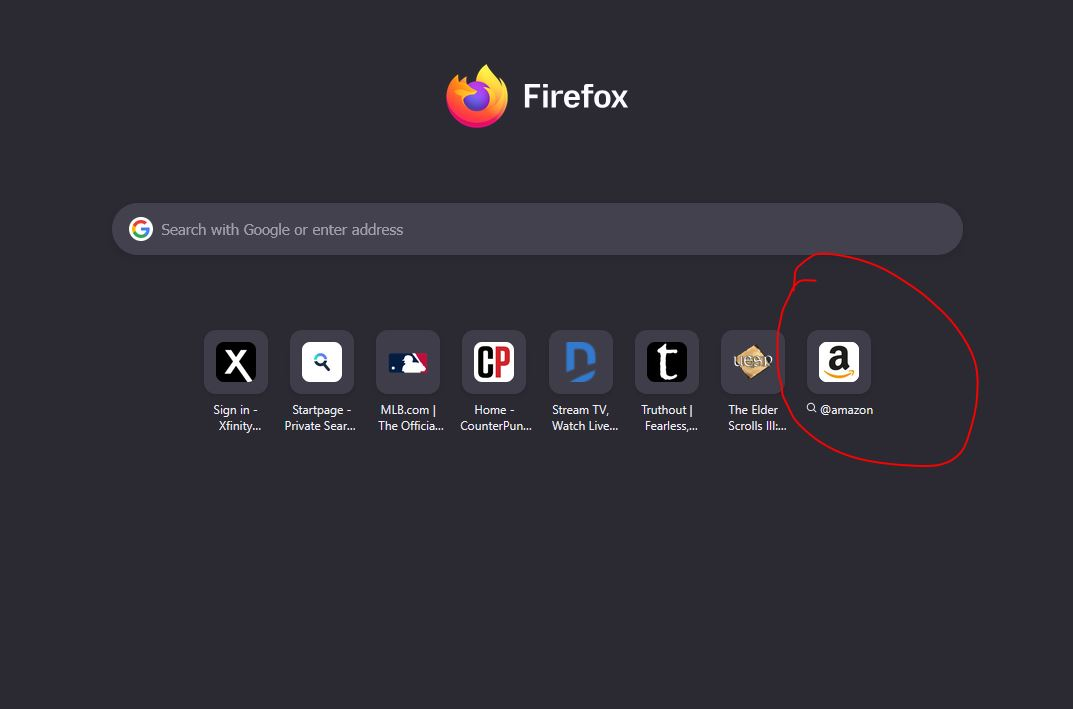
All Replies (3)
Noone? I just want it to be gone, does anyone know how I can do this? Or is this new with a recent update and Mozilla has decided we can't get rid of this one?
I keep pressing the three dots and pressing dismiss, and it just blinks at me and stays. I use the icons on that page often, and I'd like that spot for a different one.
I even tried, using bookmarks, to continuously go to a website not already on that page hoping it might displace it, but no, after dozens of "new" trips to a different website, the Amazon search icon remains.
Réiteach Roghnaithe
There was a recent change bugzilla.mozilla.org/1628669 that fixed when the (e.g. regional) domains did not end up matching; this might be some side–effect of the change.
I don't see anything tracked for this bug, but have heard about the weird search shortcut already — will update here if anything unfolds.
In the meantime, if you go to search settings, do you have Amazon search listed there? If you disable it, does the home tab change?
jbr said
In the meantime, if you go to search settings, do you have Amazon search listed there? If you disable it, does the home tab change?
Oh man, I had never looked at that section under settings, and when I disabled it in those settings and returned and hit Dismiss again, it stayed again... BUT, when I instead clicked on Remove From History... THAT DID IT!!! The option to Remove From History was never there until I disabled that option in settings.
THANK YOU so much. I know it's not a big deal, but it was bugging the heck out of me because I couldn't control it, you know? That fixed it, and I am sorry I didn't realize that setting was there, my bad. But thank you again. Made my day. lol
Athraithe ag J.Weakley2008 ar