


Refresh Firefox
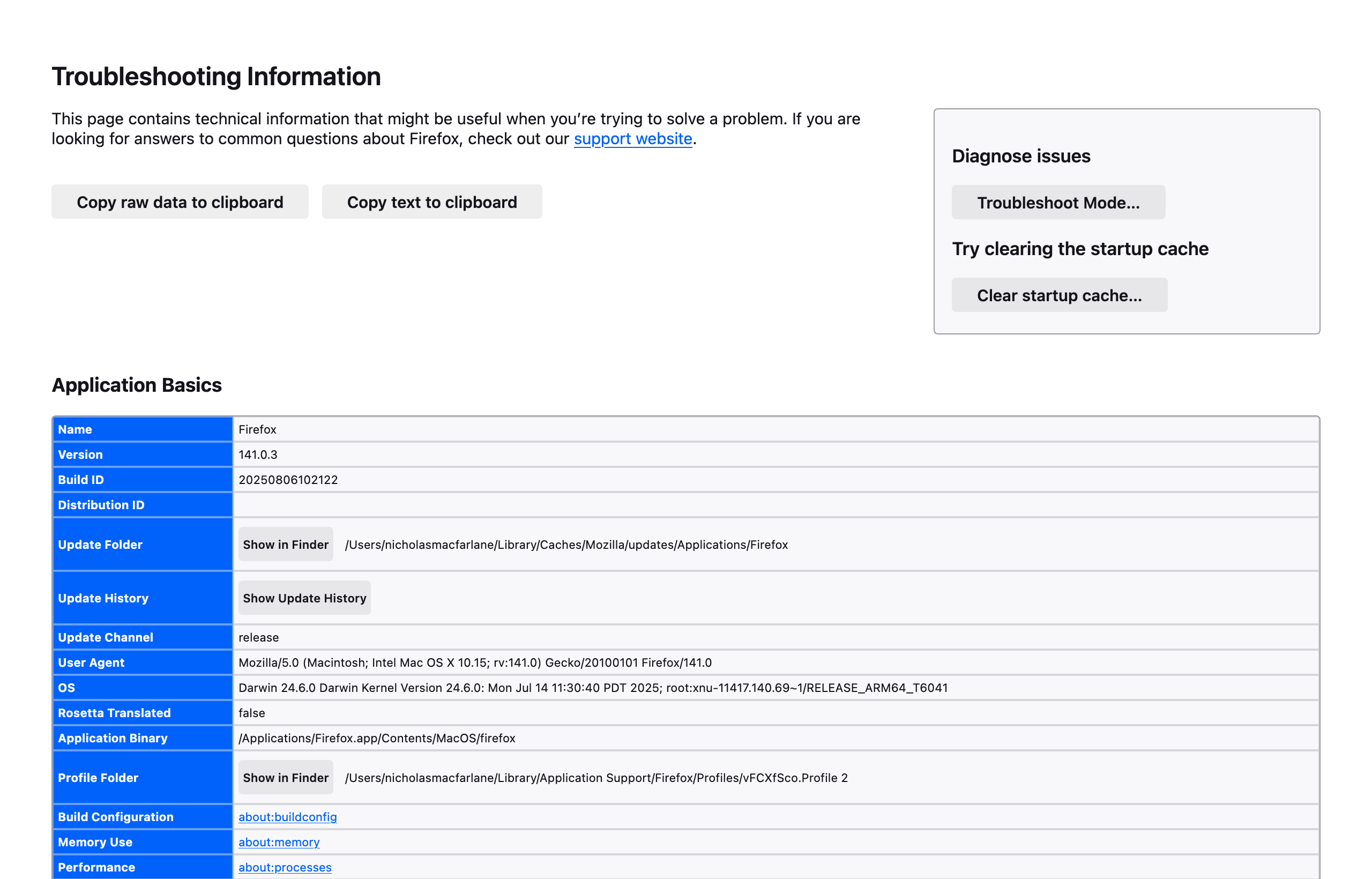
Hi: There is no Refresh Firefox tab. I go to Help More troubleshooting information. Like I've done a million times. And for Diagnose Issues there's only a Troubleshoot Mode and a Clear startup cache tab. No Refresh Firefox tab. I did not want a new profile. I did not want additional profiles. This has messed everything up. Firefox is not working. Thank you
Hi: There is no Refresh Firefox tab. I go to Help More troubleshooting information. Like I've done a million times. And for Diagnose Issues there's only a Troubleshoot Mode and a Clear startup cache tab. No Refresh Firefox tab. I did not want a new profile. I did not want additional profiles. This has messed everything up. Firefox is not working. Thank you
All Replies (1)
You said:
> I did not want a new profile. I did not want additional profiles. This has messed everything up. Firefox is not working.
Could you try switching to your regular profile using the steps in the first section of the following article:
Recover user data missing after Firefox update
Are you able to get into your regular profile and set it as the default?