


How can i remove this bar aside of the browser ? that's troublesome.

How can i remove this bar aside of the browser , that's troublesome.
Réiteach Roghnaithe
This is strange. Try to use the customize panel to drag&drop Sidebars button on your toolbar.
All Replies (8)
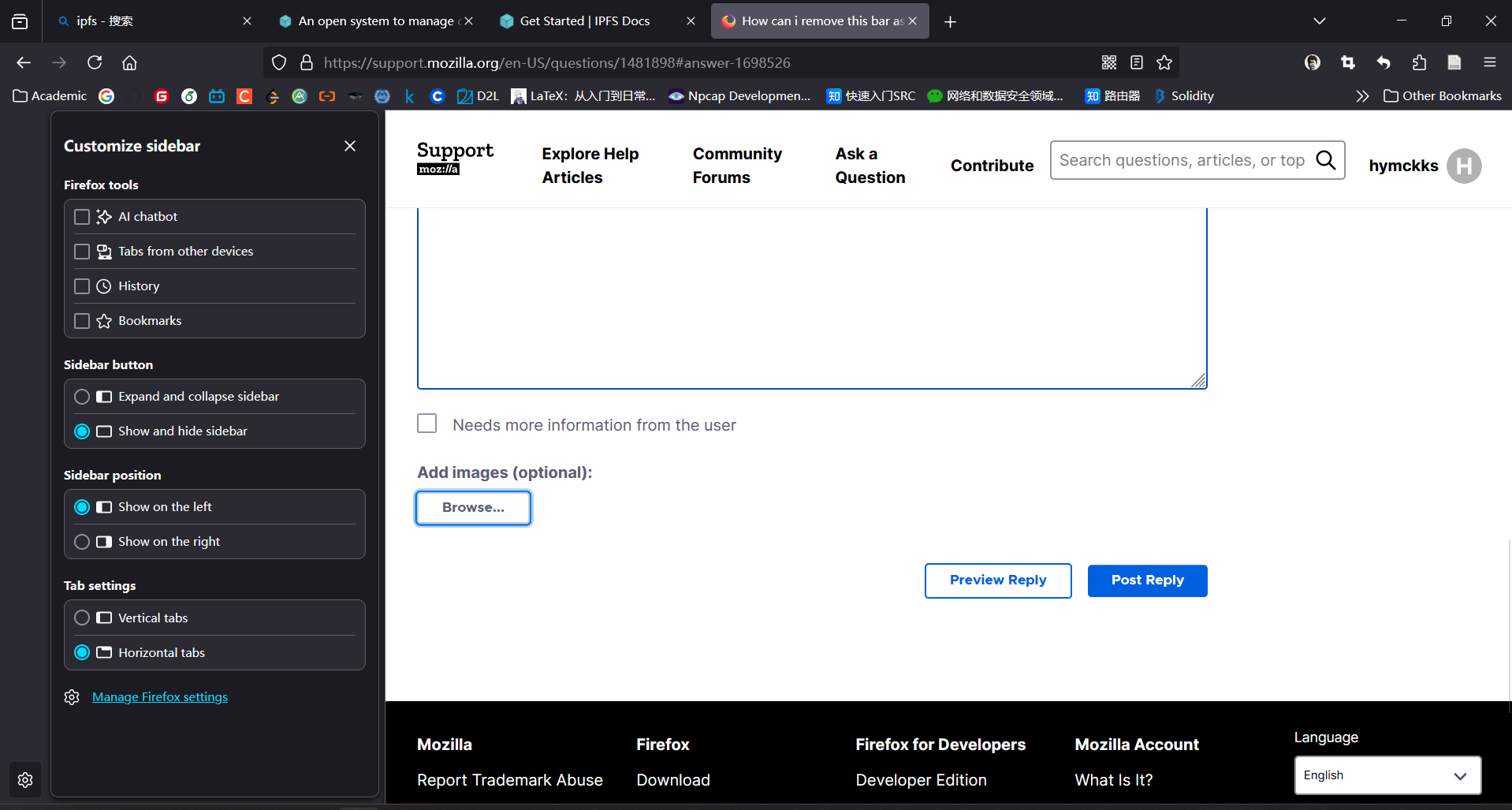
Click Customize sidebar at the bottom of the sidebar, then select Show and hide sidebar. Now the sidebar button next to the address will remove the sidebar.
Appreciate your answer.I have already set the Show and hide sidebar. But I cant find nay button next to address to remove this T_T.
Look this
Réiteach Roghnaithe
This is strange. Try to use the customize panel to drag&drop Sidebars button on your toolbar.
thank you very much !
Update for Firefox 136: The setting to choose between completely closing the sidebar (old style) and showing vertical button bar (new style) moved. See: Use the sidebar to access tools and vertical tabs.

This is entirely disgusting and something NOBODY needed and few asked for. it wa sput there automatically and crap like this eneds to NOT happen. I'md sigusted by mozilla even thinking this was okay. STOP pulling an mciosoft and EA
Hi davis.matthew3, were you able to find these:
- "Show sidebar" checkbox on the Settings page (General panel, Browser Layout section) to disable the vertical button bar
- "Hide Sidebar" button on the vertical bar right-click context menu to temporarily hide the bar?
To give feedback on improving the bar, go to: