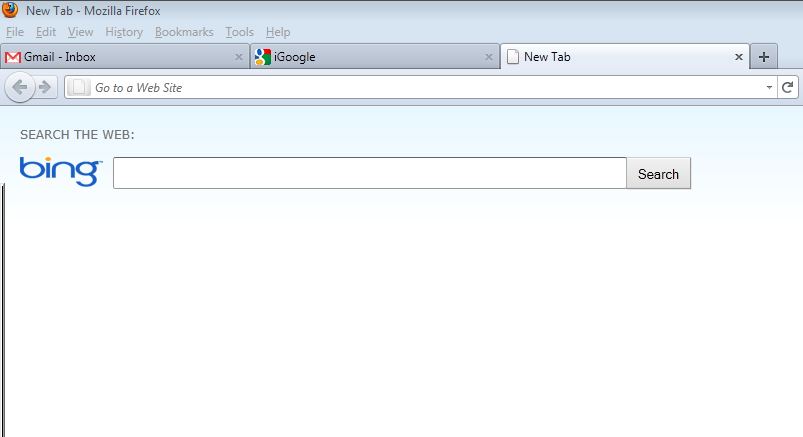
when i open a new tab, it goes to bing, i HATE bing, i want new tabs to goto google. please help

When I hit the plus symbol on the far upper right corner of a tab to open a new tab, it goes to Bing, I really hate Bing. I'd prefer new tabs to open to Google. please help.
Alle antwurden (5)
Un-install the Search Toolbar 1.2 extension.
Then install this extension.
NewTabURL extension - set it for Google
https://addons.mozilla.org/firefox/2221/
I can't find Search Toolbar 1.2 in my list of add-ons (or anything related to "search" or "toolbar"). Any suggestions on how/where to find this?
in Firefox open Add-ons dialog box: Tools->Add-ons Then select the Extensions tab at the top of the Add-ons dialog box. You should see Search Toolbar 1.2. Click Disable. Then click Uninstall. If you would like to replace this with another (for example NewTabURL) Click on the Get Add-ons tab. It will open a page with plug-ins. On the right side of the page click on "tabs" under catagories. Follow the prompts
You can also find the same issue with other toolbar extensions. I found mine under Fun Toolbar.
I got this problem when I installed a program off the web called Bulkr. Though I was careful to specify to the installer that I wanted NO toolbars added and NO changes to my homepage or default search engine, it did it anyway. It's so disappointing that Bing would resort to dirty tricks like this. They only create bad will for themselves.
Anyway, I located the source of the problem as a toolbar called StartNow. I used the Windows Program manager in the control panel to uninstall the offending toolbar and it looks like the problem is fixed. Firefox now opens new tabs for me with no Bing text window. I will update here if I have any more problems.