


Thunderbird email no longer loads on my laptop. It's fine on my desktop.

My email on Thunderbird no longer loads on my laptop. It's fine on my desktop. It just stays a blank screen. "No message found" it says. I have to shut it down and when I do it says "Thunderbird is not responding." Can you give me a step-by-step on how to fix this?
Alle antwurden (3)
Does your Thunderbird main window on startup look like the one shown in my attached picture? No folder pane, the mail tab is empty and the tab bar contains very many message and PDF tabs which cannot be opened since Thunderbird is "frozen"
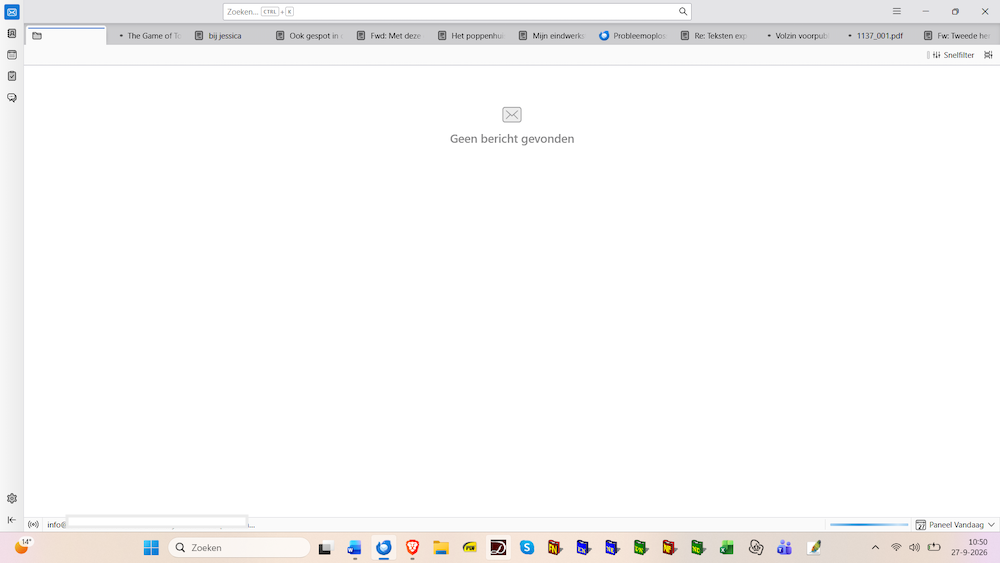
Bewurke troch Mapenzi op
Yes. That’s exactly what the screen looks like.
Your problem is caused by https://bugzilla.mozilla.org/show_bug.cgi?id=2071951 "Thunderbird hangs on startup when restoring session.json." By default Thunderbird always proceeds to a session restore on startup. Actually in certain cases when many messages and/or PDF documents opened in new tabs are left open on closing Thunderbird, it will be unable to restore them on next startup.
Unless this bug gets fixed the only way I know to recover a responding Thunderbird app is to remove the session.json file in the Thunderbird profile folder. To do this you can follow the description I provided in this discussion https://support.mozilla.org/en-US/questions/1613132#answer-1858261 If my instructions seem imprecise please ask me before trying some other manoeuvre .