


"Always Ask" is NEVER ASK for file downloads!

On all my PC's, (Win 10 & 11) downloads go to the folder I specified even though "Always Ask" is checked. This results in hundreds of files (statements, receipts, documents of interest) that I have to then move to the correct folders and unimaginable congestion and chaos in the directory.
I (and many others) would really appreciate it if FF would give priority to fixing some of these longstanding glitches, rather than pushing unneccessary and unneeded glitz on us.
Alle antwurden (3)
Hello,
To make Firefox not bypass your "always ask", it may be because there are specific file formats that are downloaded via separate options. To change this, go to menu > settings > general, then scroll down to "Files and Applications", then look at the "applications" table, it lists different content types. Under the table, it will show "What should Firefox do with other files?" and make sure "Ask whether to open or save files is selected"
Next, you can try going to about:config, accept risk (use at own discretion), then search for browser.download.useDownloadDir, and change it to false (if it was originally true).
Lastly, you can try going back to Firefox Settings > General > Downloads, then temporarily switch setting from "Always ask" to "Save files to", then click browse, and select a different temporary folder. After that, change it back to always ask and try again.
I have EVERY application format that doesn't use a specific program (such as QFX for a finance program) marked "ask." The ones I use just download to the default folder regardless. Practically all downloads are PDF and none ever go anywhere but the default folder.
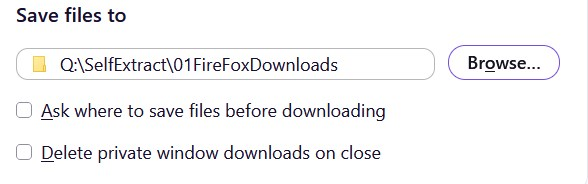
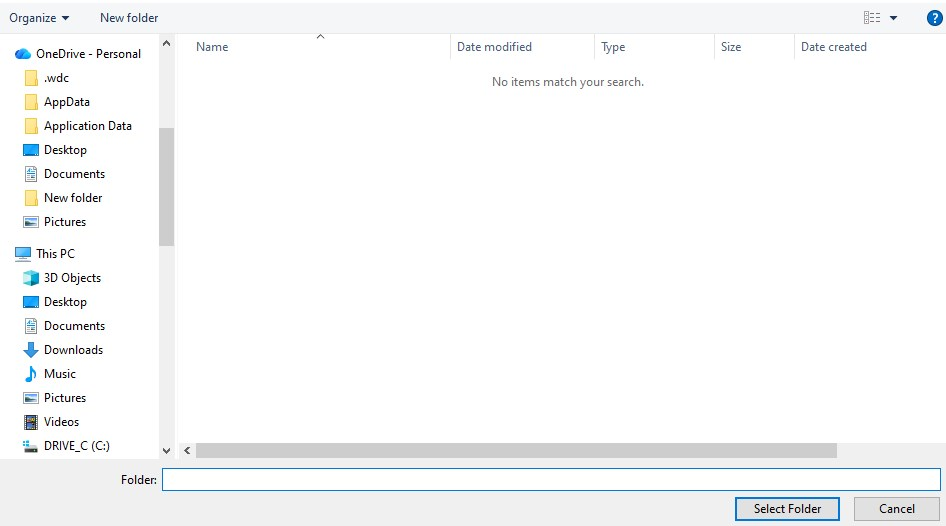
I did ease the pain a bit by making a subdirectory called FireFoxDownloads and making it the default download folder. There doesn't seem to be a null option for a download folder -- see screenshots.
A few dozen or perhaps hundred "updates" ago "always ask" worked. I'll take a look at the config file when I find it though. ;)
Thanks for your clarifications.
Is this specific to PDFs, or exactly attachments that have set their handler to open in any app?
See the note in support.mozilla.org/en-US/kb/choose-your-preferred-pdf-viewer-firefox#w_choose-another-pdf-viewer-to-use-by-default-or-set-firefox-to-always-ask
"Choose another PDF viewer to use by default or set Firefox to always ask"
Note: When you choose another PDF viewer to use by default in Firefox, or if you set Firefox to always ask you what to do with PDF files, any PDF files you open will also be saved to your Downloads folder (see Where to find and manage downloaded files in Firefox).''