


Windows 10 reached EOS (end of support) on October 14, 2025. If you are on Windows 10, see this article.

Sykje yn Support

Mij stipescams. Wy sille jo nea freegje in telefoannûmer te beljen, der in sms nei ta te stjoeren of persoanlike gegevens te dielen. Meld fertochte aktiviteit mei de opsje ‘Misbrûk melde’.

Mear ynfo
Iepen

Can't get rid of "Add Security Exception" pop-up

christ1 beäntwurde
ian266

Sometime ago, when I was regularly using more than one computer, I thought I'd found a way to have my Thunderbird address book centrally located and accessible from both computers. I got no success from attempting this, but have suffered some side-effects every since. Configuring Thunderbird back then somehow involved using the location "demo.sogo.nu" and I believe it related to a security certificate. What used to happen was, soon after rebooting the computer, I'd get a couple of pop-up messages about connecting to demo.sogo.nu that I could clear away easily. Recently, something changed regarding this certificate and I now get pop-ups (screenshot attached) that continually bother me to create a security exception. I want these gone! I've gone into the Certificate Manager and can't find anything under the Server tab to delete. One other clue is a second screenshot that I discovered somewhere in Thunderbird that actually shows the *.sogo.nu certificate - but offers no way to delete it! Can anyone give me a hand? My only alternative is to literally annihilate Thunderbird and start from scratch, but I really don't want to go there.
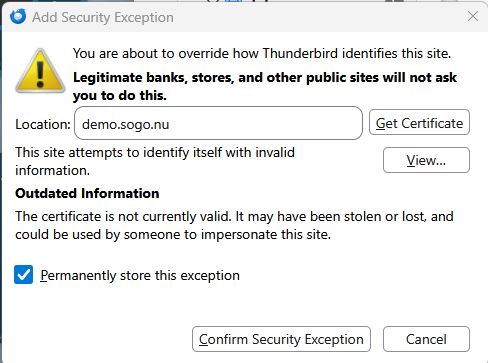
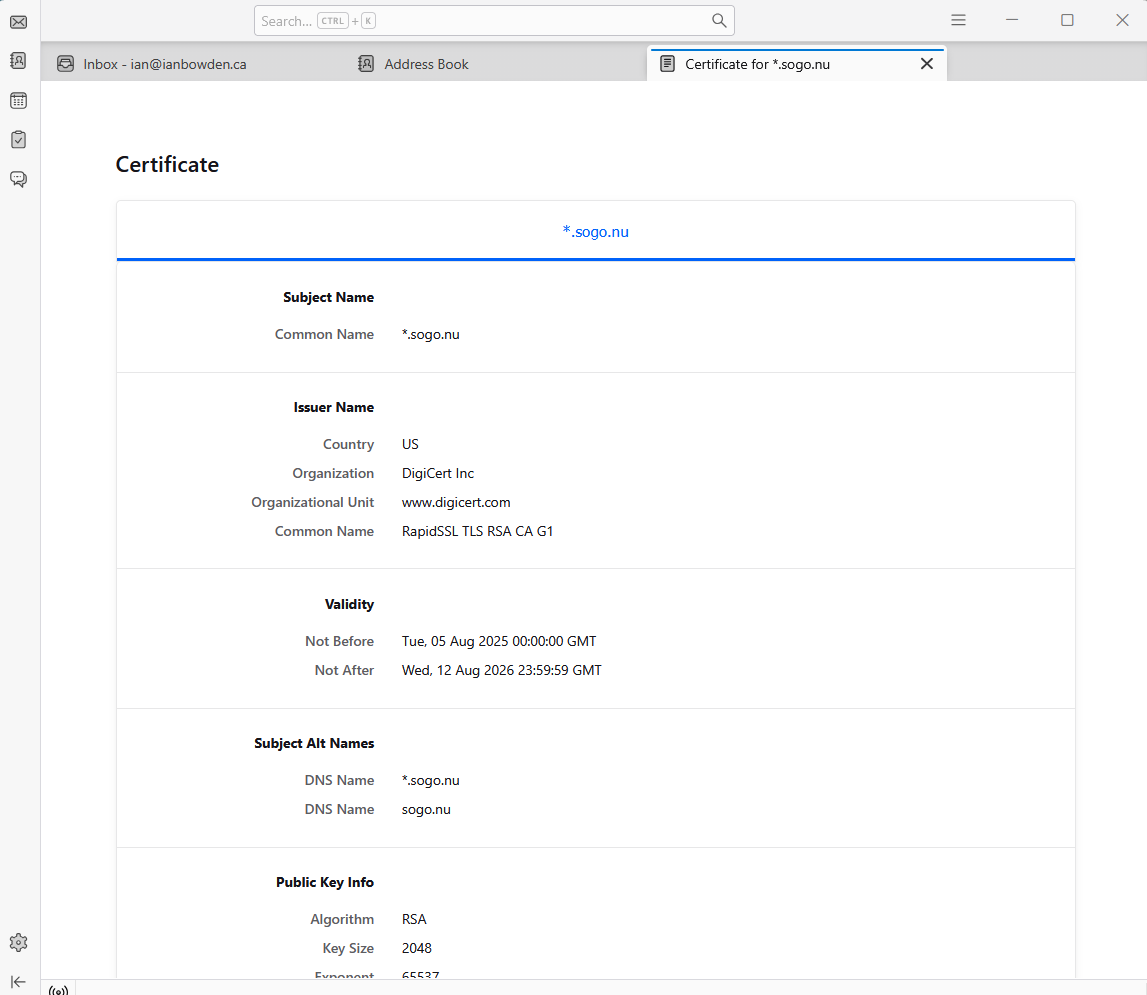
Sometime ago, when I was regularly using more than one computer, I thought I'd found a way to have my Thunderbird address book centrally located and accessible from both computers. I got no success from attempting this, but have suffered some side-effects every since. Configuring Thunderbird back then somehow involved using the location "demo.sogo.nu" and I believe it related to a security certificate. What used to happen was, soon after rebooting the computer, I'd get a couple of pop-up messages about connecting to demo.sogo.nu that I could clear away easily. Recently, something changed regarding this certificate and I now get pop-ups (screenshot attached) that continually bother me to create a security exception. I want these gone! I've gone into the Certificate Manager and can't find anything under the Server tab to delete. One other clue is a second screenshot that I discovered somewhere in Thunderbird that actually shows the *.sogo.nu certificate - but offers no way to delete it! Can anyone give me a hand? My only alternative is to literally annihilate Thunderbird and start from scratch, but I really don't want to go there.
Keppele skermôfbyldingen

Alle antwurden (1)

The cert for demo.sogu.nu has expired on August 12 2026, hence the exception prompt. Talk to your email provider, they'll have to renew their cert.

In fraach stelle

Jo moatte jo oanmelde by jo account om op berjochten te antwurdzjen. Stel in nije fraach as jo noch gjin account hawwe.