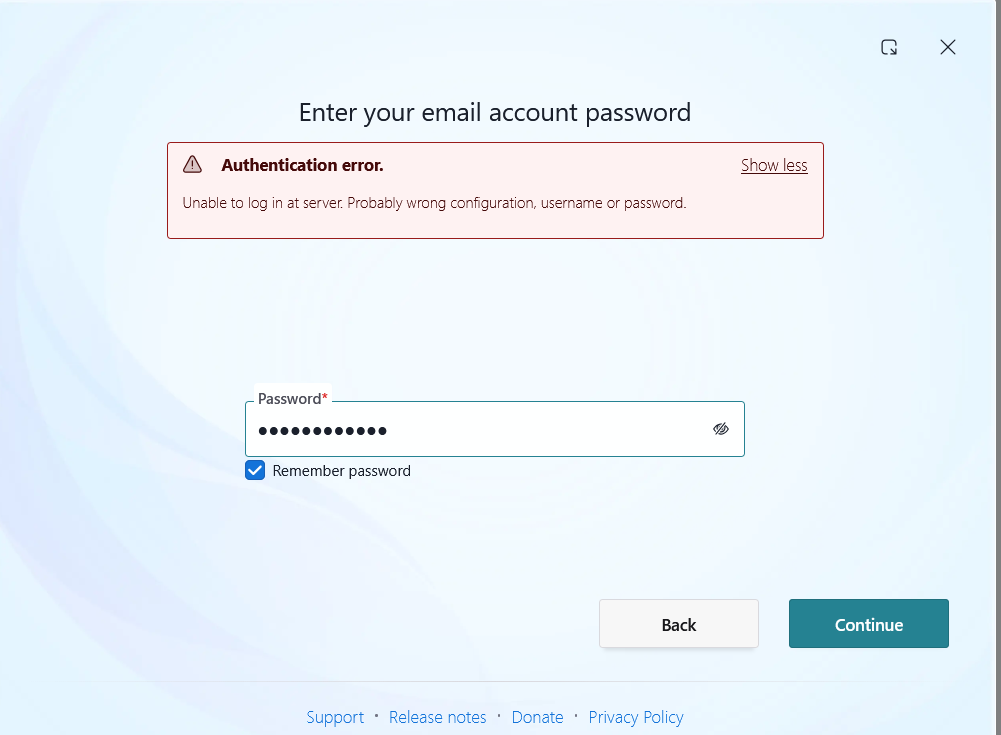
Unable to log in to my email account through the Thunderbird desktop application due to an authentication error, although the same credentials work correctly on webmail.

Dear Thunderbird Support Team,
I am unable to log in to my email account through the Mozilla Thunderbird desktop application. I am getting an “Authentication Error” stating that Thunderbird is unable to log in to the mail server and that the username, password, or configuration may be incorrect.
However, I have verified that the same email credentials are working correctly through webmail, so the account password is valid and the mailbox is accessible.
Issue Details:
Application: Mozilla Thunderbird Desktop Issue: Unable to authenticate/login to the email account Error: “Authentication error – Unable to log in at server. Probably wrong configuration, username or password.” Webmail Login: Working successfully Thunderbird Login: Failing with authentication error Operating System: Windows
I have already checked the email credentials and attempted to configure the account in Thunderbird, but the issue persists.
Kindly help me identify the cause of the authentication failure and provide the correct Thunderbird configuration/settings required to access the email account.
I can provide screenshots and the current Thunderbird account configuration if required.
Thank you for your support.