Reply-To is not Working
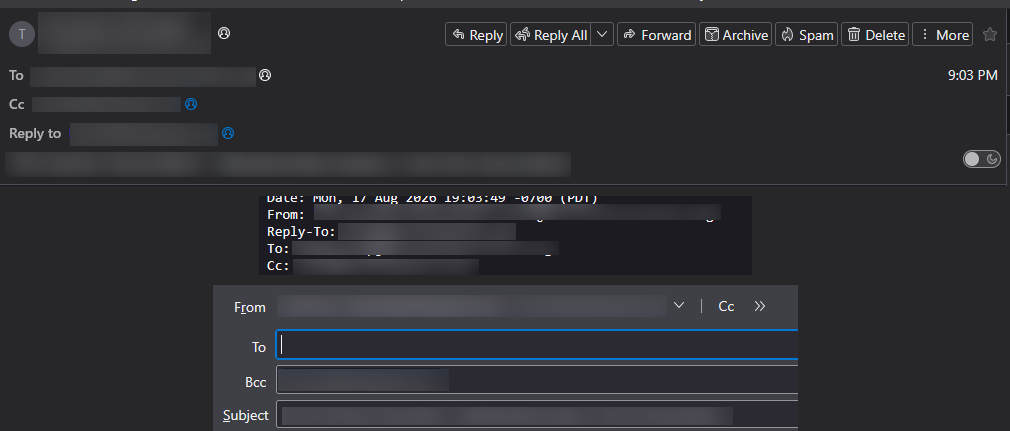
The header contains a Reply-To address, but when I click on Reply, the To field is empty.
Alle antwurden (4)

What version of Thunderbird?
What is your operating system?
Does this happen with all messages with a Reply-to or just this one message or this one sender?
Do you use any add-ons that might affect header display?
Try restarting Thunderbird in Troubleshoot Mode (see <Help | Troubleshoot Mode>. Among other things, this will temporarily disable all add-ons in case one is misbehaving.
I have not seen this happen, and I participate in many mail lists that use Reply-To.
Lin said
What version of Thunderbird? What is your operating system? Does this happen with all messages with a Reply-to or just this one message or this one sender? Do you use any add-ons that might affect header display? Try restarting Thunderbird in Troubleshoot Mode (see <Help | Troubleshoot Mode>. Among other things, this will temporarily disable all add-ons in case one is misbehaving. I have not seen this happen, and I participate in many mail lists that use Reply-To.
The version of Thunderbird is 153.0.3 (64-bit) on Windows 11.
Every email I tested that has a Reply-To in the header is not placing the Reply-To email into the To: field when I click Reply.
I tested the same emails on my web-based email client, and the Reply-To works fine.
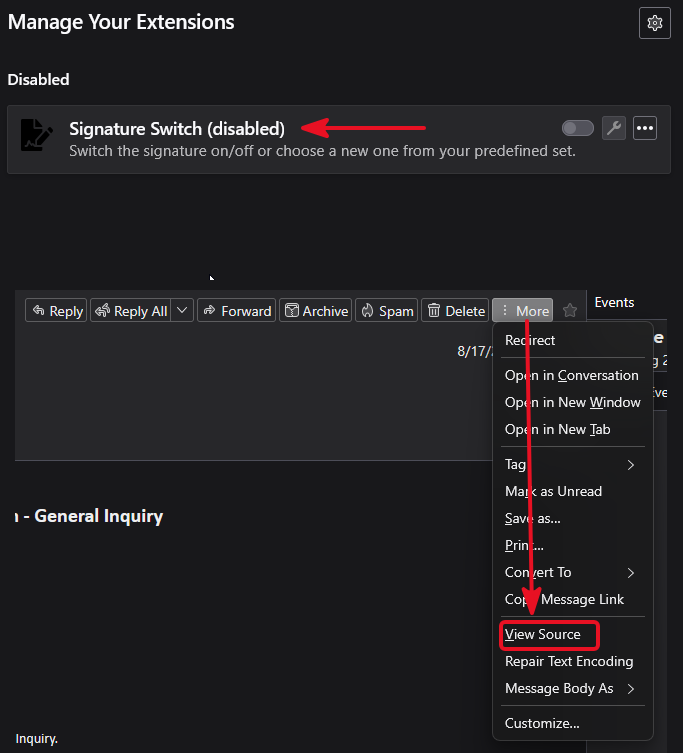
The only add-on I am using is Signature Switch. I restarted Thunderbird in Troubleshoot Mode, and this did not correct the issue.
Do you have any interface customizations that use a userChrome.css or userContent.css file?
Try disabling Signature Switch (even though Troubleshoot Mode is supposed to do that.)
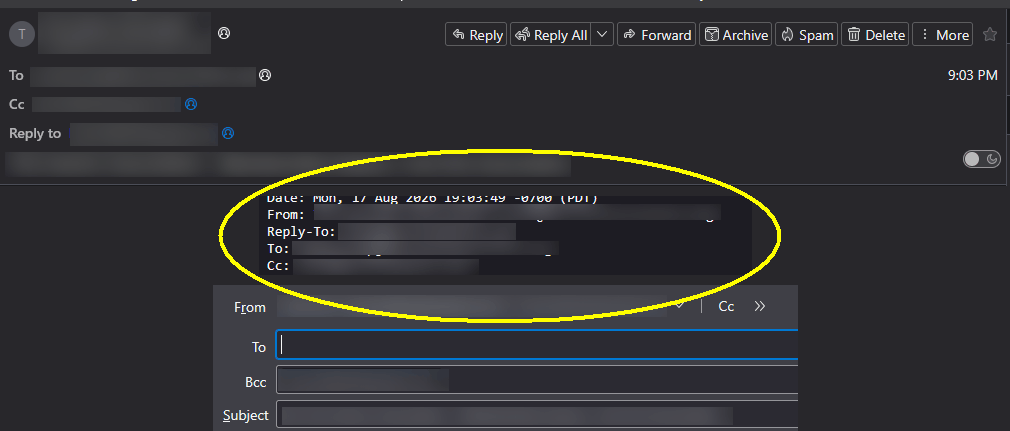
Also, where does the stuff in the yellow circle come from? I've never seen a message or reply displayed that way.
Lin said
Do you have any interface customizations that use a userChrome.css or userContent.css file? Try disabling Signature Switch (even though Troubleshoot Mode is supposed to do that.) Also, where does the stuff in the yellow circle come from? I've never seen a message or reply displayed that way.
There are no interface customizations done to Thunderbird.
Tested with Signature Switch disabled, and there was no change.
The stuff in the yellow circle comes from the More > View Source in the email.