


Iepen
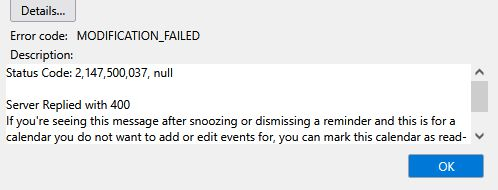
every holiday and birthday generates error every few minutes
happens on Windows 11 also
Every birthday or holiday reminder (I haven't entered these) generates an error when i select snooze or snooze all. The reminders I have entered snooze fine. Using gmail calendar.
happens on Windows 11 also
Every birthday or holiday reminder (I haven't entered these) generates an error when i select snooze or snooze all. The reminders I have entered snooze fine. Using gmail calendar.
Alle antwurden (2)
you have this calendar in Thunderbird how? it looks to me like you have added a link to an ICS file on the web and have a read only calendar. But knowing exactly what link you used would probably make it possible to work you what you need to change.
So what link is the calendar on?
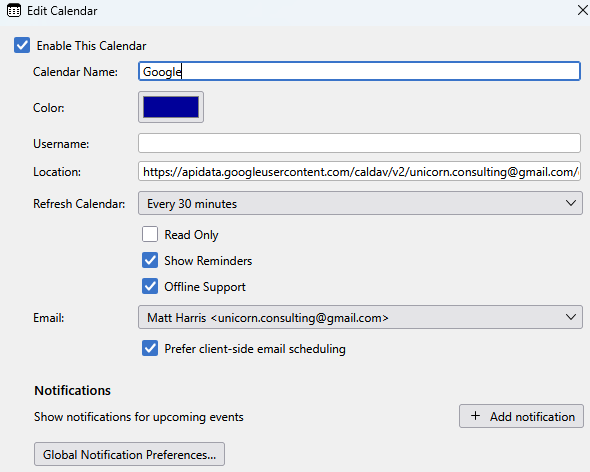
This is the properties of my working google calendar. What are your settings?
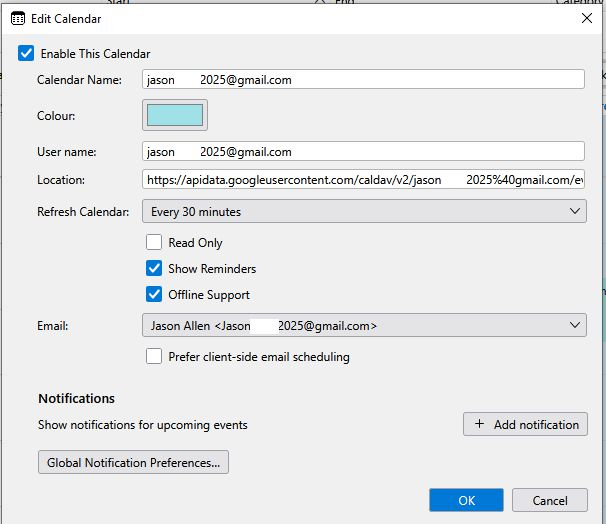
I added the gmail email account and the calendar was added at the same time. Image attached of settings. Thanks,
Bewurke troch Jason op