


Windows 10 reached EOS (end of support) on October 14, 2025. If you are on Windows 10, see this article.

Sykje yn Support

Mij stipescams. Wy sille jo nea freegje in telefoannûmer te beljen, der in sms nei ta te stjoeren of persoanlike gegevens te dielen. Meld fertochte aktiviteit mei de opsje ‘Misbrûk melde’.

Mear ynfo
Iepen

Grin spacing problem

Agent virtuel beäntwurde
ItzNythira

Hello, I am experiencing an annoying layout issue with the New Tab page in Firefox. The spacing between my Top Sites icons is way too large, making the grid look unnaturally stretched out and leaving too much empty space on the screen.Here is the weird behavior I noticed:When I run Firefox in Troubleshoot Mode (Safe Mode), the layout looks perfectly fine, tight, and compact — exactly how it used to be.If I use the "Refresh Firefox" feature, the compact layout returns to normal in the regular mode, but only temporarily.As soon as I launch Firefox in Troubleshoot Mode again and then switch back to the normal profile, the layout breaks once more, and the huge gaps between the shortcuts reappear. (the white bar is the safe mode)
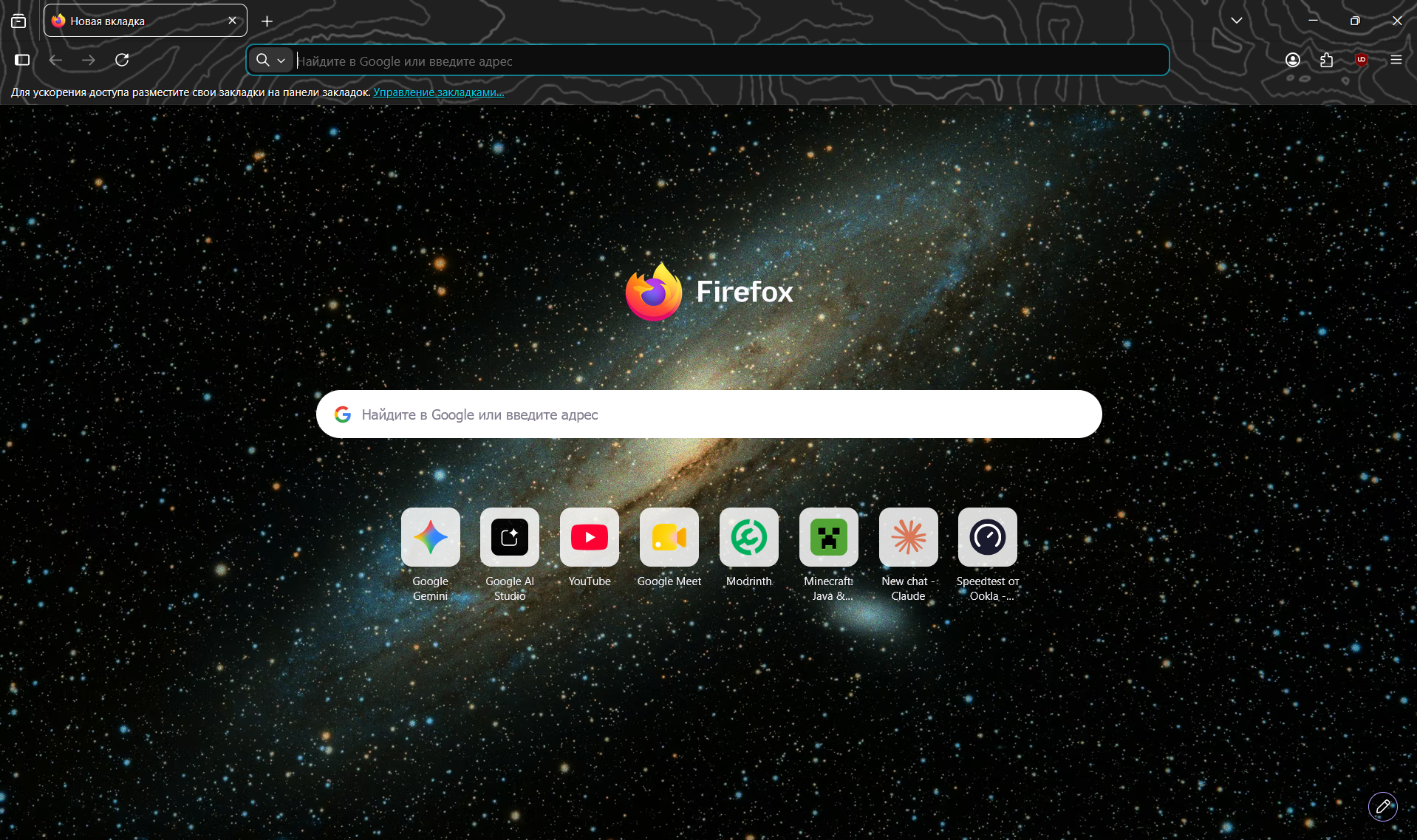
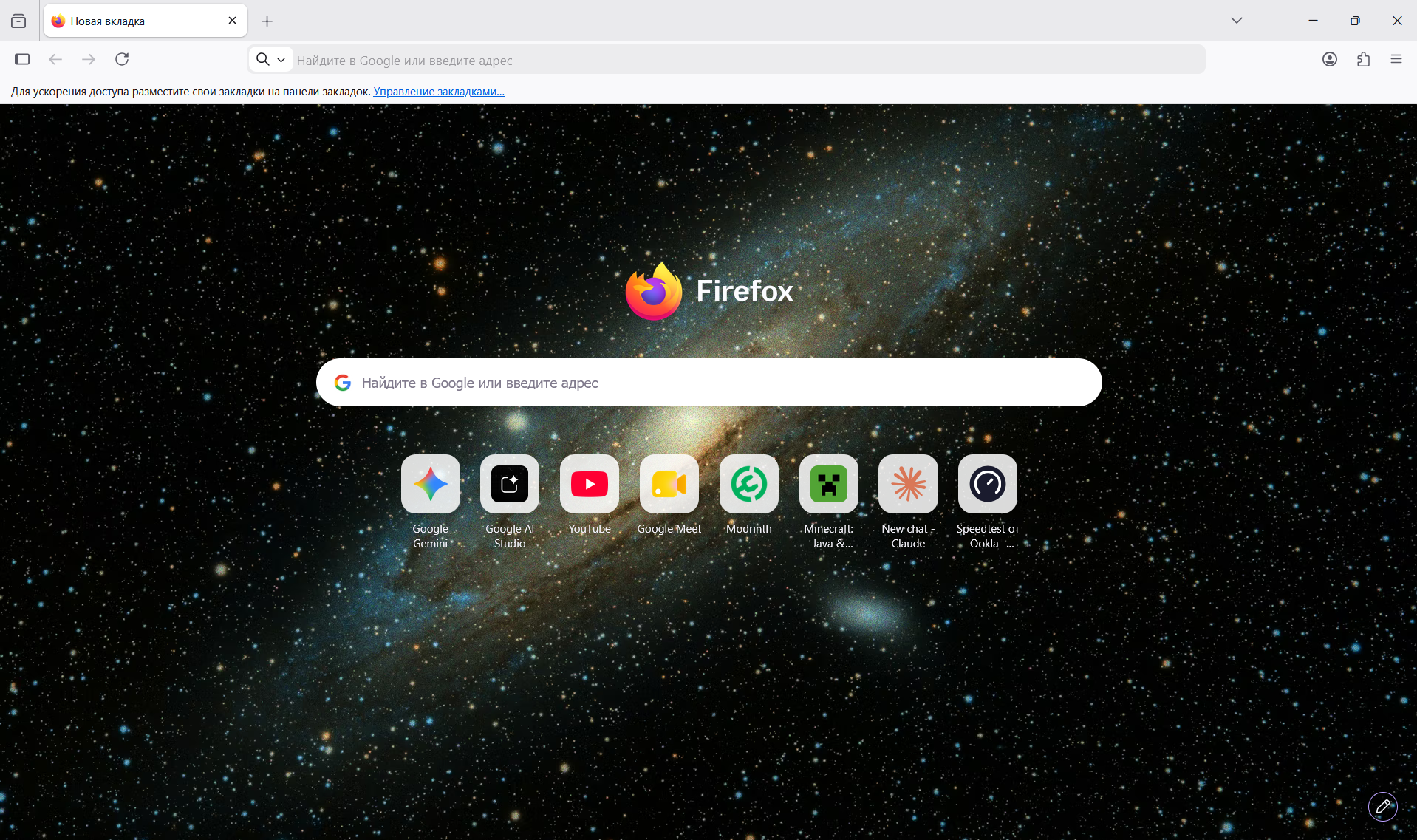
Hello, I am experiencing an annoying layout issue with the New Tab page in Firefox. The spacing between my Top Sites icons is way too large, making the grid look unnaturally stretched out and leaving too much empty space on the screen.Here is the weird behavior I noticed:When I run Firefox in Troubleshoot Mode (Safe Mode), the layout looks perfectly fine, tight, and compact — exactly how it used to be.If I use the "Refresh Firefox" feature, the compact layout returns to normal in the regular mode, but only temporarily.As soon as I launch Firefox in Troubleshoot Mode again and then switch back to the normal profile, the layout breaks once more, and the huge gaps between the shortcuts reappear. (the white bar is the safe mode)
Keppele skermôfbyldingen

Alle antwurden (1)

In fraach stelle

Jo moatte jo oanmelde by jo account om op berjochten te antwurdzjen. Stel in nije fraach as jo noch gjin account hawwe.