


Can’t disable typing bar at bottom of screen
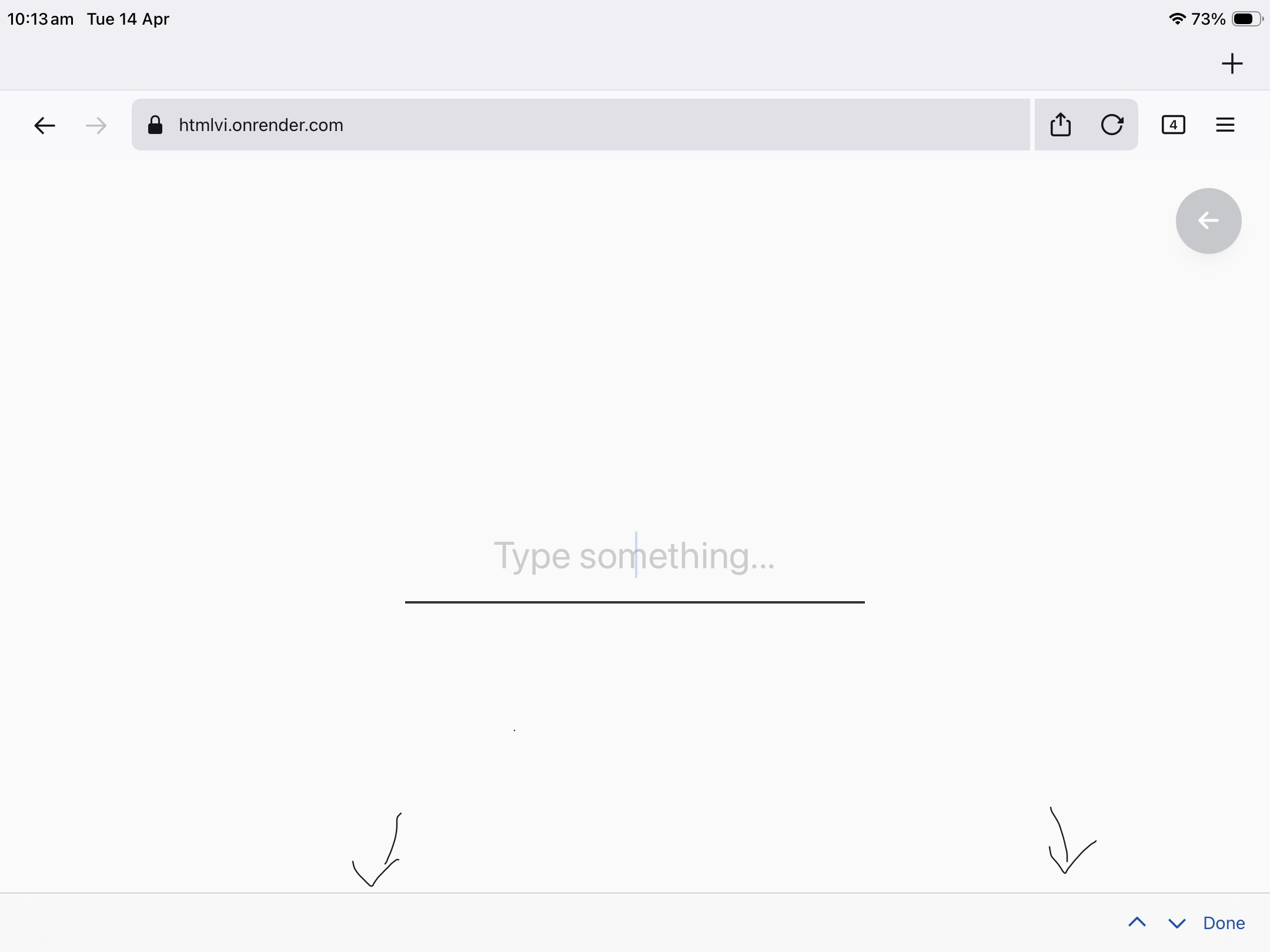
When I am using Firefox for iOS, and I click on any text input, a bar appears at the bottom of the screen. This bar contains nothing apart from ‘↑ ↓ Done’ on the right. This bar is really annoying and moves the page around irritatingly.
If I click ‘Done’ it will temporarily remove the bar until I click on a text input again, and it will appear again.
I would like to know if this is something to do with Firefox or the device iOS settings.
This thread from apple discussions has the same problem: https://discussions.apple.com/thread/255143785?sortBy=rank
A screenshot is attached.
Keazen oplossing
Don’t worry, I found the problem! I just needed to update to a new version of Firefox, with more settings to turn this off.
Thanks for helping!
Dit antwurd yn kontekst lêze 👍 0Alle antwurden (3)
Also, could you please share the following:
- Your Firefox version
- Your iOS version
- The HTML rendered in the screenshot (or an actual website where this issue happens for you)
Keazen oplossing
Don’t worry, I found the problem! I just needed to update to a new version of Firefox, with more settings to turn this off.
Thanks for helping!