


User Data Storage on Android
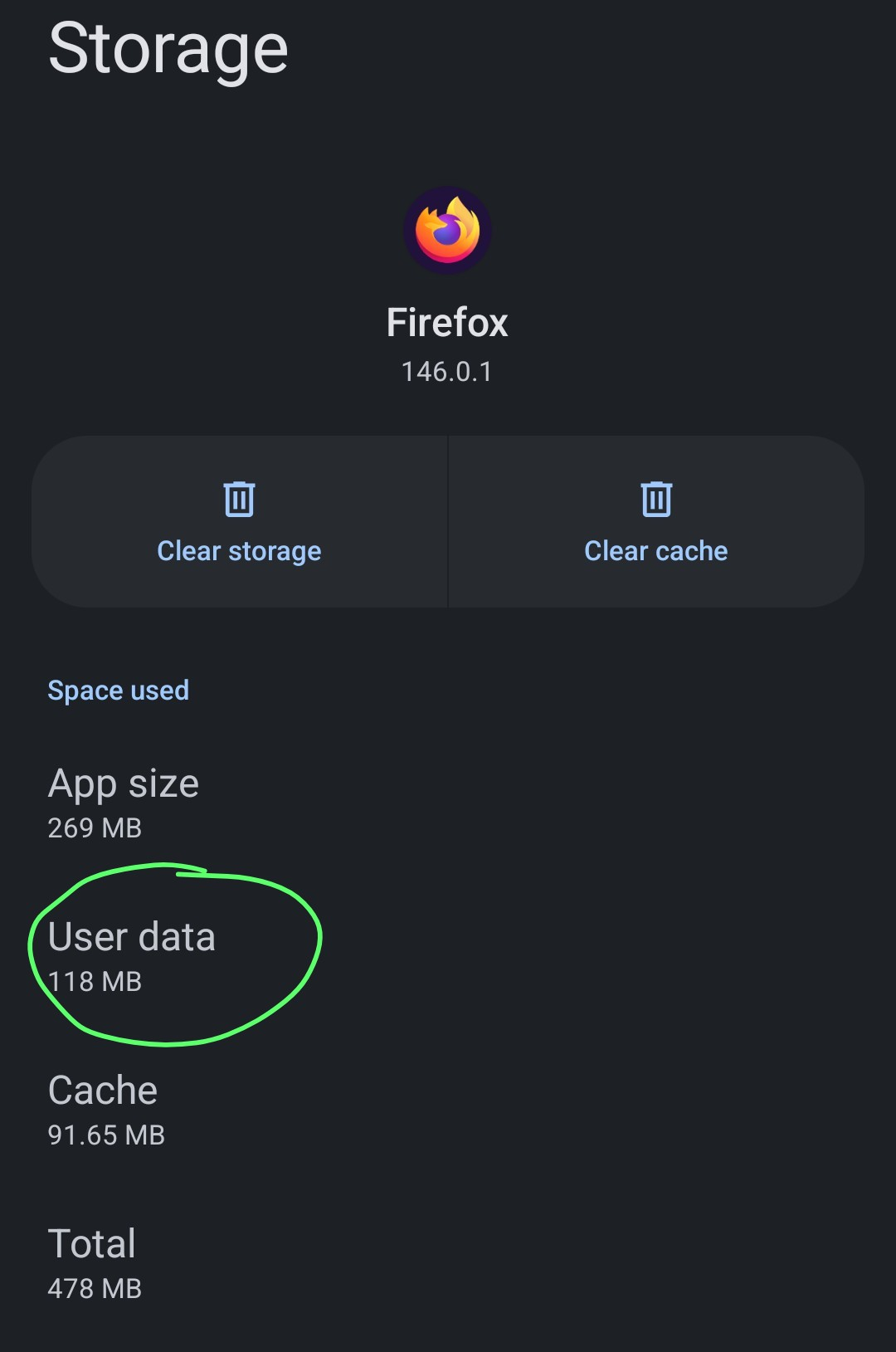
Which data are stored in "User Data" and how to clear this kind of stored data? When deleting data in the privacy settings in Firefox, the "User Data" storage is still unchanged. Also "Cache" is not cleared completely.
The "User Data" raises up to 1GB. It is only possible to clear it by completely wiping all data via "Clear Storage" but then everything is wiped, also all Firefox settings etc. "Clear Cache" obviously only wipes the Cache.
Alle antwurden (6)

If you go: Settings --> Delete Browsing Data on Quit it gives you some options to automatically clear stuff on quit. You can also Settings --> Delete browsing data to do that manually.
Downloads may be what makes up a lot of the storage for user data
Thank you for your feedback Isaac. I already set Settings --> Delete Browsing Data on Quit and did a Settings --> Delete browsing data manually in past, but User Data did not change and raises up.
Downloads are stored in my Download folder and should not affect the User Data. I also delete Downloads regularly, so this should also lower the user data if this really counts in, but which is not the case
Any other ideas?
Maybe set Browser.cache.disk.enable to false. You can do that in about:config. That should stop web pages from storing data for offline use which may help.

Thank you very much. I set the option to false, but Storage still raises up

On Android, “User Data” usually includes site databases, saved sessions, offline files, and app-specific storage that isn’t classified as cache. Browsers like Firefox keep IndexedDB and service worker data there, which explains why clearing cache alone doesn’t reduce the size much.
Is it possible to clean up this storage type also? 800-1000MB seems to be a lot for some service worker data and indexing. This seems to be a bug in the client or what do you think? It may be worth to file a bug issue?