


Windows 10 reached EOS (end of support) on October 14, 2025. If you are on Windows 10, see this article.

Sykje yn Support

Mij stipescams. Wy sille jo nea freegje in telefoannûmer te beljen, der in sms nei ta te stjoeren of persoanlike gegevens te dielen. Meld fertochte aktiviteit mei de opsje ‘Misbrûk melde’.

Mear ynfo
Dizze konversaasje is argivearre. Stel in nije fraach as jo help nedich hawwe.
Oplost Argivearre

Homepage shortcuts re-appeared, and setting to disable them has disappeared

Mnooper beäntwurde
Mnooper

Previously, I had my firefox homepage configured to not show shortcuts or recently visited websites, as I feel it is clutter. However, recently, shortcuts have re-appeared, with no option to disable/hide them in the homepage settings (Settings > Homepage only shows Stories, Wallpaper, and app Opening Screen; see attached image). Wondering if this is a feature that was removed (if so, would love to see this reverted), if it is a bug that needs fixing, or I'm missing something.
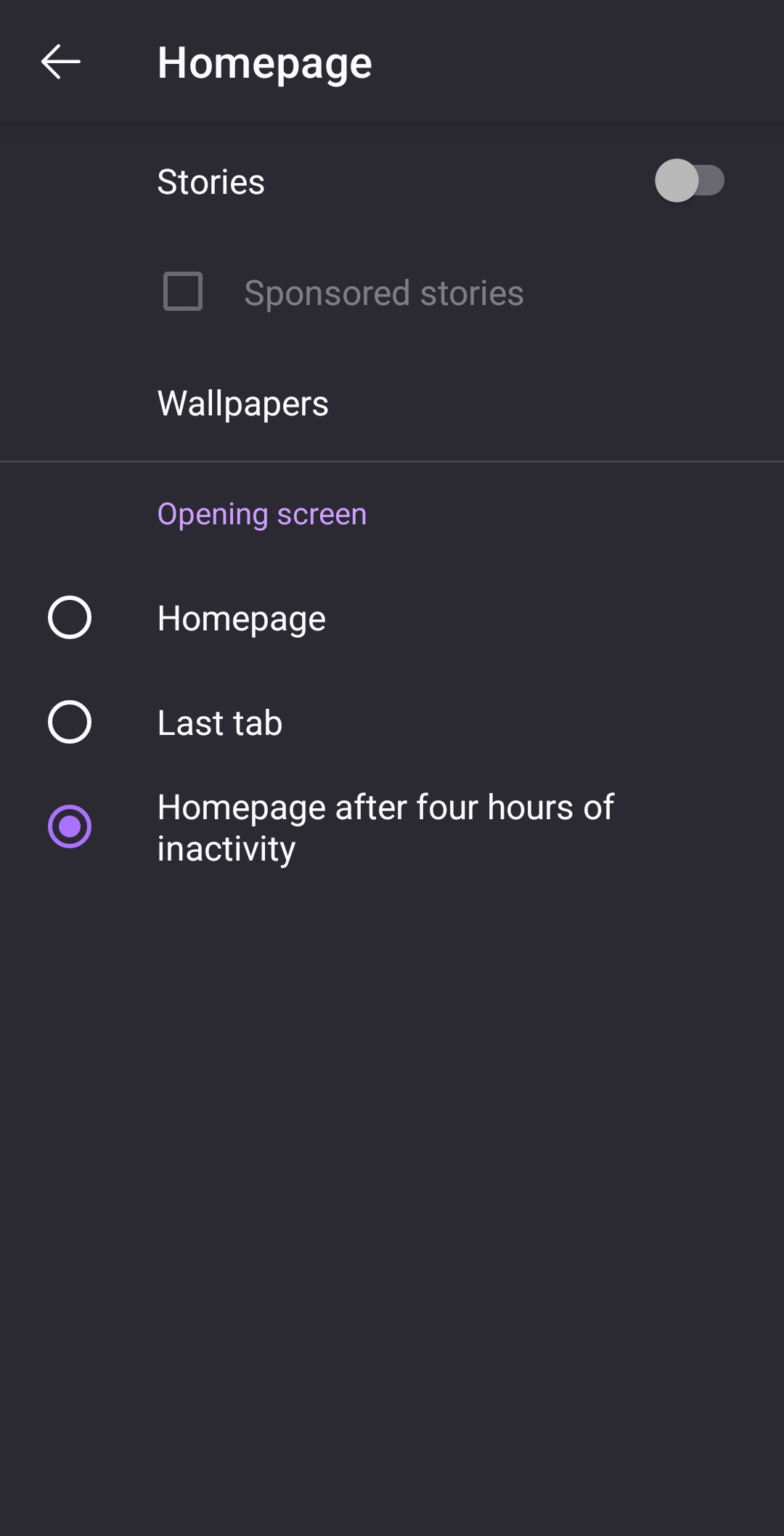
Previously, I had my firefox homepage configured to not show shortcuts or recently visited websites, as I feel it is clutter. However, recently, shortcuts have re-appeared, with no option to disable/hide them in the homepage settings (Settings > Homepage only shows Stories, Wallpaper, and app Opening Screen; see attached image). Wondering if this is a feature that was removed (if so, would love to see this reverted), if it is a bug that needs fixing, or I'm missing something.
Keppele skermôfbyldingen

Alle antwurden (1)

Keazen oplossing

Update: This issue seems to have resolved itself, with the previous version of the settings menu restored and shortcuts hidden again. Unsure if just an app reatart managed to fix this or if something changed elsewhere. Apologies if anyone else is experiencing this problem and can't find a solution