


Setting the Font for Plain Text in the Message Pane

Hi All,
I'm having an issue with the font displayed in the message pane.
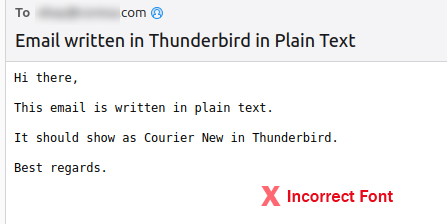
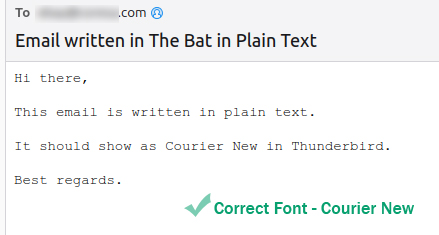
Below are screenshots of 2 plain text emails received by Thunderbird.
One email, created in The Bat on Windows, shows in the Courier New font, which I prefer.
The other email, created in Thunderbird on Linux, shows in some other font.
Shouldn't all plain text emails have the same font?
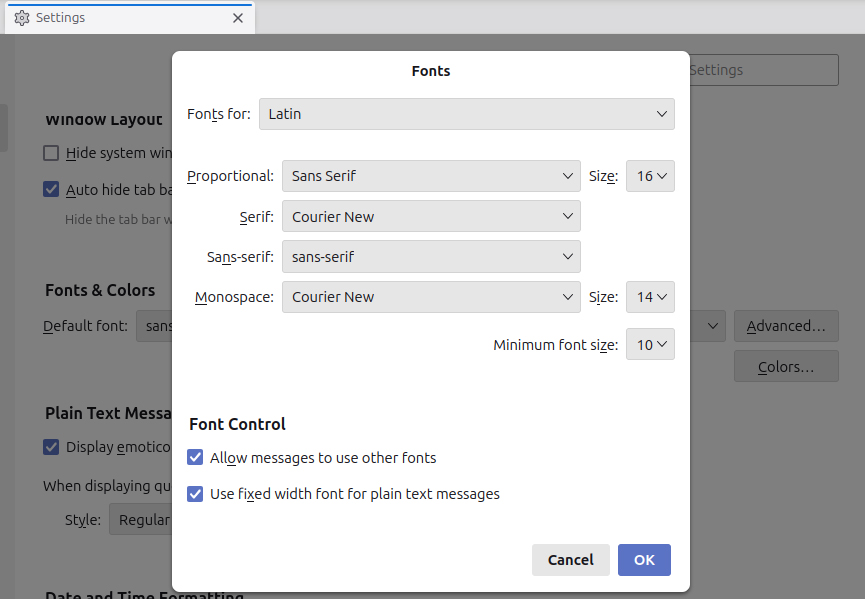
Also below is my Fonts... Advanced dialog box. This is a somewhat confusing screen, because it does not seem to assign fonts to specific elements in the program.
How can I have all plain text emails display with the Courier New font?
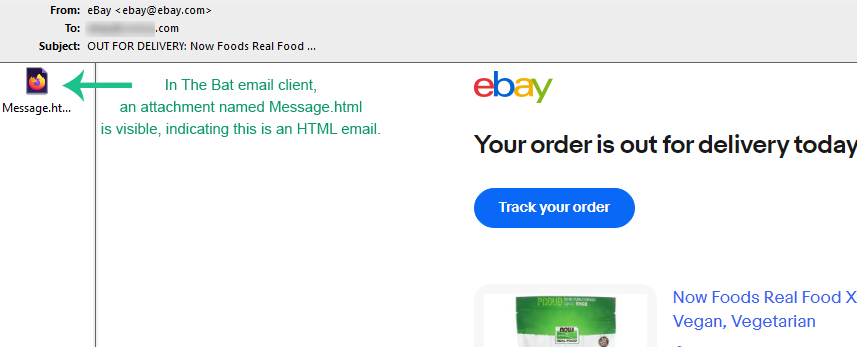
Also, how can I tell if an email is plain text or HTML? Is there some indicator in Thunderbird? In The Bat, an actual HTML icon shows as an attachment on HTML emails, and the plain text emails do not have this attachment.
And for some reason, Courier New displays very light in Linux, but darker and more readable in Windows. Is there any way to improve the quality of this font?
Thanks!
Bewurke troch Slouch op
Keazen oplossing
No I didn't, and that fixed the issue!
Didn't know there was anything hidden in that drop-down menu besides languages :)
Thank you sfhowes.
Would you know if there is any visible email attachment in Thunderbird indicating that I'm looking at an HTML email, besides obvious font colors and graphics? Or is the font my only indicator?
Dit antwurd yn kontekst lêze 👍 0Alle antwurden (6)
In your last picture, the Advanced settings, did you also set the fonts with Fonts for: Other Writing Systems?
Keazen oplossing
No I didn't, and that fixed the issue!
Didn't know there was anything hidden in that drop-down menu besides languages :)
Thank you sfhowes.
Would you know if there is any visible email attachment in Thunderbird indicating that I'm looking at an HTML email, besides obvious font colors and graphics? Or is the font my only indicator?
You could look at the Content-Type header in the source (Ctrl+U), or just change the View/Message Body setting to Plain Text and see if there's a difference. (Press Alt if the Menu Bar with View is hidden).
Excellent. Both are good methods.
Thanks for all your help!

A user cannot do much about typefaces other than switch. Courier is heavier than Courier New. You might see how the Linux version of Courier looks.
A user cannot do much about typefaces other than switch. Courier is heavier than Courier New. You might see how the Linux version of Courier looks.
Yes, I will probably pick Courier, or another similar font. Linux falls a bit short as far as font rendering. Windows is superior there. Thank you Rick :-)