

Dizze konversaasje is argivearre.
Stel in nije fraach as jo help nedich hawwe.

Oplost
Argivearre
Firefox previous data retrieval

Firefox did an automatic update today. But now all of my saved bookmarks, saved passwords and items are gone in the new version. How can I retrieve them or return to my previous version of firefox?
Firefox did an automatic update today. But now all of my saved bookmarks, saved passwords and items are gone in the new version. How can I retrieve them or return to my previous version of firefox?
Alle antwurden (1)

Keazen oplossing
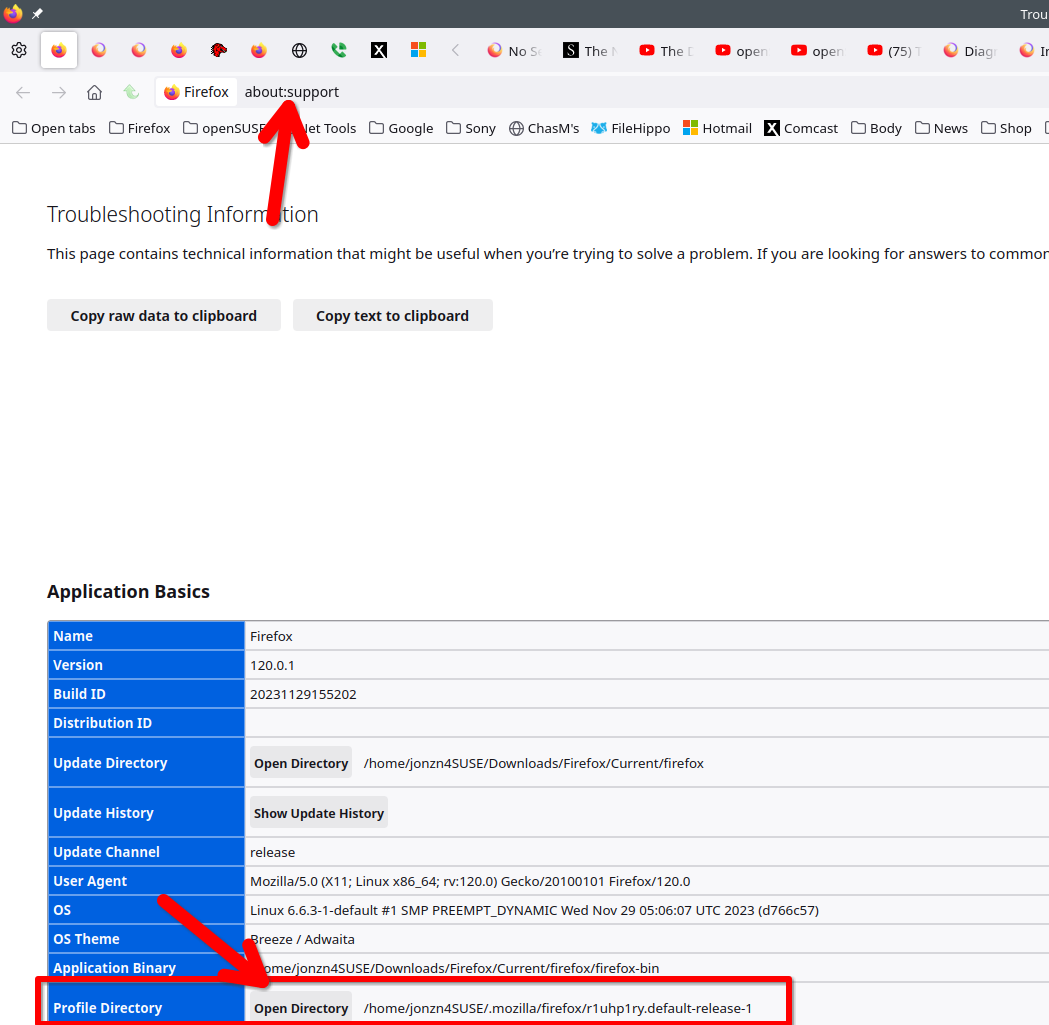
It sounds like Firefox created a new profile. In the browser go to about:support, open your profile folder, and then go up 1 folder to see if there's more than 1. Also check the date time stamp on the folders. If there is another profile, you can also just go to about:profiles in browser and switch to that profile. This seems to be a popular issue in the forum.
Bewurke troch jonzn4SUSE op