


Lost zebra stripes after upgrade to Thunderbird 128.2.3esr

I recently upgraded to Thunderbird 128.2.3esr, and I no longer have the zebra stripes that alternate between my messages.
The userChrome.css file that appears in my profile's chrome folder is:
/* Light green, high-contrast zebra stripes in message list */
- threadTree treechildren::-moz-tree-row(odd) {
-moz-appearance: none !important; background-image: none !important; /* background-color:#99E02E !important;} */
background-color:#EEFFBB !important;}
/* background-color:#AED6F1 !important;} */
- threadTree treechildren::-moz-tree-row(selected) {
background-color:#45A1FF !important;}
Is there a reason that this no longer works? Can it be modified to restore the zebra stripes? Or is there an alternative code that will restore functionality?
Thanks in advance!
Alle antwurden (4)
Keazen oplossing
Zebra stripes for 128 (see picture):
/* zebra striping  table view */
#threadTree tr:nth-child(2n) {
  background-image: linear-gradient(rgba(0,0,0,.10), rgba(0,0,0,.10)) !important;
}

/* zebra striping  cards view */
#threadTree[rows="thread-card"] tr:nth-child(2n) .card-container {
      background-image: linear-gradient(rgba(0,0,0,.10), rgba(0,0,0,.30)) !important;
}
Help/Troubleshooting Info, Profile Folder, Open Folder, close TB, create a new folder named chrome, create a new document in chrome with a text editor, name it userChrome.css, Save as type: All files *.*, copy in the above code, change the colours as desired. Double-click toolkit.legacyUserProfileCustomizations.stylesheets to true in Settings/General/Config. editor, restart TB.
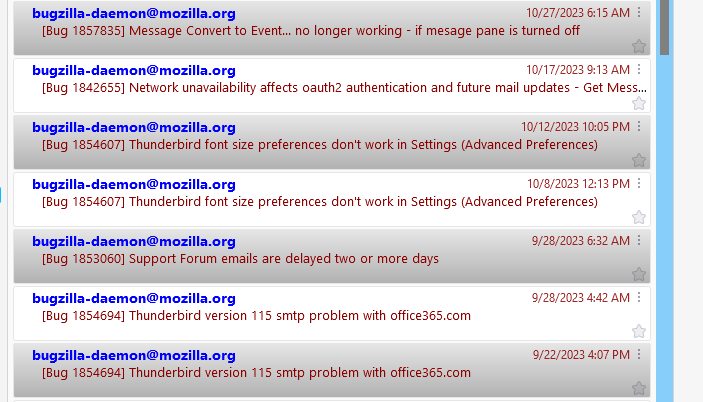
MANY thanks! Works like a charm!

sfhowes said
Zebra stripes for 128 (see picture):/* zebra striping table view */ #threadTree tr:nth-child(2n) { background-image: linear-gradient(rgba(0,0,0,.10), rgba(0,0,0,.10)) !important; } /* zebra striping cards view */ #threadTree[rows="thread-card"] tr:nth-child(2n) .card-container { background-image: linear-gradient(rgba(0,0,0,.10), rgba(0,0,0,.30)) !important; }
Help/Troubleshooting Info, Profile Folder, Open Folder, close TB, create a new folder named chrome, create a new document in chrome with a text editor, name it userChrome.css, Save as type: All files *.*, copy in the above code, change the colours as desired. Double-click toolkit.legacyUserProfileCustomizations.stylesheets to true in Settings/General/Config. editor, restart TB.
Thank you so much. If I want to set the alternate color to black, what do I need to do to adjust the text color? Much appreciated.
mystik1 said
Thank you so much. If I want to set the alternate color to black, what do I need to do to adjust the text color? Much appreciated.
To set the alternate text colour, insert this into the code:
color: black !important;
To make the alternate colour a solid colour, replace the background-image line with:
background: lightgrey !important;