


Stop redirect warning and just automatically redirect.

I've been lead to believe in previous editions of firefox you could turn off the redirect message and instead just allow firefox to redirect.
However now (as of 112.0.1) i can't find any way to do this. I repeatedly get redirect message and i would prefer the browser just do the redirect instead of having my click a link. I know exactly where the redirect is coming from and i have no problem with it and i don't need it to have a warning.
Keazen oplossing
Thanks for the help, i'll try and hunt down the support for the origin.
Alle antwurden (7)
In Firefox 56+ the "Warn me when website try to redirect or reload the page" setting can no longer be found in Settings.
You can set this pref on the about:config page to false to disable this accessibility feature.
- accessibility.blockautorefresh = false
You can open the about:config page via the location/address bar. On the warning page, you can click "Accept the Risk and Continue" to open about:config.
I'll attach what it looks like. I thought i had all the redirect stuff off but unfortunately it still seems to be happening.

Bewurke troch Neopopulas op

Stop Redirects in Chrome Launch Chrome and press the three dots at the top-right corner. Select “Settings.” Press “Security and Privacy” in the left menu. Choose “Site Settings.” Scroll down and select “Pop-ups and redirects.” Ensure “Don't allow sites to send pop-ups or use directs” is selected.
Can you attach a screenshot that shows the redirect notification ?
I can!
The link works - it redirects just fine
The 'return to previous' doesn't, but thats because the link is from another program that isn't firefox.
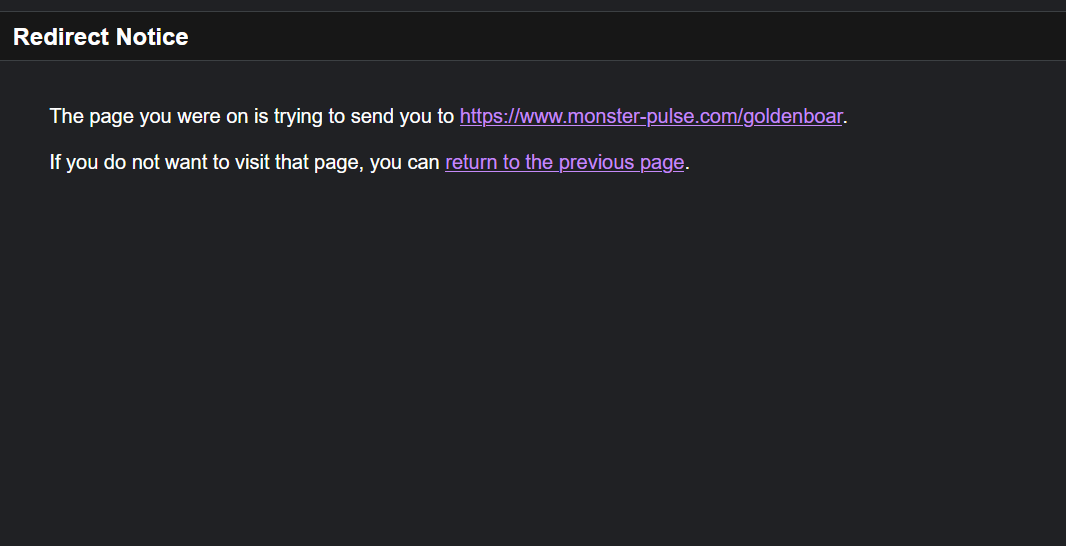
This redirect notice is likely a feature of the website that redirect the link you entered to the actual page and in that case you might not be able to prevent this. The redirect I referred to above is about showing a bar at the top of the page just below the Navigation Toolbar or the Bookmarks Toolbar.
Keazen oplossing
Thanks for the help, i'll try and hunt down the support for the origin.