


Firefox Update Issue when opening Kaspersky Safe Money session
I have discovered a problem with Firefox updates when opening a Kaspersky Safe Money browser session.
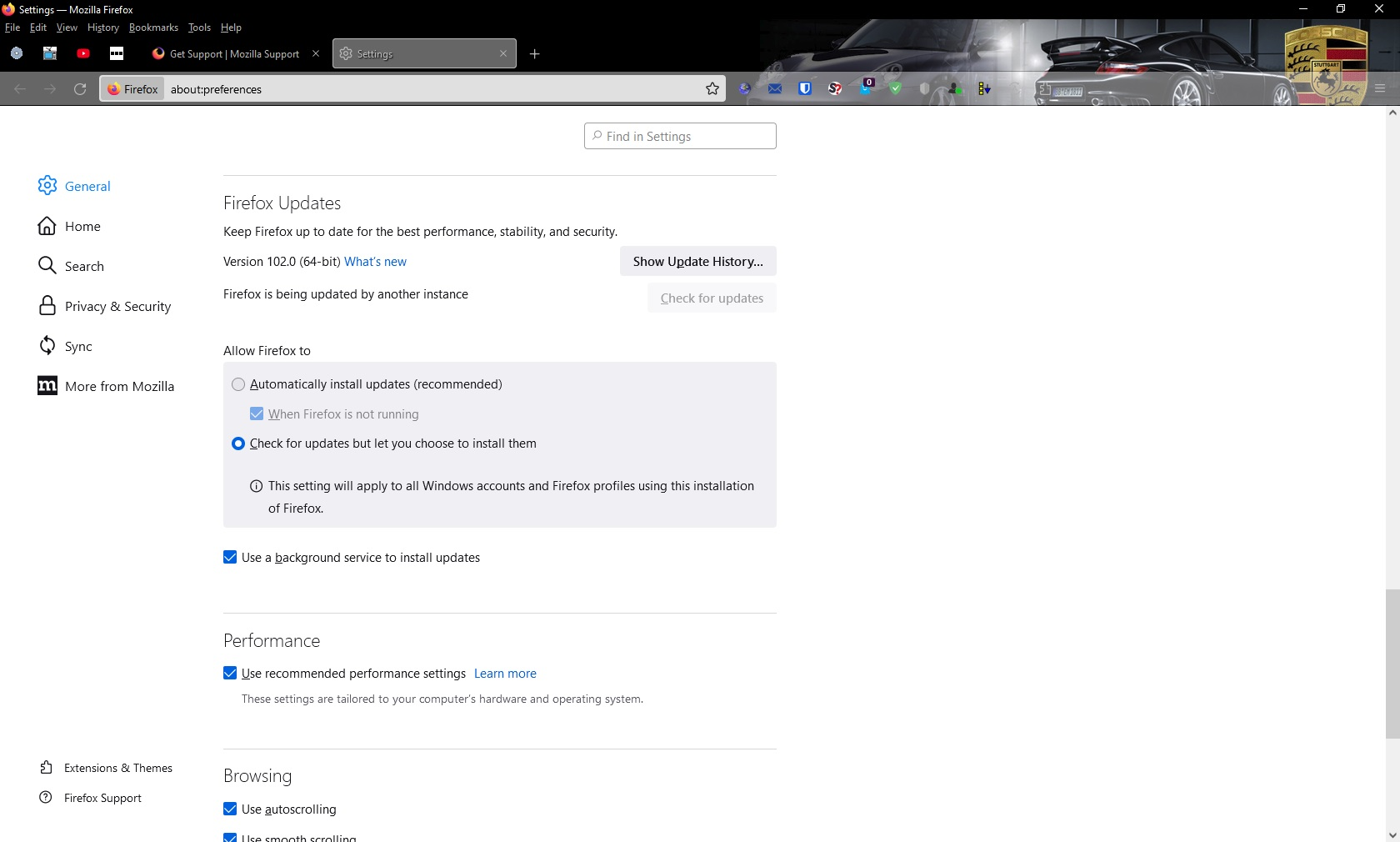
In Firefox, Tools - Settings, Firefox Updates, it shows Firefox is being updated by another instance and the option to Check for Updates has been greyed out (screenshot attached).
When you use the Help, About Firefox option it also says that Firefox is being updated by another instance (see screenshot attached).
When you check the same Settings in the Safe Money 2nd session, it shows exactly the same information and you cannot update Firefox in any session.
In previous versions of Firefox, when you opened a 2nd session it said that Firefox was being updated by another instance and the option to Check for Updates was greyed out but you could still update Firefox in the main session.
This is not a problem when using Chrome or Edge so it must be related to Firefox so can anyone suggest anything to fix this or does it need Tech Support to look into it for fixing?
Thanks.

Alle antwurden (6)
I don't understand how I can disable Kaspersky but still allow it to only check for virus/malware !
Your answer makes no sense and sounds more like a quote from a book!
The screenshot is simply instructing on how to turn off Safe Money and in our current environment of identity theft, scamming, hacking etc, you want me to turn off a function that helps prevent this!!!!
This is not an acceptable solution as Safe Money has been working with Firefox for many years without any issue!
How do you know that it is not Firefox that is causing Safe Money issues ???
If it is a Safe Money issue, why does it not cause a problem with Chrome or Edge?
I have logged the issue with Kaspersky so it will be interesting to see if they blame Firefox, the way you have so easily blamed Kaspersky!
What a crock!