


input[type='number'] not working

Facing an issue with input tag when type attribute is set to 'number'. This allows me even to enter letters and special characters. Basically the check of type number is not working. Please look into this.
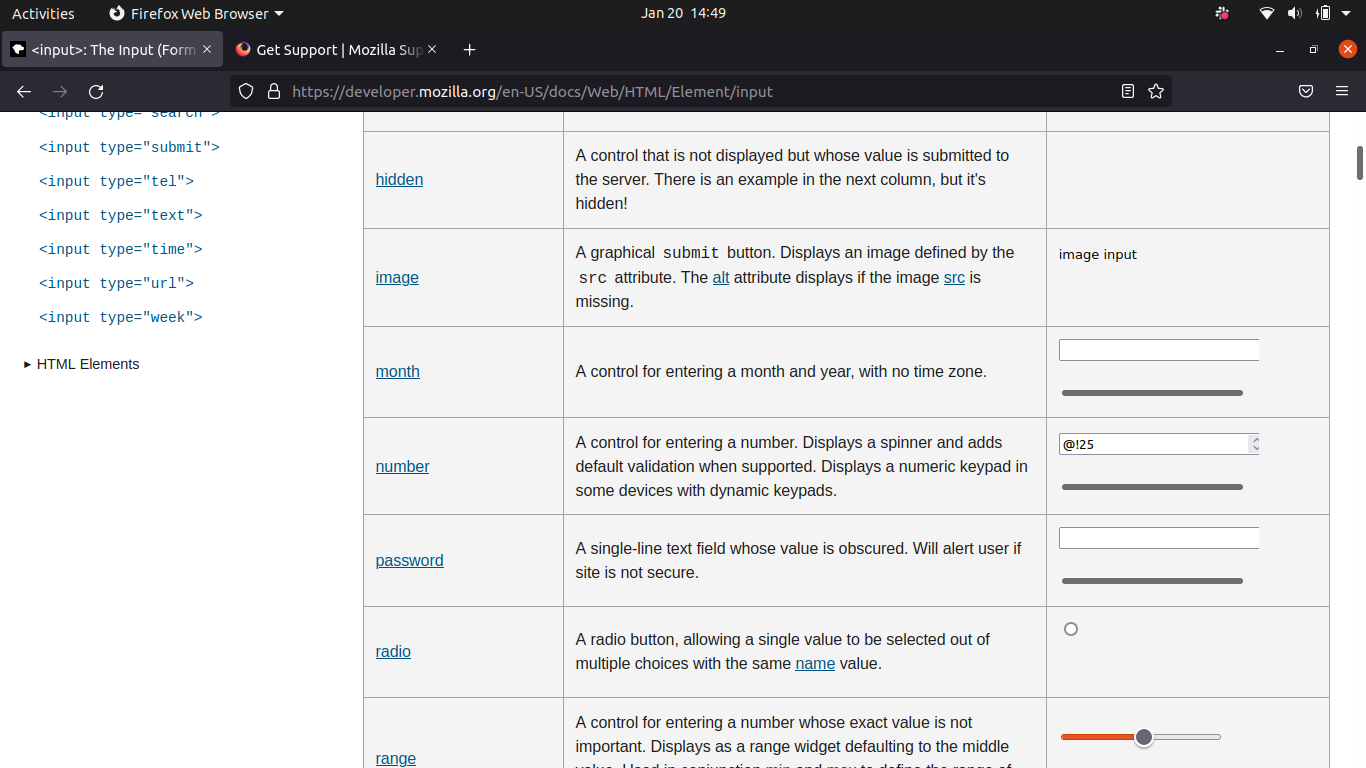
Attaching a screenshot of the MDN website. The input area corresponding to the type number allows me to enter the characters. You can see that I have entered '@!25'. Requesting to please look into this asap.
Facing an issue with input tag when type attribute is set to 'number'. This allows me even to enter letters and special characters. Basically the check of type number is not working. Please look into this.
Attaching a screenshot of the MDN website. The input area corresponding to the type number allows me to enter the characters. You can see that I have entered '@!25'. Requesting to please look into this asap.
Alle antwurden (1)
Hi, that's OK for us and we're not going to change it for now. You can use the client-side validation, or filter your keys using keydown events.