


Need to push out to all users to automatically open .jnlp files using JWS.
Our ERP Systems is using .jnlp files and I want to push out to all our desktops that .jnlp files will launch automatically. I am setting up Autoconfig from a centralized point, but I do not see the option to push down settings from the handlers.json file. What is the best way to push the customization that gets created in the handlers.json file down to the clients?
Keazen oplossing
A couple things.
1. Add this line to your autoconfig.js
pref("general.config.sandbox_enabled", false);
2. Make sure you use double slashes for the path.
Otherwise your example is working for me. Note you will get an executable warning for JNLP if you aren't using the ESR.
Dit antwurd yn kontekst lêze 👍 0Alle antwurden (5)

We actually added support for preloading Handlers via policies in Firefox 78
What version are you using?
If you need to use Autoconfig, I have some old documentation here.
https://mike.kaply.com/2013/05/15/setting-default-application-handlers/
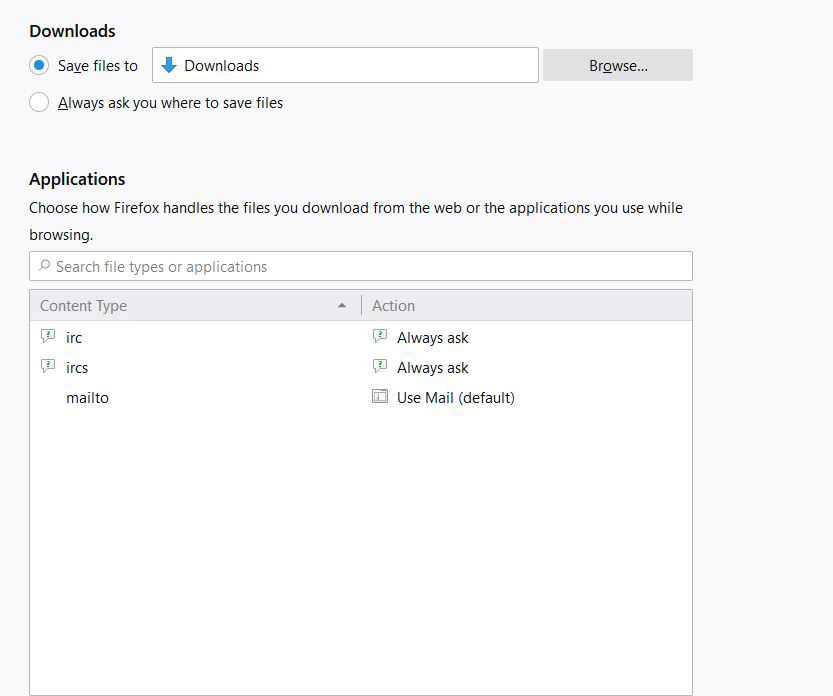
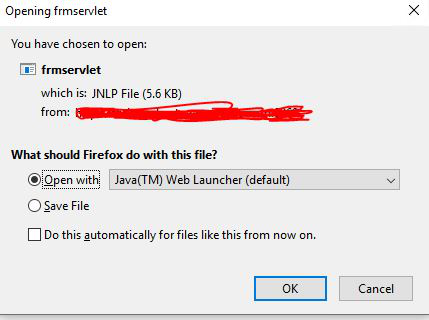
I have added the entry below into my autoconfig.js, but it still is not picking up the association and is asking me what to do with the file when it goes to download the jnlp file.
// Any comment. You must start the file with a single-line comment! pref("general.config.filename", "mozilla.cfg"); pref("general.config.obscure_value", 0);
Components.utils.import("resource://gre/modules/Services.jsm"); Services.obs.addObserver(function observer(subject, topic, data) { var handlerSvc = Components.classes["@mozilla.org/uriloader/handler-service;1"] .getService(Components.interfaces.nsIHandlerService); var mimeService = Components.classes["@mozilla.org/mime;1"] .getService(Components.interfaces.nsIMIMEService); // Change "image/tiff" the mime type you want to set the preference for var realMIMEInfo = mimeService.getFromTypeAndExtension("application/x-java-jnlp-file", ""); var file = Components.classes["@mozilla.org/file/local;1"].createInstance(Components.interfaces.nsIFile); // This should be the path to the .app file on Mac or the EXE on Windows file.initWithPath("C:\Program Files (x86)\Java\jre1.8.0_261\bin\javaw.exe"); var localHandlerApp = Components.classes["@mozilla.org/uriloader/local-handler-app;1"].createInstance(Components.interfaces.nsILocalHandlerApp); localHandlerApp.executable = file; // The name that will be shown in preferences. // Not used on Mac localHandlerApp.name = "JNLP-Java"; realMIMEInfo.preferredApplicationHandler = localHandlerApp; // This says to always use the helper app realMIMEInfo.preferredAction = 2; // useHelperApp // This says not to ask realMIMEInfo.alwaysAskBeforeHandling = false;
handlerSvc.store(realMIMEInfo);
Services.obs.removeObserver(observer, topic); }, "final-ui-startup");
Keazen oplossing
A couple things.
1. Add this line to your autoconfig.js
pref("general.config.sandbox_enabled", false);
2. Make sure you use double slashes for the path.
Otherwise your example is working for me. Note you will get an executable warning for JNLP if you aren't using the ESR.
Thanks, this helps. One final question, is there a way in the .cfg file to just reference a variable for javaw.exe instead of listing the full path? I would see this creating problems if someone were to upgrade to a new version and the version specified got uninstalled. Or can I just list javaw.exe and leave out the full path since the directory is already on the user path?
Yes, you can query environment variables in autoconfig using getenv(name)
That's probably the easiest way to do it.
It does have to be a fully qualified path when adding the mime handler.