Windows 10 reached EOS (end of support) on October 14, 2025. For more information, see this article.

Sykje yn Support

Mij stipescams. Wy sille jo nea freegje in telefoannûmer te beljen, der in sms nei ta te stjoeren of persoanlike gegevens te dielen. Meld fertochte aktiviteit mei de opsje ‘Misbrûk melde’.

Mear ynfo

Dizze konversaasje is argivearre. Stel in nije fraach as jo help nedich hawwe.

opening pay app on phone

  • 3 antwurd
  • 1 hat dit probleem
  • 24 werjeftes
  • Lêste antwurd fan Paul

mear opsjes

The problem I have for a few years and I was thinking it was a problem of my bank or phone.

But now I find out it's a problem of firefox mobile.

When i get a pay request from someone. I click on link. It will open firefox. After o choice the bank I'm using. It going to the webpage of mine bank.

If I change te app from firefox to chrome te problem is solved. But I dont want to use chrome. I want to use firefox.

In chrome i click on link. Chrome will open. After I choice mine bank it will open mine bank app I can pay without using a identifier.

Someone idea how to fix this?
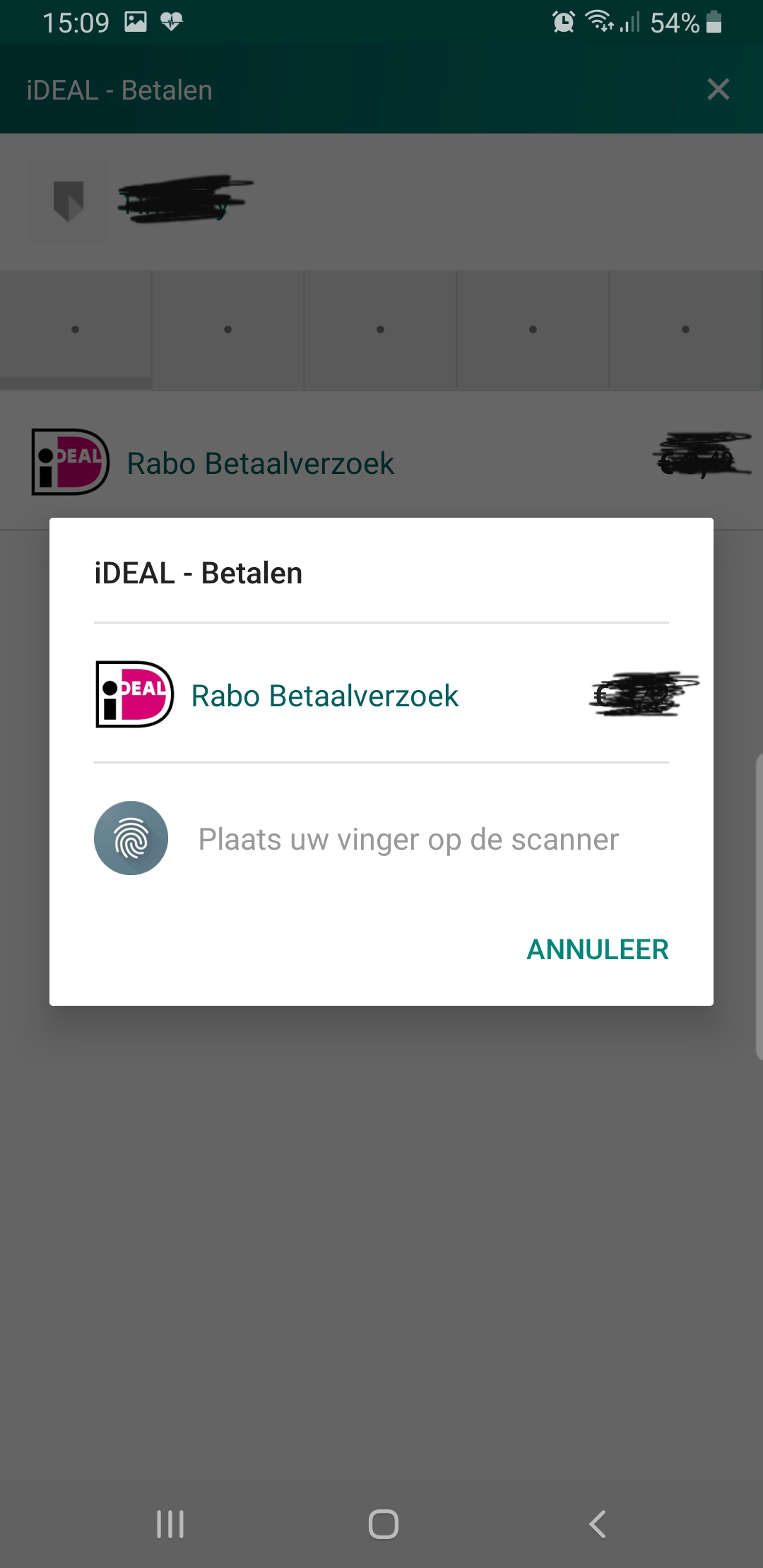
The problem I have for a few years and I was thinking it was a problem of my bank or phone. But now I find out it's a problem of firefox mobile. When i get a pay request from someone. I click on link. It will open firefox. After o choice the bank I'm using. It going to the webpage of mine bank. If I change te app from firefox to chrome te problem is solved. But I dont want to use chrome. I want to use firefox. In chrome i click on link. Chrome will open. After I choice mine bank it will open mine bank app I can pay without using a identifier. Someone idea how to fix this?
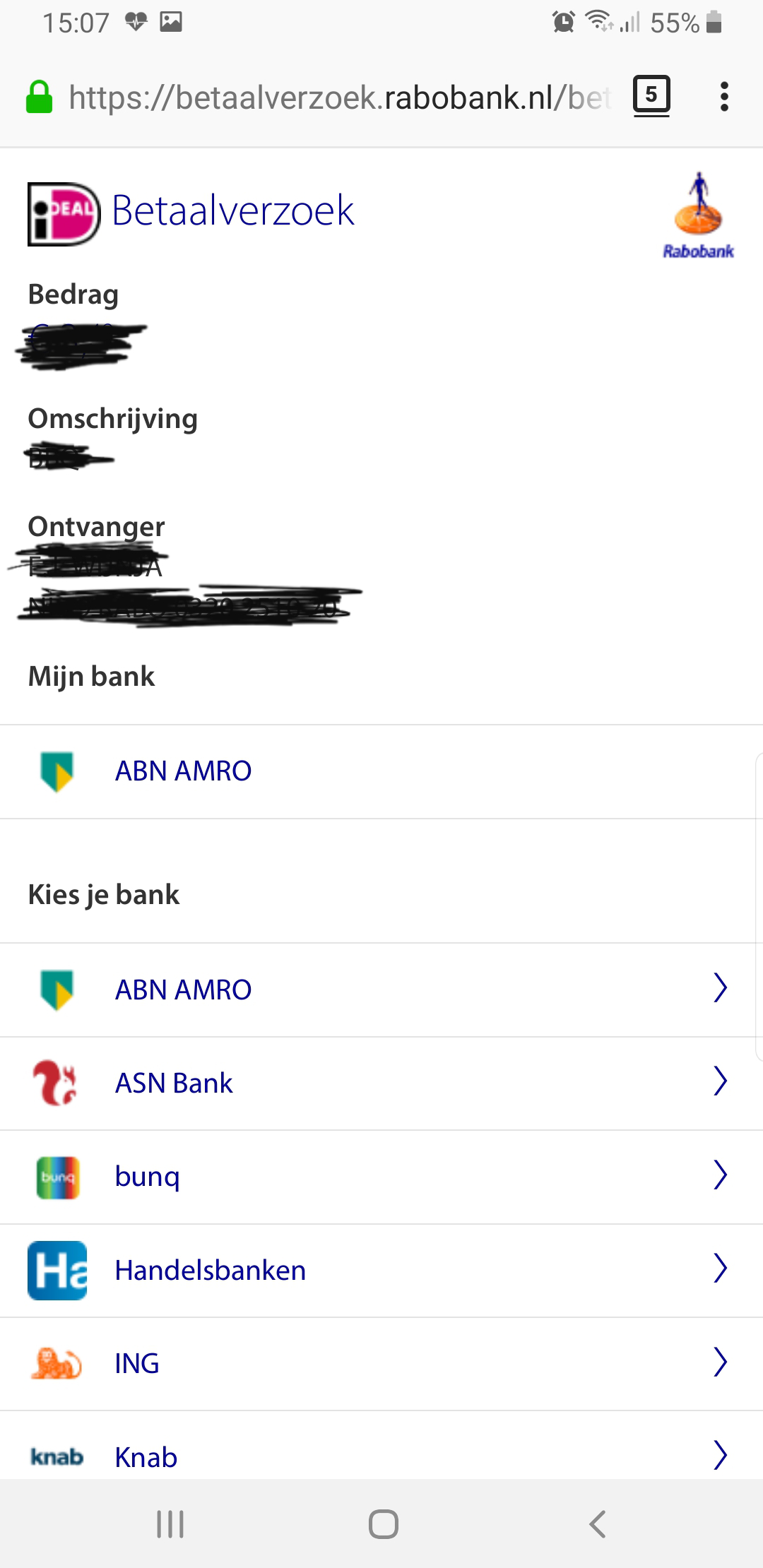
Keppele skermôfbyldingen

Alle antwurden (3)

mear opsjes

Hi

Just to clarify, you wish Firefox for Android to open your bank app when directed there for a transaction?

mear opsjes

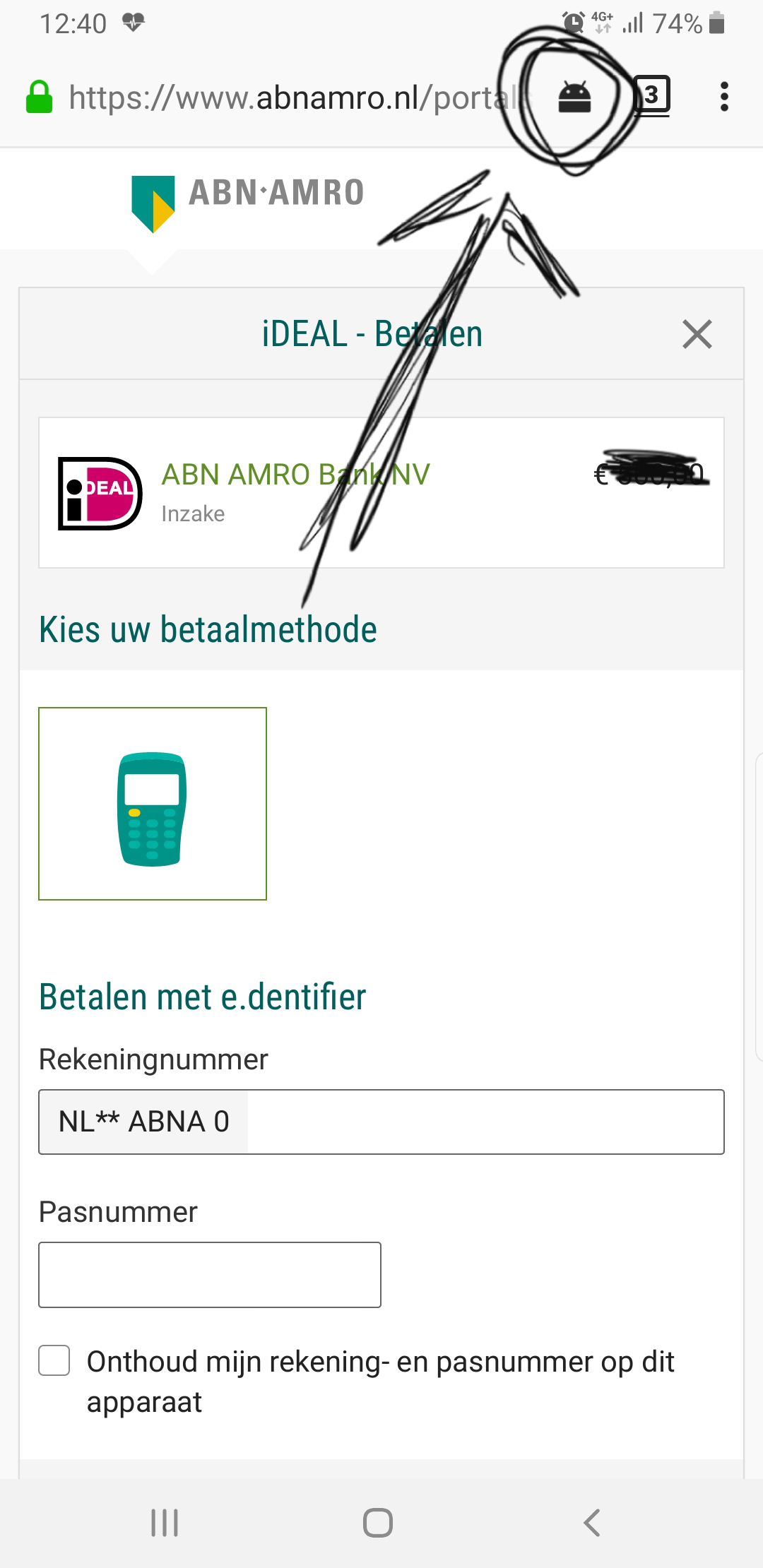
Yes. But after few years I finally found the problem. You need to press this button. When you press it. This will open the bank app. But is it possible to open it automatically?
mear opsjes

Okay.

I recommend that you try Firefox Preview (available from the Google Play store) that has a setting to do this automatically.