


I want to print in Black and White but the print dialog has no properties options
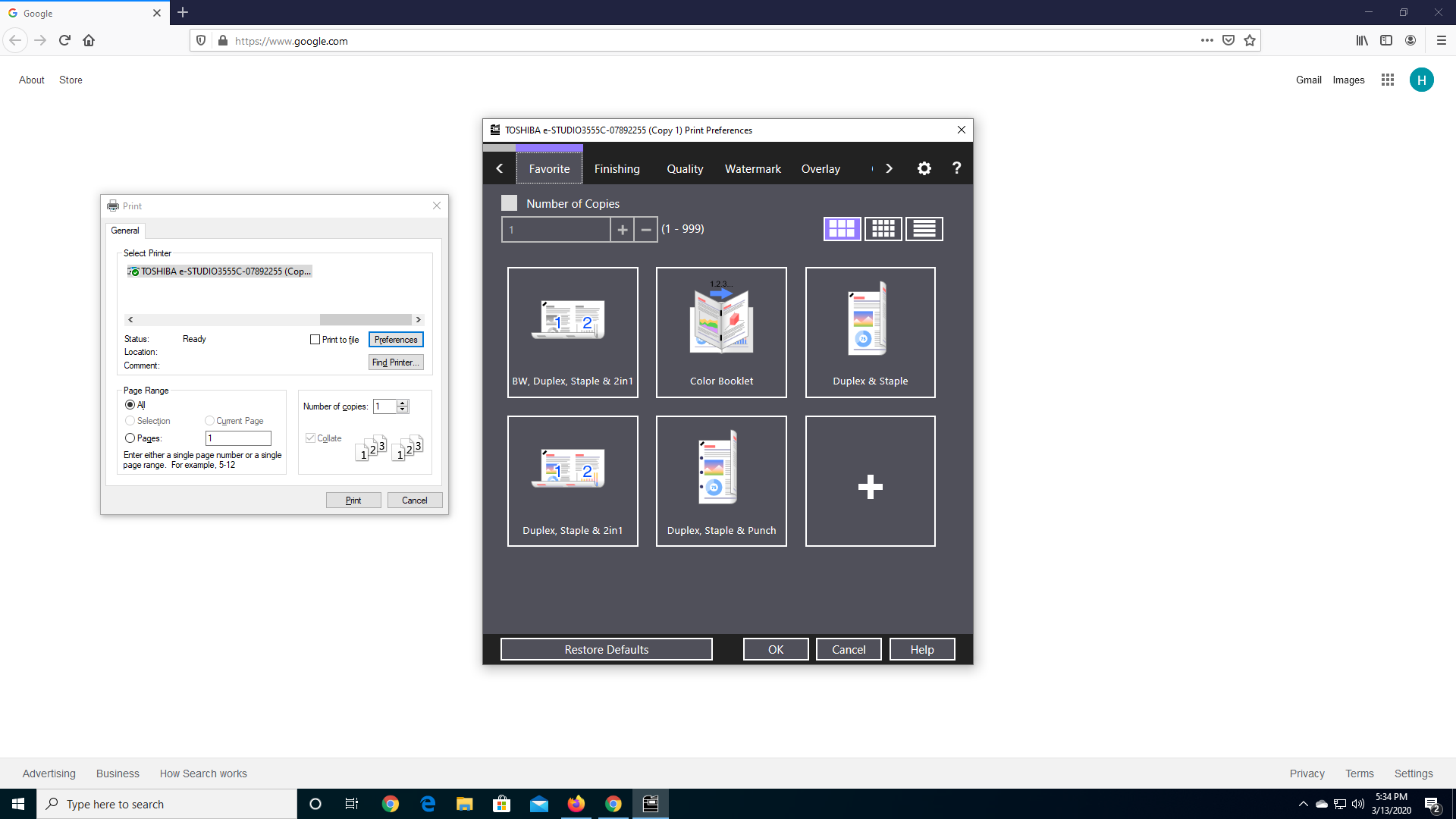
I have a color printer but I want to print in black and white and so to change this option, you need to the print properties button but the button does not come up in the print dialog. There is a preferences button but I am pretty sure that is not it because that just opens another app with no option to change the color setting.
I have a color printer but I want to print in black and white and so to change this option, you need to the print properties button but the button does not come up in the print dialog. There is a preferences button but I am pretty sure that is not it because that just opens another app with no option to change the color setting.
Alle antwurden (1)
Hi neelshah603, one workaround for this is to create a new copy of your printer at the Windows level, and define that printer to always use black and white. Then instead of having to worry about adjusting print settings for each printout, you can switch your printer. Does that work?
(I would guess that the setting is either under "Finishing" or "Quality" but I don't have a Toshiba printer myself for comparison.)