


In Firefox 73.0.1(64bit), Windows 10 Home, how to make cursor wider? - setting ui.caret to 5 in about:config makes no difference
Firefox cursor (e.g. when typing URL into box at top of screen) is hard to see. Visiting about:config confirms that ui.caret is now set to 5, but no improvement. Have latest version of Windows 10 Home, on new Lenovo ThinkPad Extreme Gen 2 PC. Setting cursor to thicker in Libre Office works in documents, but makes no difference when typing into Firefox.
Keazen oplossing
Did you try theses settings ?
- ui.caretWidth = 16
- ui.caretBlinkTime = -1 (disable blink)
Alle antwurden (6)
Hello carrt7,
Would you please take a look at this article :
I experimented with it a bit and it works like a charm.
Thanks, but does not solve the problem. Settings > EaseOfAccess leads to a slightly different dialog box, with "Display, Cursor/Pointer, Magnifier, ...., Mouse, Eye-Control" options listed on left.
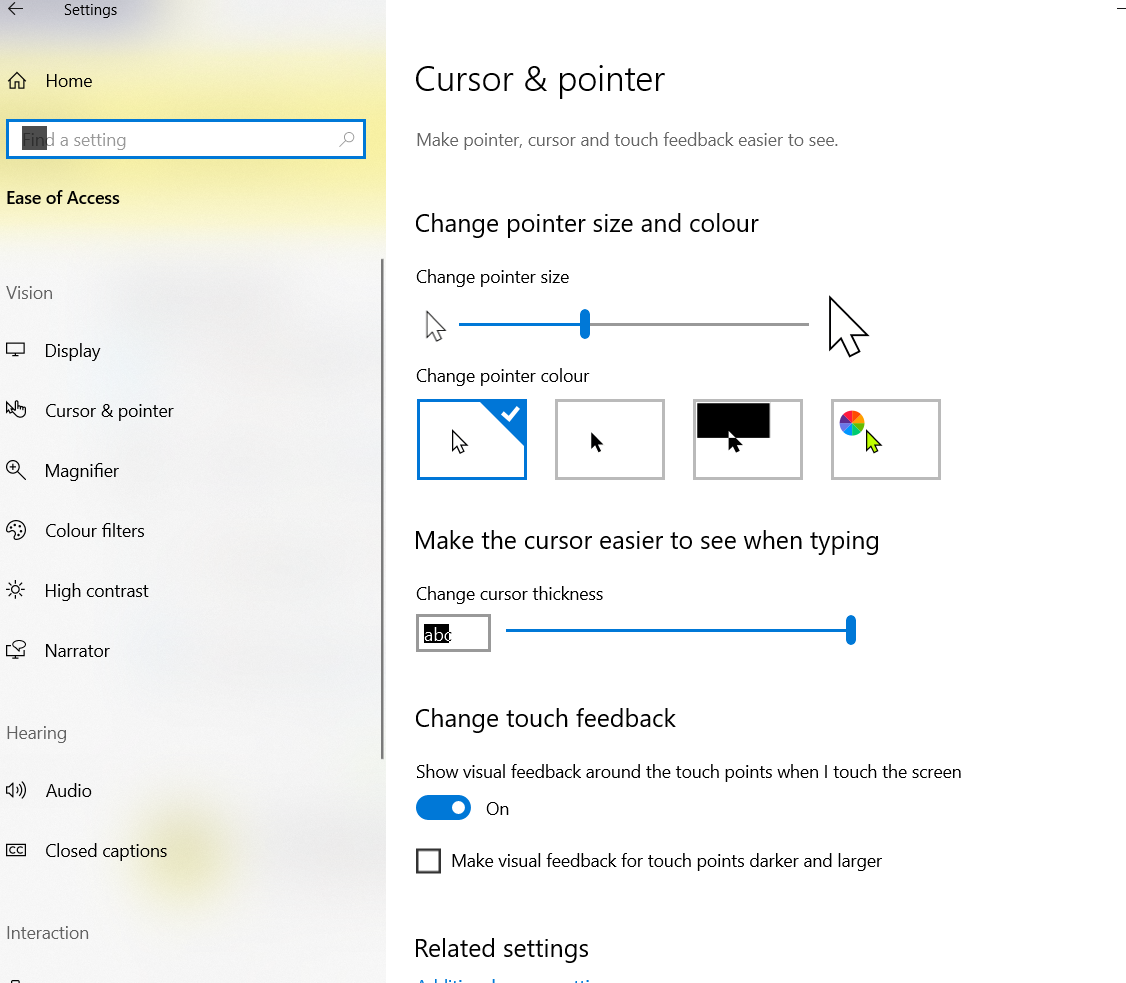
Cursor/Pointer > ChangePointerSize increases the Windows arrowhead mouse pointer (and I-beam pointer over text). Cursor/Pointer > ChangeCursorThickness thickens the Windows while-typing vertical-line cursor perfectly.
But unfortunately neither of these affect the Firefox vertical-line cursor, e.g. while typing in a URL at the top of the screen, or while typing this reply. I attach a screen-shot, but unfortunately Windows will not display the Firefox text cursor when the Fn-PrintScr combination is pressed - you can only see the Windows pointer size and cursor thickness.
Keazen oplossing
Did you try theses settings ?
- ui.caretWidth = 16
- ui.caretBlinkTime = -1 (disable blink)
Maybe take a look at the solution in this thread :
cor-el said
Did you try theses settings ?
- ui.caretWidth = 16
- ui.caretBlinkTime = -1 (disable blink)
about:config > ui.caretwidth = 16 made no difference, but about:config > ui.caretWidth = 16 works perfectly! Sorry, didn't realize it is case-sensitive. Thanks to all. Tony
Hello Tony,
You inadvertently marked your own post as Chosen Solution instead of
cor-el's ....
You can rectify it by clicking on the "Undo" button to the right of your post, and then click on the "Solved the problem" button to the right of cor-el's post.
Thank you in advance !