


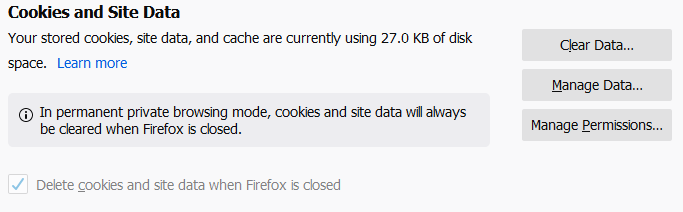
Empty cache does not work leaving residual 27 kb in cache at all times.
I am getting seriously worn out by this and begin to wonder if I should start using Safari instead of this in spite of being on a Windows system.
If I cannot get a straight forward answer to this question before the end of 2019 I will remove any and all endorsements ever made to Mozillas favor.
Keazen oplossing
Location of the cache/cache2 folder; Windows: *C:\Users\<user>\AppData\Local\Mozilla\Firefox\Profiles\<profile>\ Mac: ~/Library/Caches/Firefox/Profiles/ Linux: ~/.cache/mozilla/firefox/
Close Firefox. Open your file browser to the above, and remove the folder.
Dit antwurd yn kontekst lêze 👍 0Alle antwurden (7)
Do you have the SiteSecurityServiceState.txt file in the profile folder?
TyDraniu said
Do you have the SiteSecurityServiceState.txt file in the profile folder?
Nope. No such file on record.

Keazen oplossing
Location of the cache/cache2 folder; Windows: *C:\Users\<user>\AppData\Local\Mozilla\Firefox\Profiles\<profile>\ Mac: ~/Library/Caches/Firefox/Profiles/ Linux: ~/.cache/mozilla/firefox/
Close Firefox. Open your file browser to the above, and remove the folder.
FredMcD said
Location of the cache/cache2 folder; Windows: *C:\Users\<user>\AppData\Local\Mozilla\Firefox\Profiles\<profile>\ Mac: ~/Library/Caches/Firefox/Profiles/ Linux: ~/.cache/mozilla/firefox/ Close Firefox. Open your file browser to the above, and remove the folder.
This did not resolve the issue.
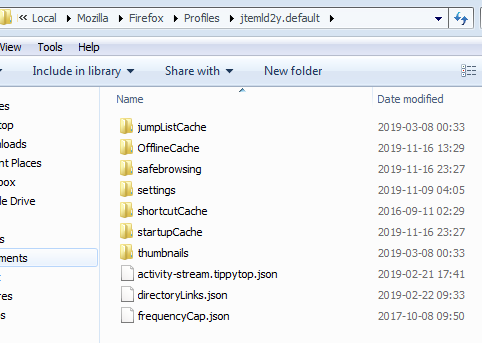
Please note from screenshot that I did not have a cache2 folder when restarting Firefox 70.0.1 (64 bit).
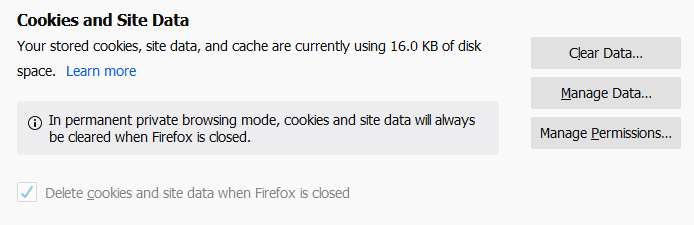
Also note upon restarting without having done anything but open my start page which is localhost based and have no cookies, it still held 16 kb Cache on disk.
After once more clearing everything, the 16 kb is residual on disk still. Does not go away.
After posting the above message I went back to the options Privacy page again and once more cleared cache.
Then it went away. It has taken me nearly four weeks in total to get the garbage from the disk.
Thanks FredMcD for the finally working solution. Let's hope it is repeatable as well.
Glad to help. Safe Surfing.
That second screenshot suggests that you are/were running Firefox in Private Browsing mode. When you are in PB mode then all session data is kept in memory and you won't be able to clear data stored on the hard drive from a regular Firefox session. To be able to do that you need to start Firefox normally.