


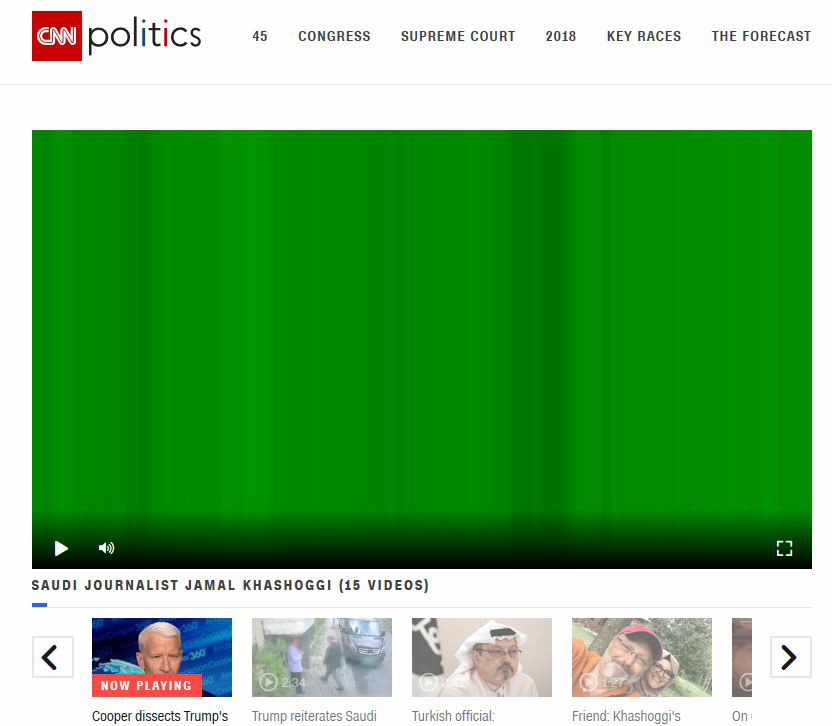
Grren/Purple vertical lines on videos

There are lots of posts related to this problems, none of which has solved the problem for me.
- Windows 10 - Latest Firefox - Updated Graphics Driver - Hardware acceleration tested on and off - Latest Flash player installed and tested on and off - Problems occurs for about 50% of all called videos - Edge and Chrome both work fine
Can anyone please help?
Thanks, GC
Alle antwurden (4)
Keazen oplossing
Hello gcarne,
Would you try this please (if you haven't already) :
Type in the address bar about:config and press Enter (promise to be careful, if asked)
Type in the search bar and look for the preference :
media.wmf.dxva.d3d11.enabled
and set its value to false
then close and restart Firefox.
If the above doesn't help, maybe you could take a look at these search results and see if there is anything there that you haven't tried yet.
Thanks for your quick reply. Have done a number of tests and it seems like it solved the problem. Can you tell me what this setting does? Is it the one that defaults to the HTML5 player instead of the Flash player?