Upgrade to Thunderbird lost local folders

Hi - I recently upgraded to version 153 and now when I log in I cant see the local folders. Ive tried messing about with the .msf file as per forums and Ive tried using the repair function but I still cant see them but I can see them in the folder on the C drive. If I re point the local directory to the local folder in my main account and restart Thunderbird they appear but I dont see my whole inbox. If I then point it back, i see the whole inbox but not the local folders. This has never happend before. How do I fix this?
Toutes les réponses (3)
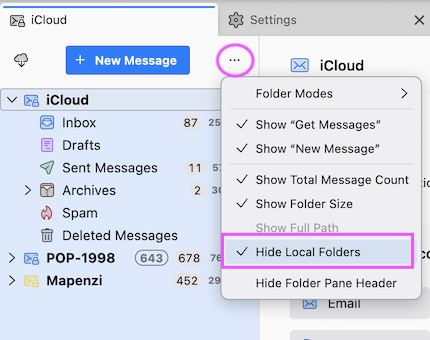
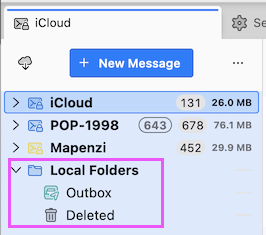
Do you mean version 153.7.0esr? When you start Thunderbird are the entire Local Folders missing in the folder pane or do you just see the default folders Outbox and Trash (or Deleted) and not folders you created yourself? If the entire Local Folders are missing you may have hidden them by inadvertance (see images) via the "three dots" ••• menu Otherwise please show a screen shot of your folder pane when Local Folders are missing.
Hi - no its not that - I checked that. Maybe Im saying it wrong, its more the local created folder under the pop email that arent there anymore (but the folder are there on the C drive)
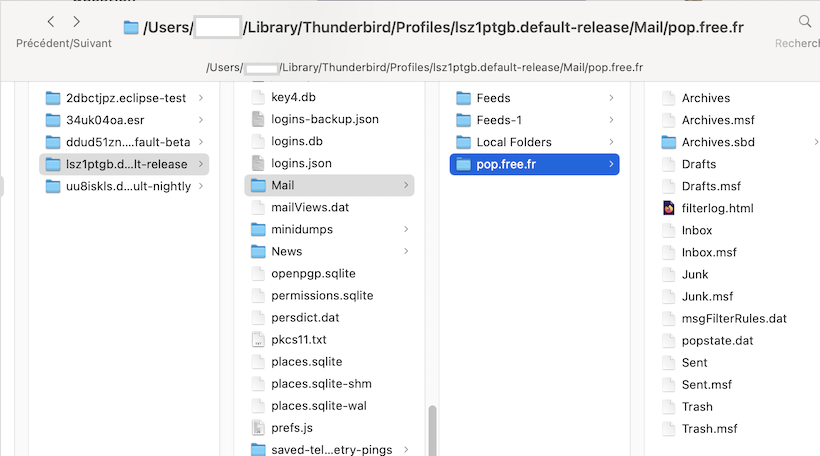
Please do a screen shot of the "folder on the C drive", similar to the one I did of my POP account.