


How can I stop the underlining of URLs in Firefoxby using text-decoration in my pages?

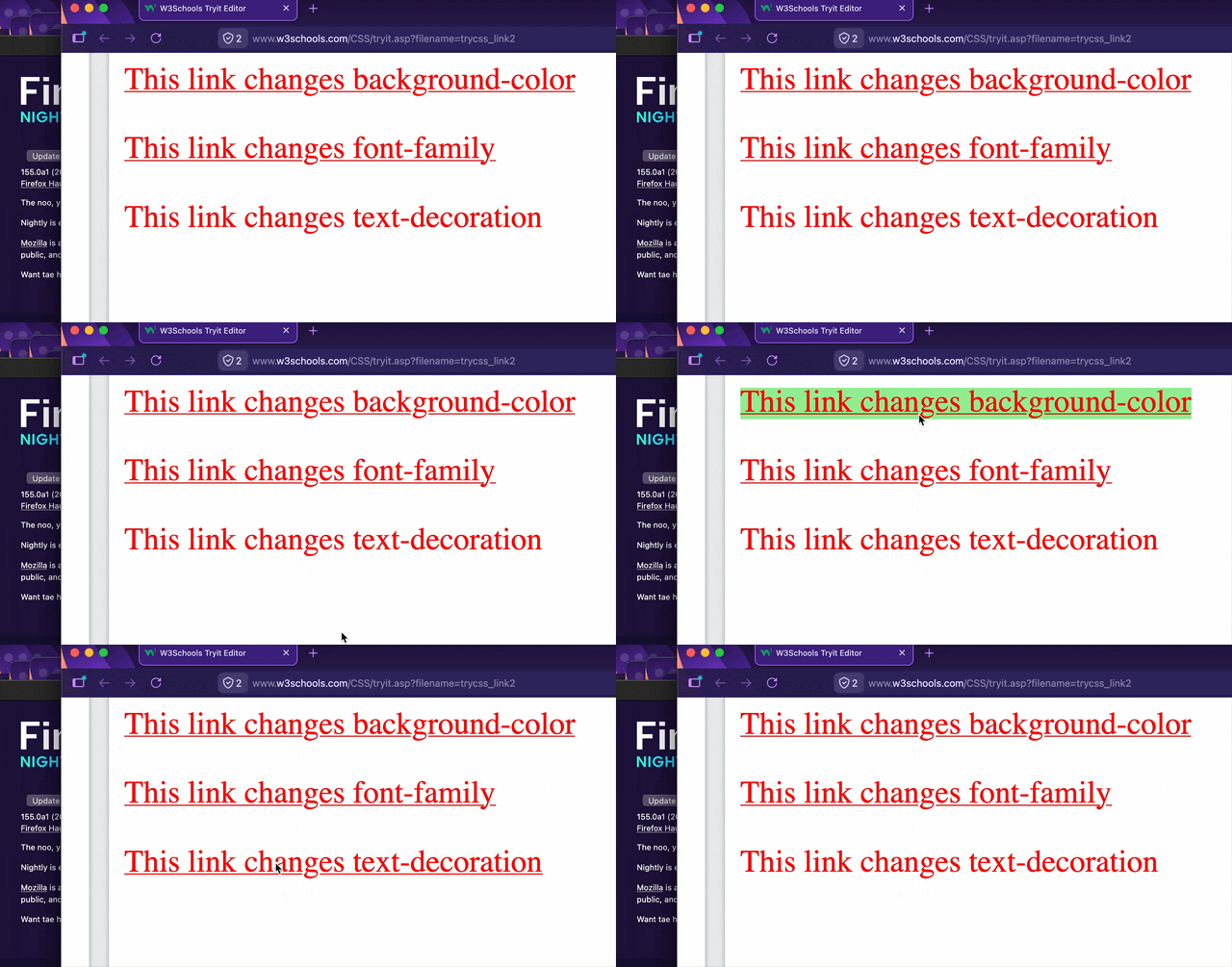
Until a few months ago, I was able to turn off the underlining of URLs in web pages that I create. But within the last few months, all URLs appear as underlined, even in documents where they had NOT been underlined a few months ago. I am using the text-decoration setting to control this aspect. Look at page https://www.w3schools.com/CSS/tryit.asp?filename=trycss_link2 in the Edge browser, and see the "This link changes text-decoration" change between underlined and not as the cursor is moved on and off of that sentence in the middle box. Now look at the above page in latest Firefox. Moving the cursor on and off of the "This link changes text-decoration" sentence causes NO change to that sentence -- it always is underlined.
I refer to the w3schools.com website when I wish to learn about a new-to-me feature, and I have found their site to be accurate in the past.
Toutes les réponses (3)
Solution choisie
Under Settings > Accessiblity do you have [Always underline links] disabled.
Else you can use [userContent.css] to ensure no sites can underline a link
Just to make sure this is not a bug of sorts; good a reliable reproduction URL is included.
Now look at the above page in latest Firefox. Moving the cursor on and off of the "This link changes text-decoration" sentence causes NO change to that sentence -- it always is underlined.
Looking: (GIF recording)
amoun identified my problem -- the [Always underline links] setting in my browser is turned on. After I turned it off, the underlining behaved as expected. I do not remember changing settings around the time the behavior changed, a few months ago.