


Firefox is not responding and has frozen.

I have tried refreshing, troubleshooting, deleting, I have read all the articles, and it still won't work. please help get firefox working again.
Toutes les réponses (3)
In case it ended up crashing, there might be logs to look at. Would you be able to get to that dialog and paste several ones from the past week here?
- Enter about:crashes in the Firefox address bar and press Enter. A list of Submitted (and Unsubmitted, if any) Crash Reports will appear, similar to the one shown below.
- Copy the 5 most recent Submitted Report IDs that start with bp- and then go back to your forum question and paste those IDs into the "Post a Reply" box.
Note: If a recent Report ID does not start with bp- click on it to submit the report.
(Please don't take a screenshot of your crashes, just copy and paste the IDs. The below image is just an example of what your Firefox screen should look like.)
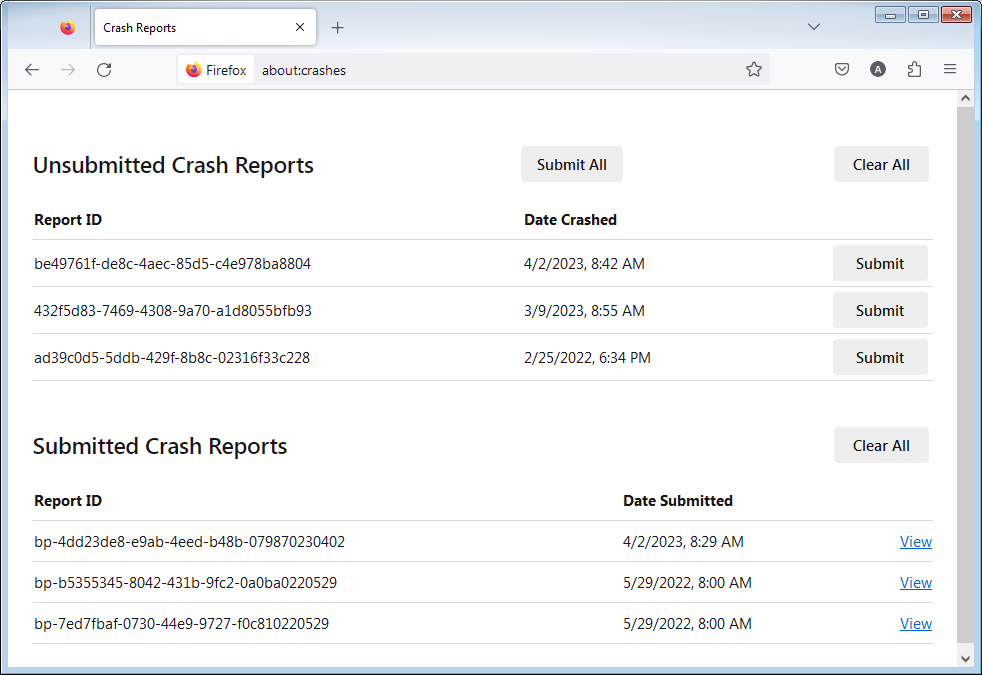
Thank you for your help!
JBR, thanks for the thought, but the browser won't function, so I cannot type anything into the address bar.
From your description, you were able to start it into Troubleshoot Mode (possibly by holding Shift when launching it) and it behaved the same, correct?
By deleting I understand you already downloaded a full installer from firefox.com and ran a fresh install, and that also haven't helped.
Do you remember the moment it started exhibiting this, and any version updates relevant during the timeline?
Here are some steps to extract the crash report IDs in case the app doesn't even start that you can try:
- On the keyboard, press [Windows]
 + [R]. This should bring up a Run box that contains a text field.
- In that text field, type %APPDATA% and press Enter. An explorer window should open.
- From that explorer window, double-click on the Mozilla folder, then double-click on Firefox and then on Crash reports. Double-click on submitted.
- Now, you should see a list of files that contain reports. Go to View > Arrange Icons by > Modified to get the most recent files at the top of the window.
- Open the most recent 5 files with a text editor and copy the IDs.
- Paste each ID with bp- into the reply window on the forums.
Thanks!