


Résolu
E Mial client listing order

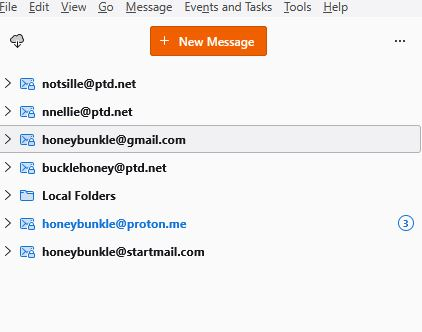
I recently added a new client to my E mails, Is there any way to re-order the listing on the left side rather than just adding the new account to the bottom.
I recently added a new client to my E mails, Is there any way to re-order the listing on the left side rather than just adding the new account to the bottom.
Toutes les réponses (1)

Solution choisie
I expect you really mean you added a new email account, and the answer is Yes! You can reorder them,
Go to Accounts Settings, and the accounts in the left pane can be drag-and-dropped in any order you like, You can also designate any one as the Default account here.
Modifié le par Lin