How can I fix my location (which currently is several states away)

I have been using firefox of a Mobile hotspot from T-Mobile for many years. I am used to correcting for the Hotspot location anomalies. In the last several months firefox thinks I am in Tennessee. I have been unable to force firefox to believe that I am in Northern Ohio (several locations)
Can you please advise? Dan
Toutes les réponses (3)
Dan, it's usually not Firefox providing the location — it's being estimated by the services, and you might want to look around their settings to either set your region, or switch to precise location, see: https://support.mozilla.org/questions/1585792
Thank you jbr, Part of the issue I am having is the T-Mobile hotspot (Inseego) never seems to provide accurate location. I had a developer overide to set my location which worked for years, It no longer works. I was hoping that there was a native method in firefox to set my location. The issue seemed to have started around the time the VPN was introduced to the browser.
Does the Firefox VPN provide the ability to set location? Dan
The location has to be requested by the affected sites first. If they don't ask, they apparently assume they're close enough based on your internet connection. (If you check https://mylocation.org/ how precise that renders for you, in terms of… hundreds or miles, thousand miles off?)
The VPN functionality, if disabled, has no impact to how the "outside" sees you. If enabled, it serves to actually mask the physical location, so it's the opposite of what you're looking for — it will have a location preference, but basically for the U.S. it would place you somewhere in Alabama generally.
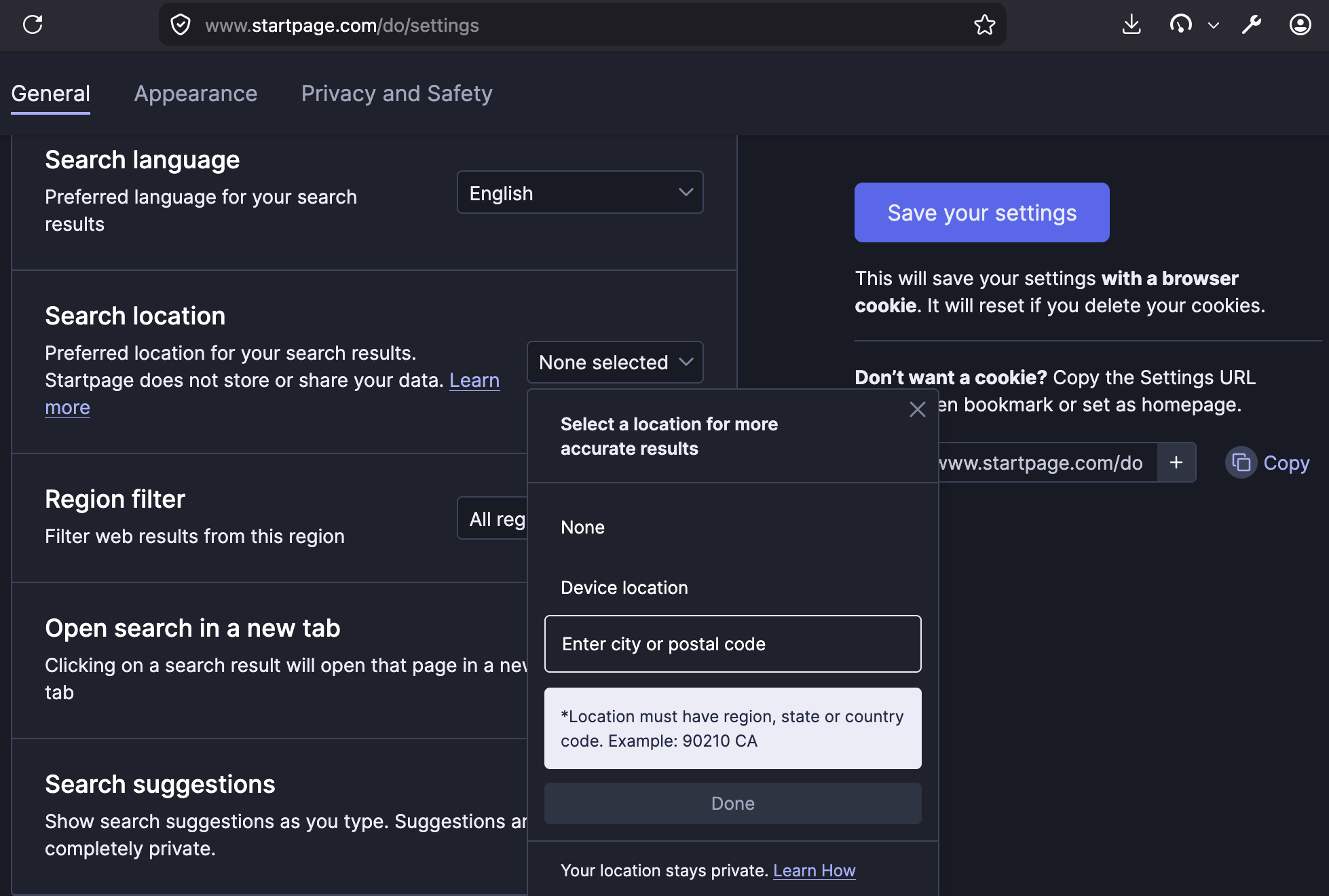
Does this mainly affect your search results, or the issue is broader? For regional search, just look around the search results page, and they will tell you where they think you're located and allow you to adjust that. (E.g. if I search "weather" it says "Weather for Anytown, Anywhere — Change location" and this usually either allows setting a specific region, or will prompt for your precise location if your system is aware of where it's located. Some searches have that implied region in the footer, some have menu/settings for that, I can e.g. put a zip code in mine etc.) — usually the most effective is just changing that with your search provider via some preferences, this is an example for mine: