


Can't see my profiles in the new profiles UI
I have been using Firefox profiles for years, long before the announcement of the new profiles UI. The new profiles UI launhed with FF 144. I'm on the latest version, which is 149.0.2 and I still don't have the new UI. Specifically, I do not see my profiles in the new UI.
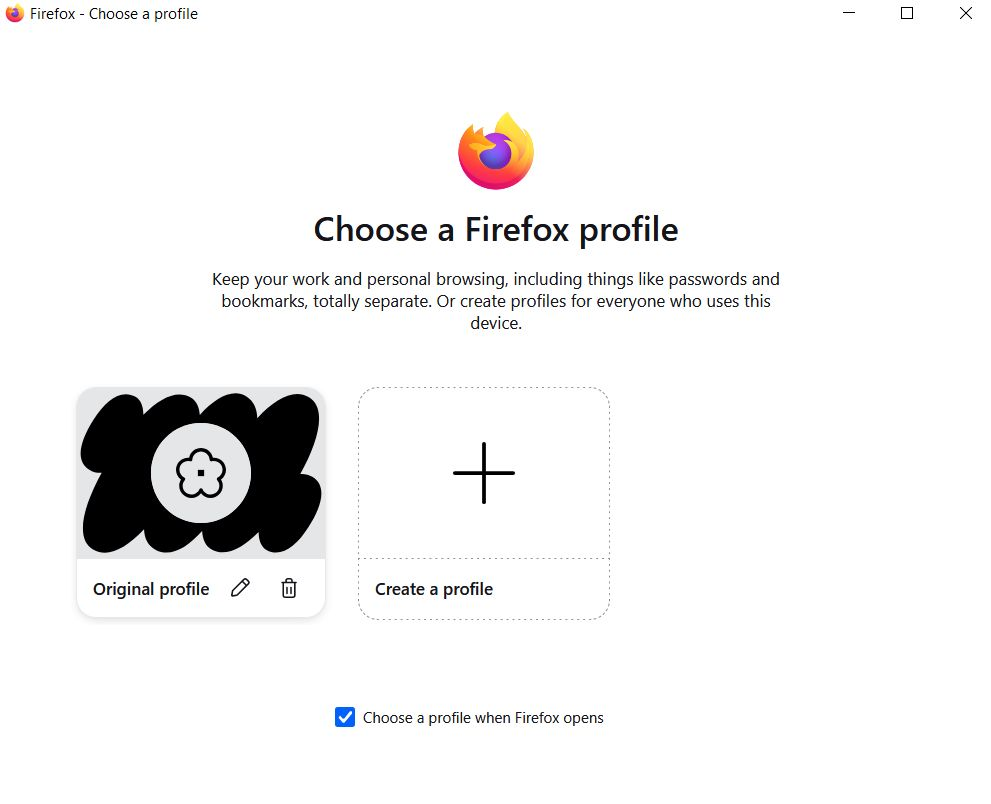
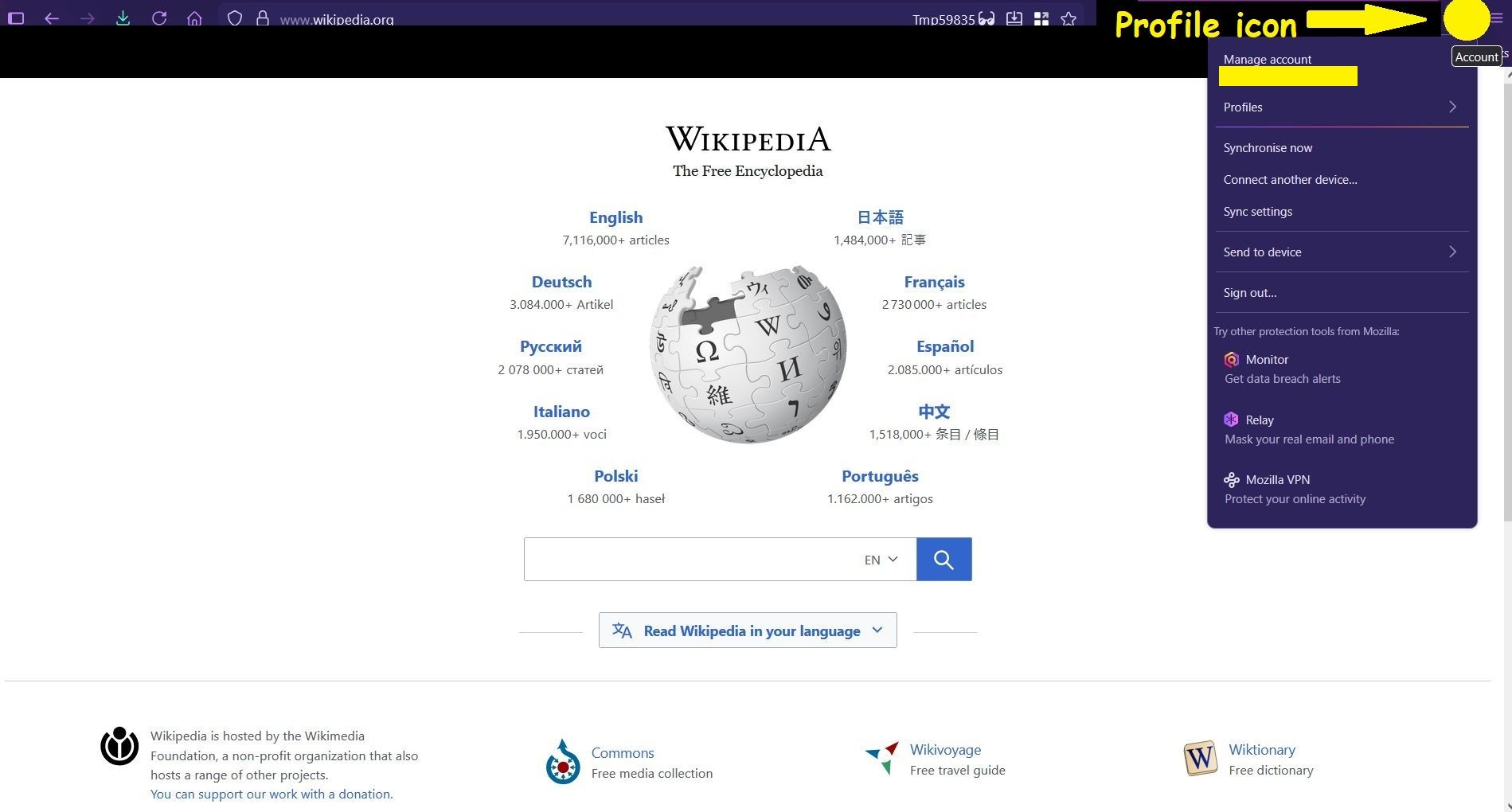
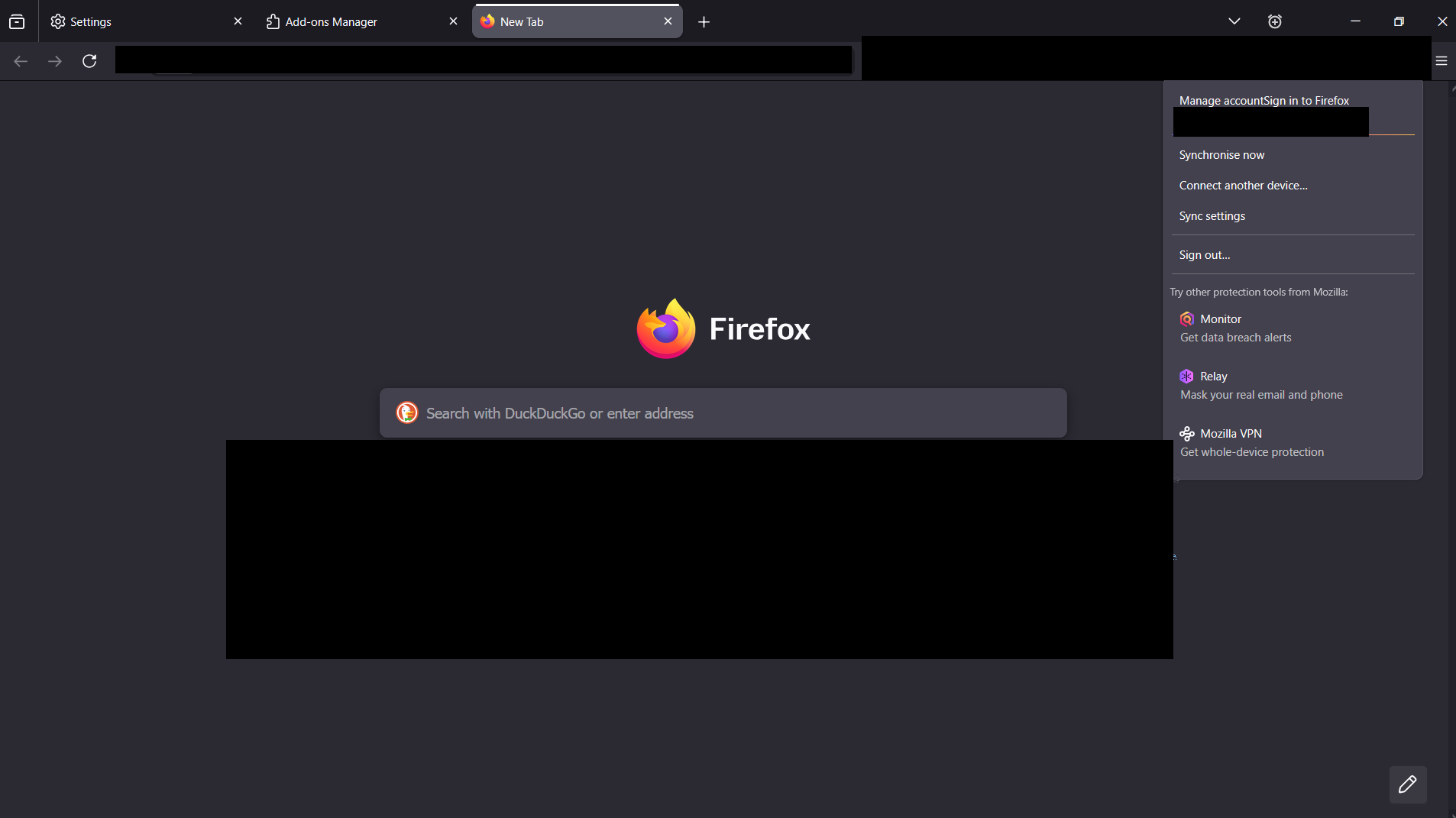
When FF launches I see the new UI but my profiles are nowhere to be see as you can see in the screenshots:
https://postimg.cc/gallery/tFXz00m
I have 2 profiles and they each have their own name.
Instead I am presented with 2 option "Original Profile" and "create new Profile". When I click on orignal profile, Firefox opens my default profiles which has its own original name. However, when go throught the new UI o switch profiles, I do not see my other profile. Moreover, if I click manage profiles, I don't see either of my profiles.
The only way I am able to launch my 2nd profile is the old fashiong via "about:profiles".
Why can't I see my profiles in the new UI?
On my 2nd profile, I don't even have the new profiles UI.
Why dont't I have the new profiles UI months after you launched it?
Please help!
Toutes les réponses (8)
Hi,
Unfortunately, at the moment profiles from the about:profiles page are not displayed in the Profiles section of the Firefox menu, and vice versa. So what you see is expected. The work on adding a migration method for profiles created via the legacy profile manager is tracked under bug 1996240.
So if I understand things correctly, you are saying that people who had profiles before the new UI was launched, which would be the majority, are unable to use it? This would mean that the new profiles UI is essentially for new FF users who never had a profile before. That makes no sense to me because those people are an infinitessimal minority.
Please tell me if my understanding is correct.
That's partially correct, but note that you can use both systems in parallel (which is not the best UX... but you can still create profiles via the Firefox menu and access your old profiles at the same time).
I know how to access my profiles the old fashioned way via about:profiles.
That is the only way for me to access them. But the new UI would have been more convenient.
I don't understand the point of launching this new UI if millions of people with profiles (the majority) can't use it. I don't even want to try to create a new profile with the new UI because because it would crate a mess with my old profiles stuck in one UI, and the new one in another. Plus profiles are linked to accounts, and I don't want to have to create a third or fourth Mozilla account just to have my profiles in the new UI.
What's even messier is that on my first profile, which is the default one, I can see the new UI, but none of my profiles are in them. This is extremely frustrating. And the 2nd profile doesn't have the new UI
When can longtime FF users like me expect their profiles to be integrated in the new UI?
I get your frustration, but please note that the people who answer questions here, for the most part, are other users volunteering their time (like me), not Mozilla employees or developers. When a Mozilla employee jumps into a discussion, you'll see the Mozilla Staff label next to their name.
If you wish, you can leave feedback for developers on the Mozilla Connect website. Click the Firefox Menu  button in the toolbar, click Help and select Share ideas and feedback…. Alternatively, you can use this link. Your feedback is collected by a team that reads it and gathers data on the most common issues.
Unfortunately, I don't have any related timelines to share.
I see. Sorry, I thought you were from Mozilla. I do hope they comment on this thread because this isn't acceptable IMHO. The majority of us are left behind. Thank you for your feedback. It was very helpful.
Modifié le par Silly Beaver

You're not so silly, Beaver. Releasing a new feature that clashes with other direct functionality shows a project management gap that shouldn't exist today. Truly pathetic.
With respect, Denys, I do feel that you and your fellow moderators should have something in your signatures that report that you have nothing to do with Mozilla, that you can not affect any errors in the program - that you can only advise.
Hey Phred,
I don't know if it's made clear enough, but 95% of people here (including moderators) are volunteers, so we have labels for staff instead.