


Trying to print an email. Select inbox item. Right click choose "Print". TB hangs "preparing preview"

Config editor has no printer listed. nothing to reset. Printer works with other applications just not TB. Re-installed the printer. Reset the space limiters, which I found were set too low. Restarted TB and computer
Toutes les réponses (6)
Hello
Of course, this is not the expected answer.
For information purposes, since Thunderbird 102. Printing using the system dialog without preview now supported; Set print.prefer_system_dialog to true.
Config editor. Enter a search term print.prefer_system_dialog You can double-click on the preference to set the value to true
There is no entry "Set print.prefer_system_dialog" to change. As I said, there is nothing in the config pretaining to printer of any kind. It looks like there is no printer recognized by TB.
Hello
For my part, i don't know what else to tell you.
Reset Thunderbird printer settings.
For example Firefox https://support.mozilla.org/en-US/kb/fix-printing-problems-firefox It's the same action, Reset Firefox printer settings.
Configuration editor for Thunderbird https://support.mozilla.org/en-US/kb/config-editor Enter a search term print.prefer_system_dialog You can double-click on the preference to set the value to true
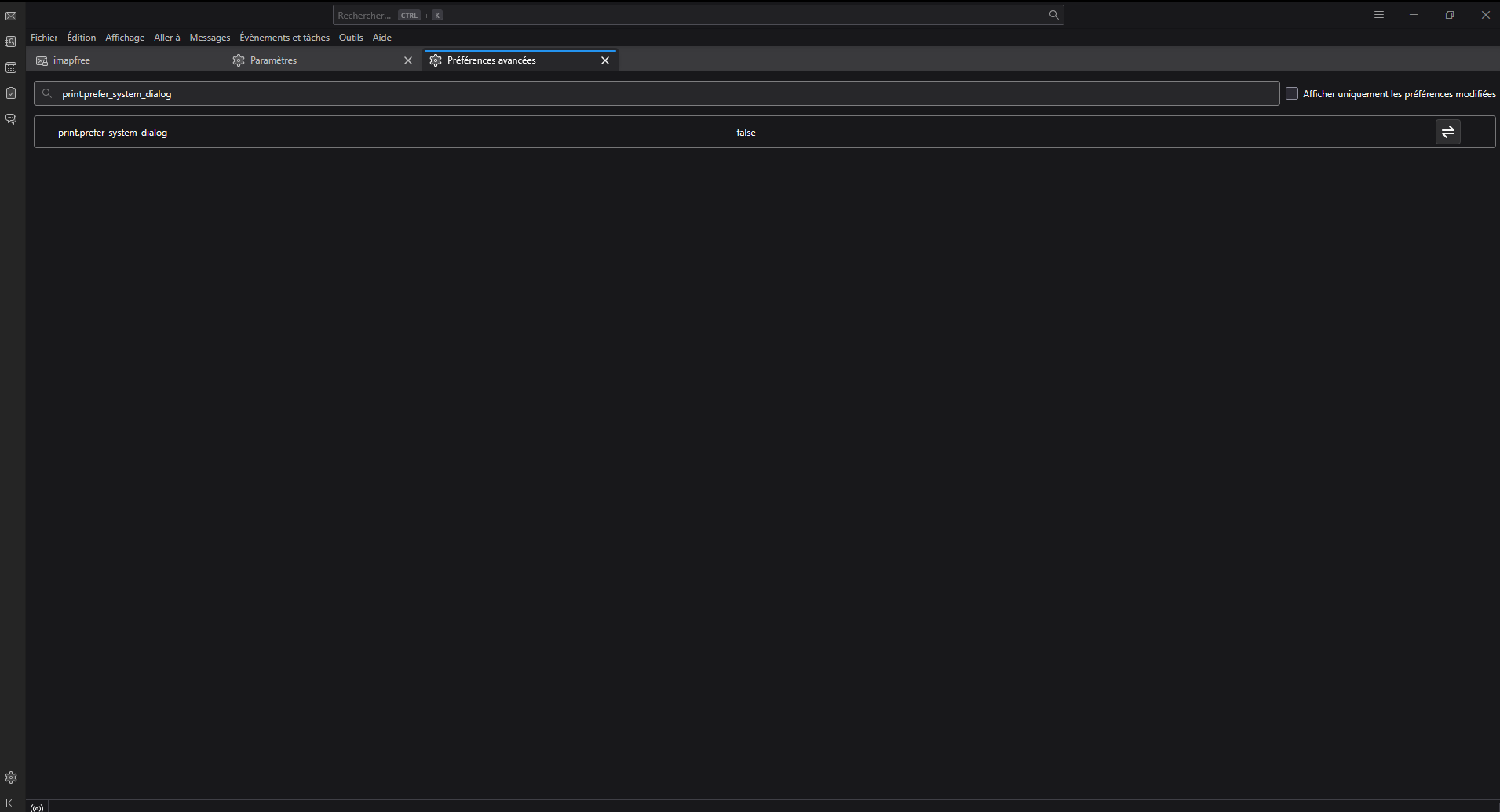
There are no printer settings to reset. I suspect the only way to solve this is to re-install TB altogether. I've never done that it sounds ominus. I sure would like to find an easier way.
Would someone else like to try to help????
The solution offered was not possible. The solution turned out to be simple. Re-install TB. I did NOT uninstall TB first. The Re-install evidently corrected the problem.
This problem continues. I have uninstalled and re-installed the printer I have re-installed TB TB does not recognize the printer that is attached and is working for all other applications. TB does not have any entry for a printer of any kind As a work-around, I have saved the email as an html file. Then opened it in a browser and printed it. I have spent many hours on this. My conclusion is that TB for some reason does not see the printer - brother dcw L2550dw This is a Windows 7 system Since the printer works on all other applications, I have to conclude the problem is with TB.