Docusign

Using Firefox on Windows 11 I cannot access DocuSign files. I need to send a form to an on-line bank and want to use the DocuSign function. When I click on that option on the site all that displays on the screen is DOCUSIGN but the feature doesn't show. I tried turning off security addons such as Privacy Badger and Ghostery but that didn't help. I can get to the feature using Edge but I really don't like using that. Is there a setting that I've missed that may cause the disconnect?
The generic DocuSign site it https://powerforms.docusign.net/. Any other details in the URL I used refer to my bank and the account, so I am not including that information.
Thank you.

Toutes les réponses (1)

Solution choisie
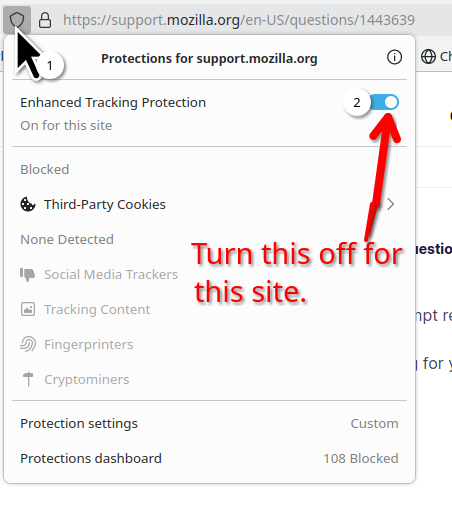
Do you have the same issue with Firefox in Troubleshoot Mode? https://support.mozilla.org/en-US/kb/diagnose-firefox-issues-using-troubleshoot-mode#w_how-to-start-firefox-in-4troubleshoot-modesf5safe-modesf What version of Firefox? You have look and see if there are any errors being shown in the browser. I would guess that ETP may be the issue along with any add-ons. see screenshot May have to use Troubleshoot mode and turn off ETP. For some sites you have to adapt or don't use.