


Screenshot no longer shows as option when right-clicking

Windows 11 Firefox 135.0.
When I right click on a page, screenshot is not shown as an option. It used to be there. How do I get it back?
Solution choisie
Well, one thing to check is about:config and make sure extensions.screenshots.disabled is set to false.
If set to true, it removes the menu item. I'm running Firefox 135 in Windows 10 Pro and I see the menu item when I toggle the setting back to false.
Lire cette réponse dans son contexte 👍 0Toutes les réponses (5)
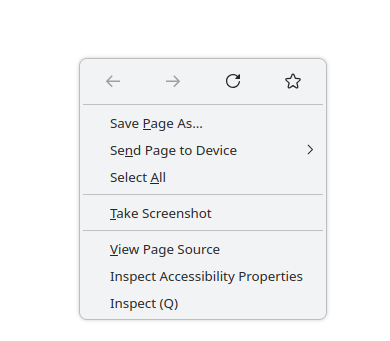
Post a screenshot of the menu. What site are you on? What OS? What version of Firefox? It works for me. see screenshot
Modifié le par jonzn4SUSE
Here's the screenshot from right click on this page. The OS and Firefox version are in my original message.
I can see a menu similar to your screenshot on another computer with an older Firefox (134.0.2). It is running Windows 10. It tells me to restart to update. Given the current situation, I'm avoiding that.
Which Firefox version are you using to get that menu?
Firefox shows me as up to date with 135.0.
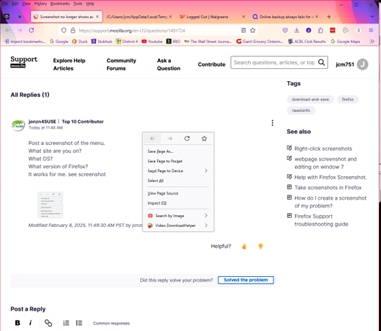
I'm on linux running 135.0 and will go check Win11. You screenshot is soooo small. How about using the snipping tool and just getting the menu only.
Solution choisie
Well, one thing to check is about:config and make sure extensions.screenshots.disabled is set to false.
If set to true, it removes the menu item. I'm running Firefox 135 in Windows 10 Pro and I see the menu item when I toggle the setting back to false.
Modifié le par MarkRH
You hit it, MarkRH. Toggling that setting fixed the problem. I have no idea how it got set to true.
Good thing that fixed it because I have no idea how to invoke the snipping tool while that menu remains on the screen.
Thanks.