


How do I sync two computers

I have two computers that I use at different times and for different reasons. I want the open tabs on them to be the same. I am signed in on both computers but there is no syncing happening, even when I go into the menu under my account. It says it's syncing, but it's not. When I try to "Add another device" the option of adding another computer is not given. I do not want to use the profile backup because I want to MERGE the two sets of open tabs between the computers, not overwrite one.
Toutes les réponses (15)
Sync info... FYI... Firefox Sync IS NOT A DATA BACKUP SERVICE https://support.mozilla.org/en-US/kb/how-do-i-set-sync-my-computer https://support.mozilla.org/en-US/kb/how-do-i-choose-what-information-sync-firefox https://www.mozilla.org/en-US/firefox/features/sync/ https://hacks.mozilla.org/2018/11/firefox-sync-privacy/ Sync is not a backup tool but it is a good sync/transfer/move tool https://support.mozilla.org/en-US/forums/contributors/707681
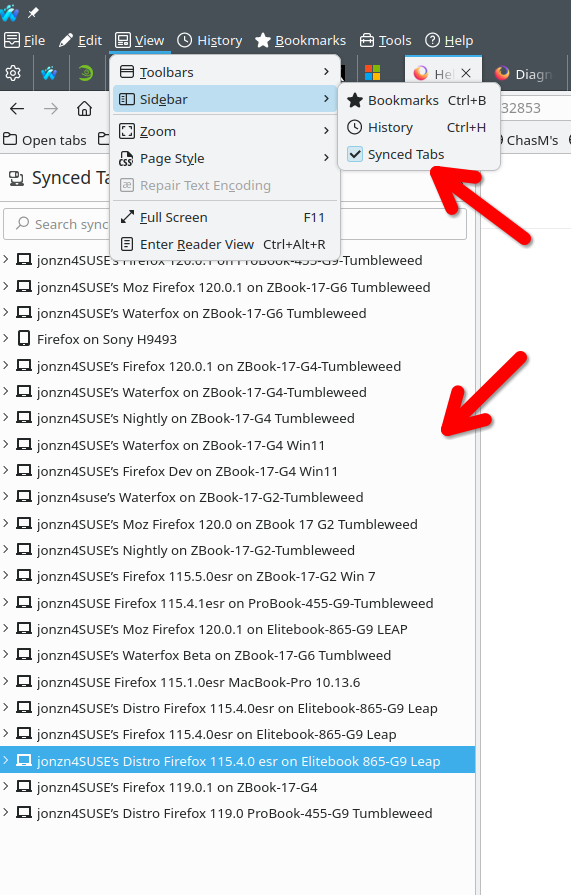
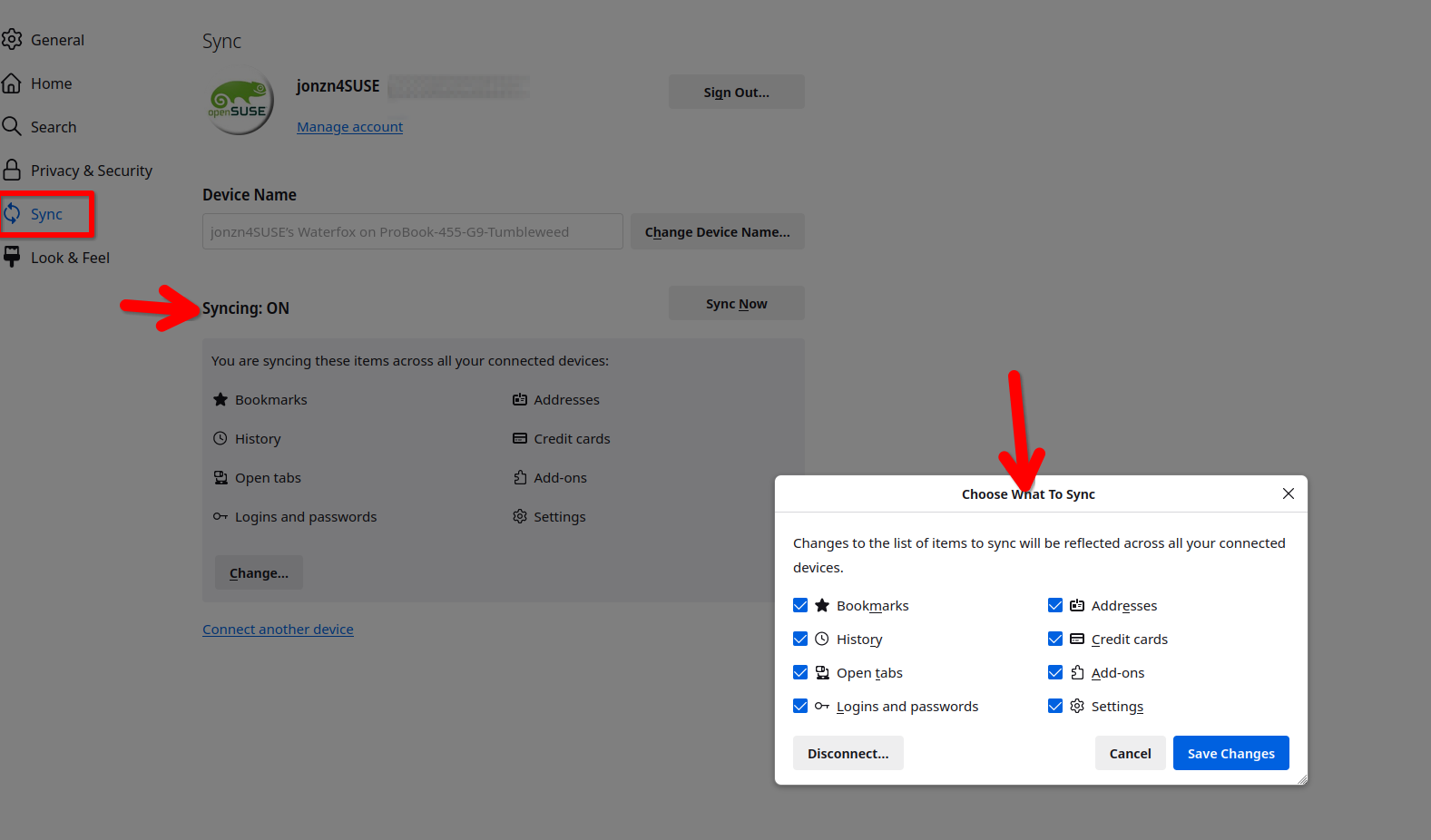
Sync allows you to see tabs on other devices that you can open and send tabs. see screenshots To add another device, just log into your account on the new device and make sure the sync options are checked.
Modifié le par jonzn4SUSE
This is why I posted. I did that, and it DOESN'T sync. And I can't add another device if it's a computer.
Sync allows you to see the tabs from pc1 while on pc2. While on pc2, you can then open the tabs from pc1 on pc2 and then they will be the same. Sync is not going to automagically open the tabs from pc1 on pc2. You have to first view the synced tabs from pc1 and then open them while on pc2.
YankeeHorses said
. When I try to "Add another device" the option of adding another computer is not given.
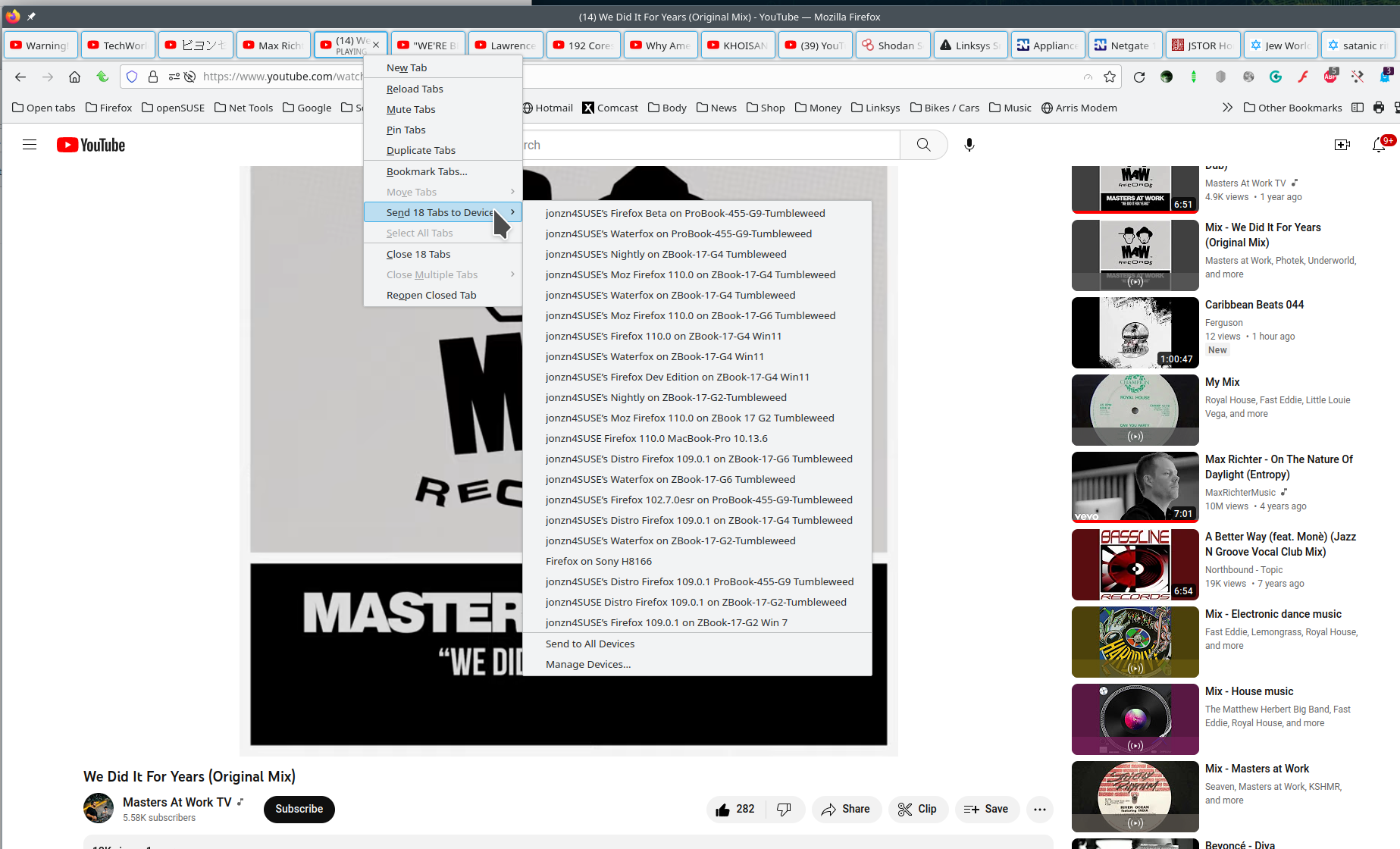
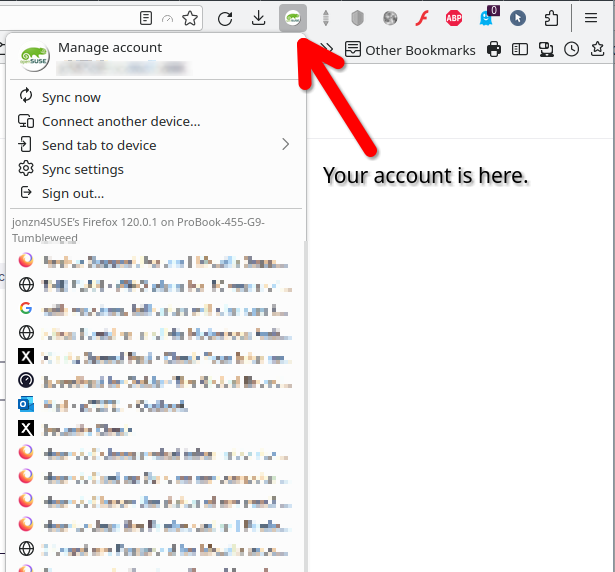
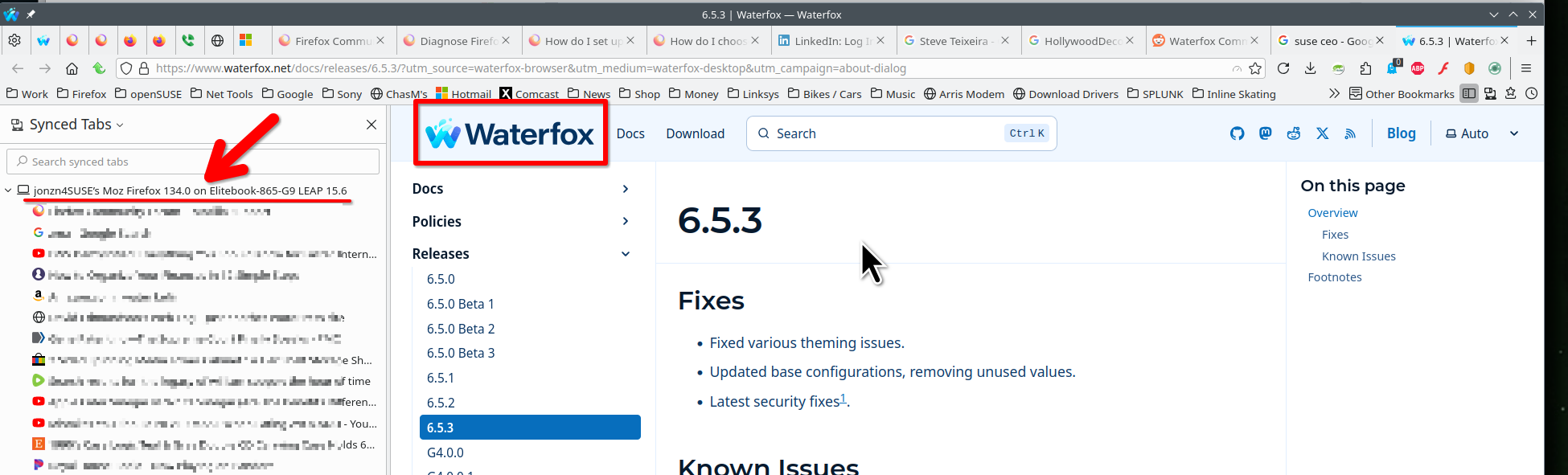
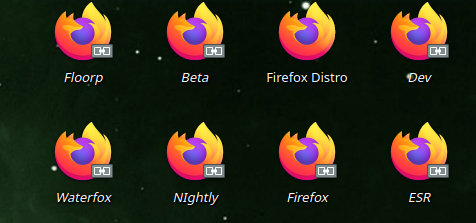
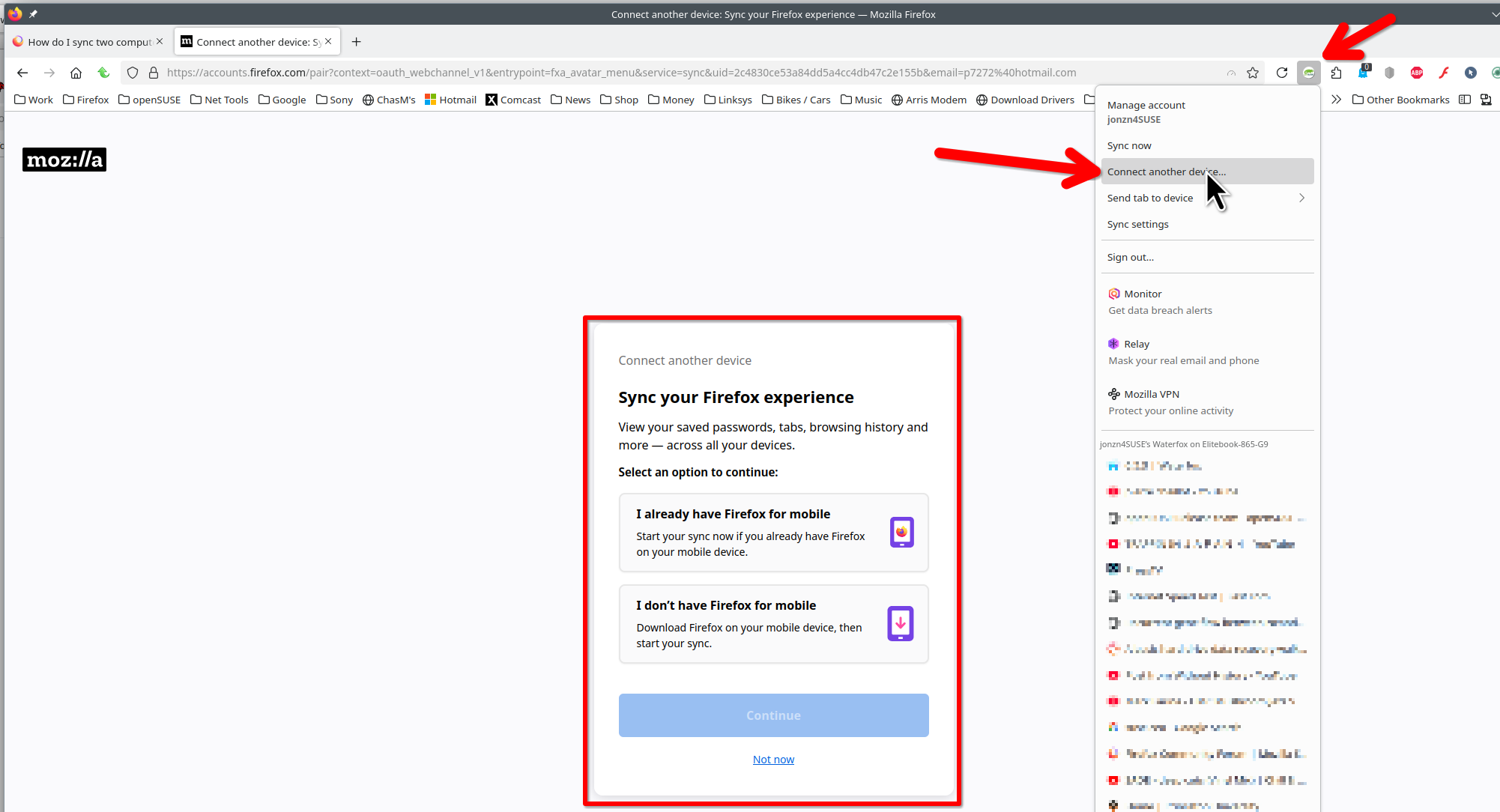
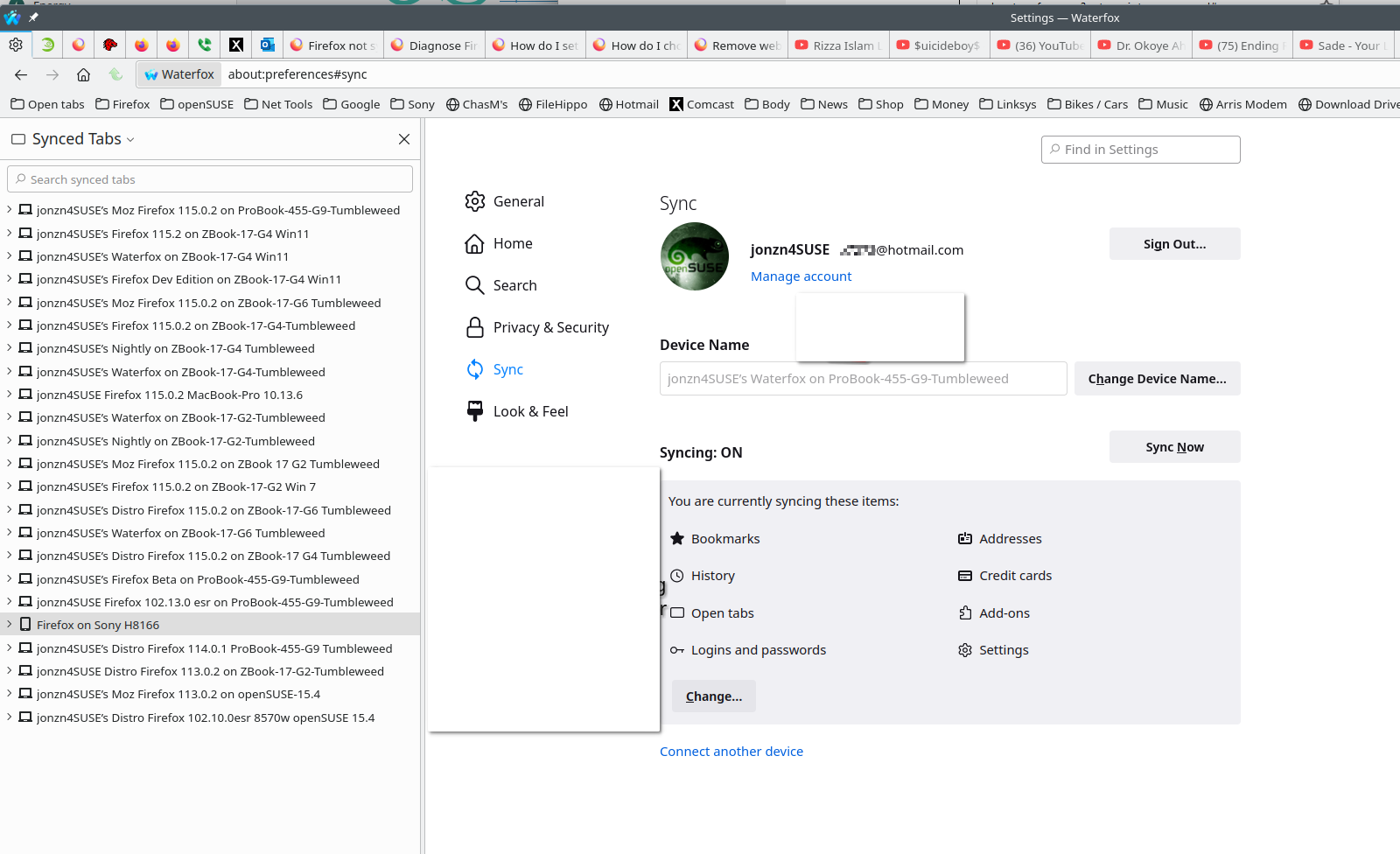
As you can see from the screenshot, adding another device is for mobile. It should say Connect another Mobile device. On a computer, you simply log into your Mozilla account on the new computer. Example... On this computer I run all versions for Firefox, Waterfox, and Floorp. From Waterfox I can see the open tabs in Firefox 134.0 on the same laptop and open those tabs if I wanted to. see screenshots.
Sorry, it just doesn't show that. It only shows my iPad, not my other computer, even if I'm logged in at the same time on both computers.
Are you suggesting I try Waterfox, since that is what you have in the screenshot?
Can you post a screenshot so we can see what devices you're working on?
So each computer sees my iPad, but neither sees the other computer. The Mozilla sign in doesn't seem to see my MacBook Air. The first image is from my MacBook Pro. As you can see it doesn't show the Air signed in at all (ignore the one at the bottom, as that's a Gen 1 Air from 7 years ago). The next image is me signed on FROM MY AIR-it still doesn't show the Air. The account thinks it's the same computer. Both computers are syncing fine with the iPad, as I said first. The last screen shot shows you that my Air knows it's my Air and is not identifying as a Pro.
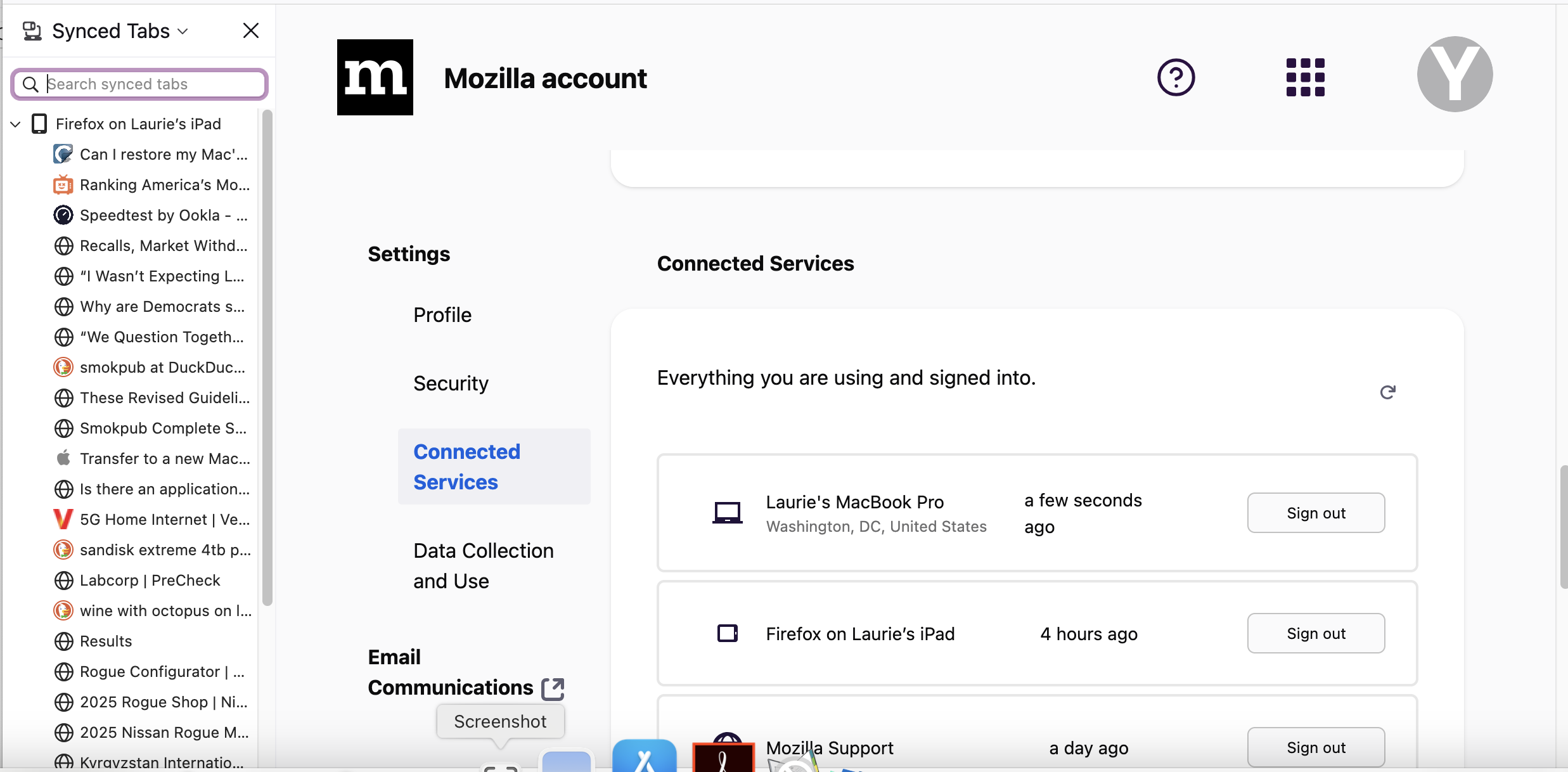
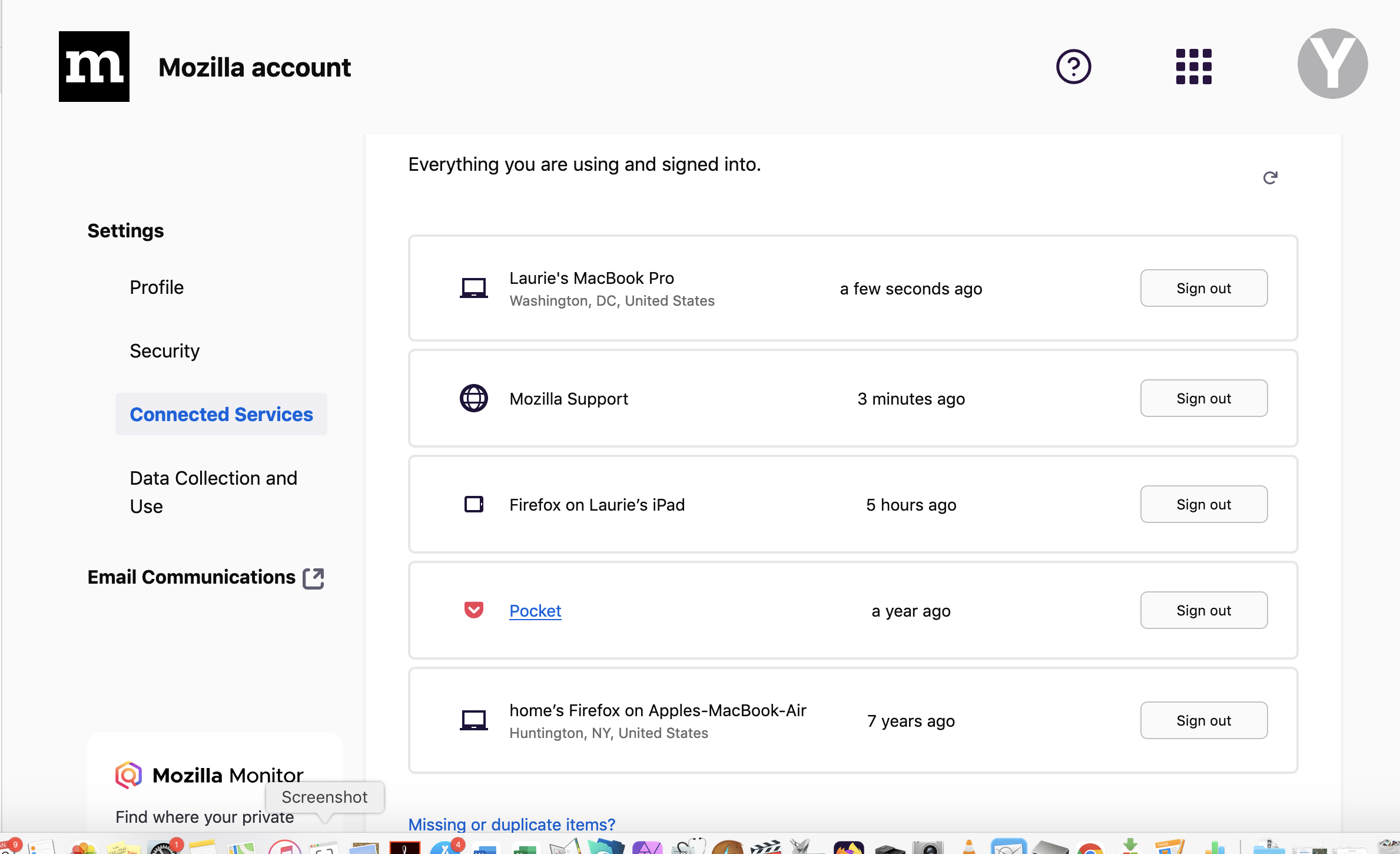
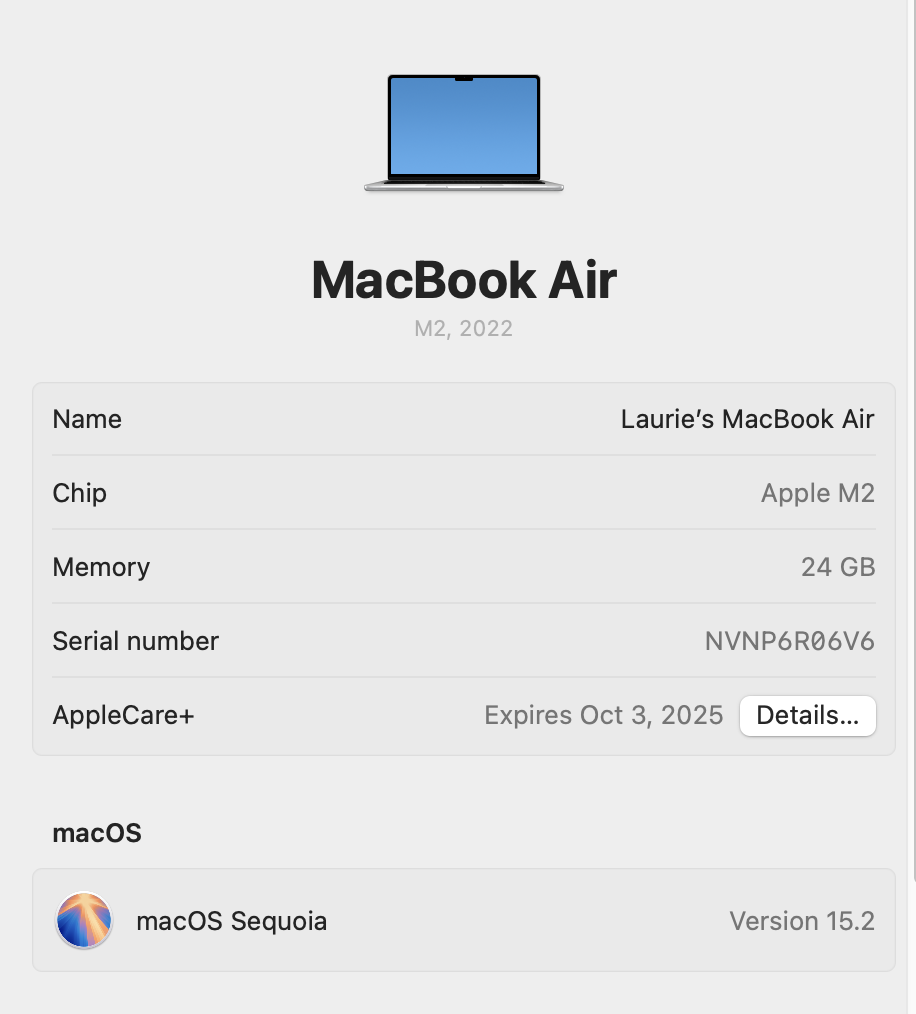
From each device, post screenshots of what Firefox shows as the devices name. see screenshot The 2nd and 3rd old screenshots show the Firefox names on my other devices.
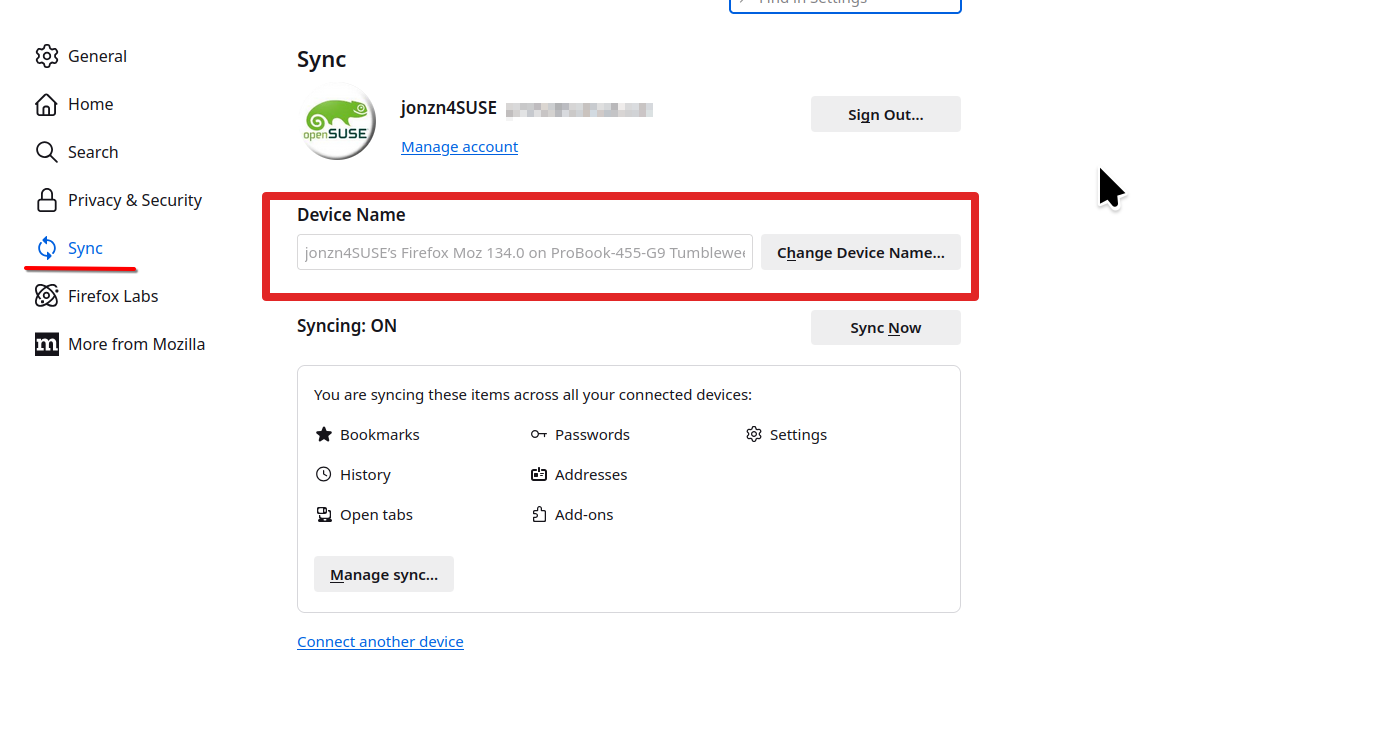
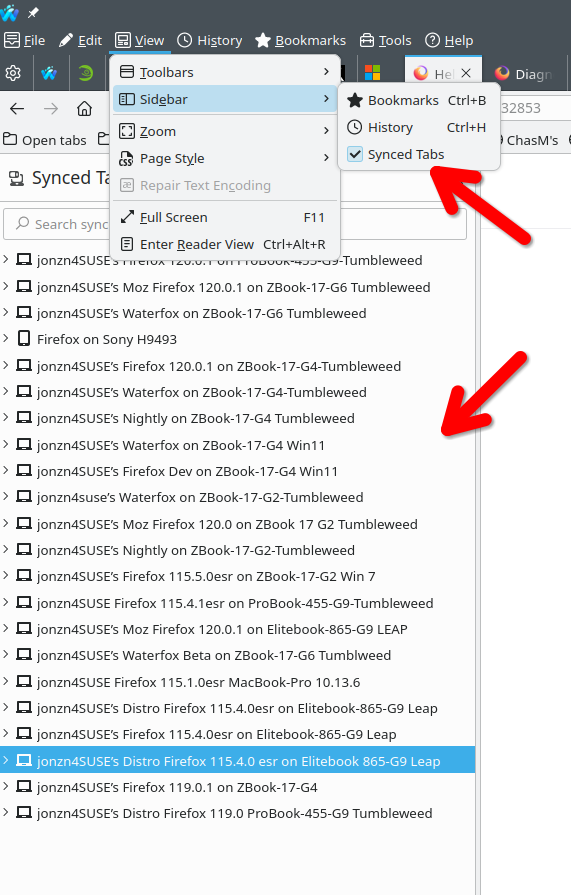
I thought that's what I showed you-the two computers (or maybe one computer) come up with the same name. The 3rd screenshot shows that the Air isn't seen.
Sync is not going to open the tabs on other devices, it allows you to see the open tabs on other devices. Example... If you want the tabs that are open on the pro, get on the Air and open the side bar that shows the other devices in your account. see screenshot Then you can just open the tabs from the pro on the air and vice versa.
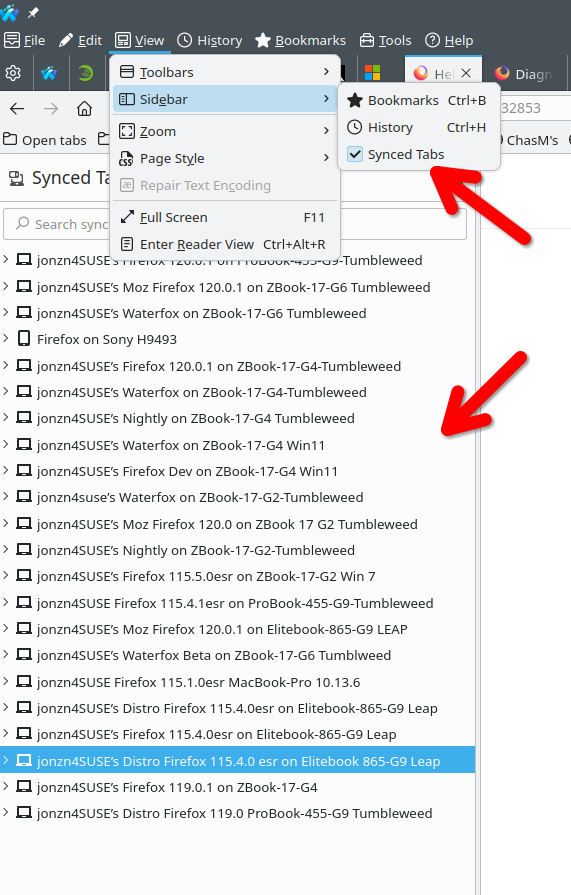
Modifié le par jonzn4SUSE
I now that-IT'S NOT SHOWING THE OTHER COMPUTER AT ALL-only the iPad
Sorry, I "know" that-typo
You're not hearing me-I have TWO computers, I want to see the open tabs on the other computer.
If I could do what you're saying, I would have done it before this-it DOESN'T work