


rar file allways being opened with winrar

every time whe I download a rar file it is opened with winrar even the setting for the rar file extension is set to save and not open the file. Also some about:config settings I learned from some forums on the web do not help. I think this missbehaviour took place in the past after updating FF but I cannot remember which update it was. How can I configure FF to not open downloaded rar files with winrar (I want FF only to save the file)?
Toutes les réponses (5)
Did you check this action in "Settings -> General -> Applications" ?
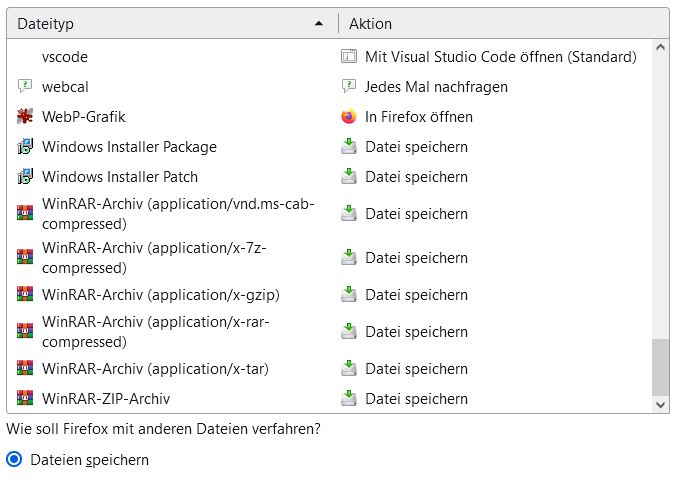
As I wrote in my post I checked this action in "Settings -> General -> Applications", please read all carefully! I upload a screenshot for those who are not able to do so.
Can you link an example rar file download? The server might be misreporting the file type.
Try resetting application assignments by renaming the handlers.json file in your profile folder while Firefox is closed.
If you check other parts of the Actions list, is Open Using WinRAR specified for any other types of compressed archives (or any kind of file)?
Note that you currently have quite a few actions for RAR files with various MIME types. This means that you created a lot of automatic actions for servers that sends this file with his specific MIME type. Normally you would create an action for a valid MIME type for RAR (application/vnd.rar) and servers should send this archive with that content type.