


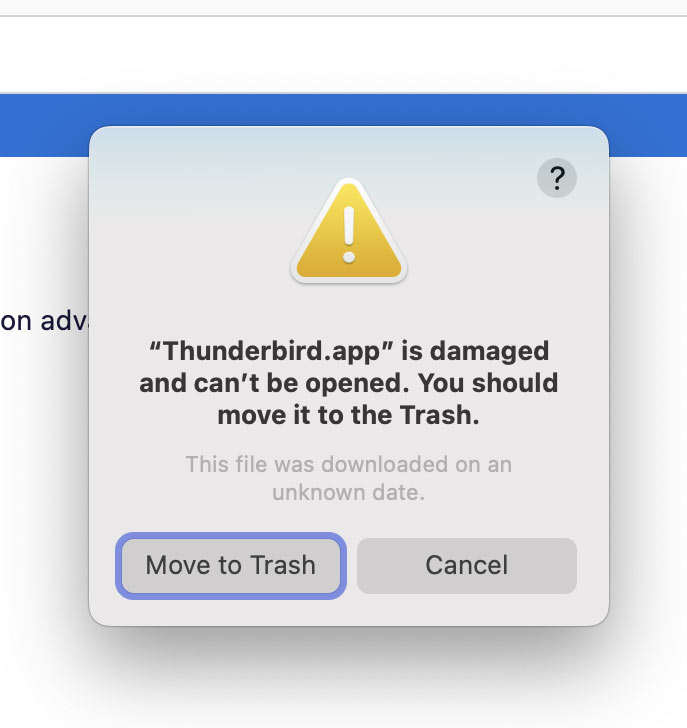
"Thunderbird.app is damaged..."

Hi,
I was reasonably up to date on Thunderbird, but just today (March 1) I've started getting this: "Thunderbird.app is damaged and can’t be opened. You should move it to the Trash. This file was downloaded on an unknown date." I'm attaching a screen capture. If I keep hitting "Cancel" about half a dozen times, the little panel stops. But it soon starts up again.
So I updated to 115.8.0 (Mac), but it didn't help. Will I lose my email files if I delete Thunderbird.app and re-install? (I'll make a copy of my Profile in any case.)
Do let me know, as that "?" item in the upper right corner of the panel is less than enlightening.
Thanks!
Peter
Solution choisie
The profile folder and the folder with the program files are separate, and uninstalling or reinstalling the program doesn't affect the profile folder that contains all user data.
If you wish to backup profile then your profile should be located here: Mac OS X Profile folders are located here:
- ~/Library/Thunderbird/Profiles/<Profile name>/
The tilde character (~) refers to the current user's Home folder, so ~/Library is the /Macintosh HD/Users/<username>/Library folder.
Suggest you backup the 'Thunderbird' folder in the 'Library' as then contains absolutely everything including the 'profiles.ini' file etc.
This info may help:
You can get a fresh download for MAC from this link, you just need to make sure you choose appropriate language and the MACOS option.
Lire cette réponse dans son contexte 👍 0Toutes les réponses (2)
Solution choisie
The profile folder and the folder with the program files are separate, and uninstalling or reinstalling the program doesn't affect the profile folder that contains all user data.
If you wish to backup profile then your profile should be located here: Mac OS X Profile folders are located here:
- ~/Library/Thunderbird/Profiles/<Profile name>/
The tilde character (~) refers to the current user's Home folder, so ~/Library is the /Macintosh HD/Users/<username>/Library folder.
Suggest you backup the 'Thunderbird' folder in the 'Library' as then contains absolutely everything including the 'profiles.ini' file etc.
This info may help:
You can get a fresh download for MAC from this link, you just need to make sure you choose appropriate language and the MACOS option.
Looks good and works. Thanks.
(Boy, I'm impressed by their range of languages, including Asturian and a Berber language called Kabyle.)