


fake "update available" for firefox

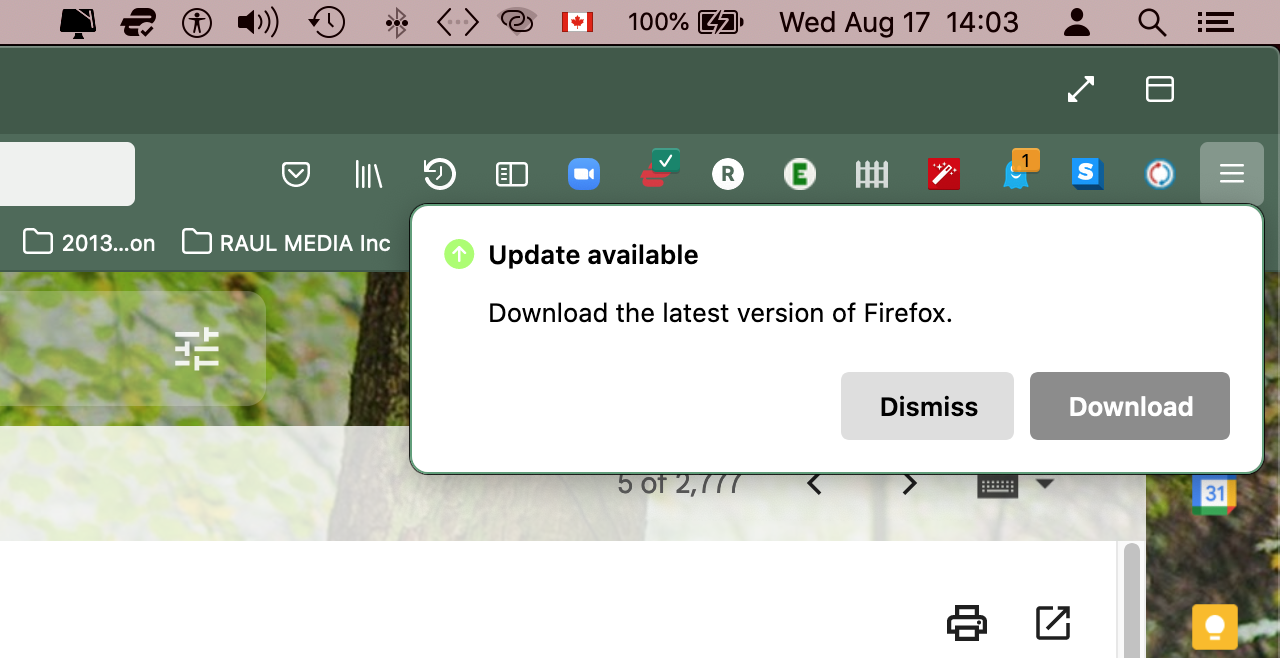
Every time I launch Firefox a message appears on the top right corner asking to update with the following text: "Update available Download the latest version of Firefox"
I have never followed this message for I've suspected fake, but it keeps appearing, and every time more and more often along the day (at the beginning it was only once per launch). This keeps occurring in spite of updating to the latest Firefox update (103.0.2) through the "About Firefox" top left menu on my Mac.
Please advise how to get rid of this annoying message. Is this a potential hack or virus attack?
MacBook Pro 15", Late 2013 on Mac Os 10.15.7 "Catalina"
Solution choisie
See also: Firefox -> About Firefox
Lire cette réponse dans son contexte 👍 1Toutes les réponses (4)

There's usually a green dot on your Menu button when an Update is available. Do you have updates set for automatic? Anyway, take a look at this - Troubleshoot Firefox issues caused by malware https://support.mozilla.org/en-US/kb/troubleshoot-firefox-issues-caused-malware#firefox:mac:fx103
Thank you Dropa and RobertJ for your responses.
Solution choisie
See also: Firefox -> About Firefox
Thank you! This I used to do now and then.
Since the last update, notices don't appear anymore.
Thank you all!