


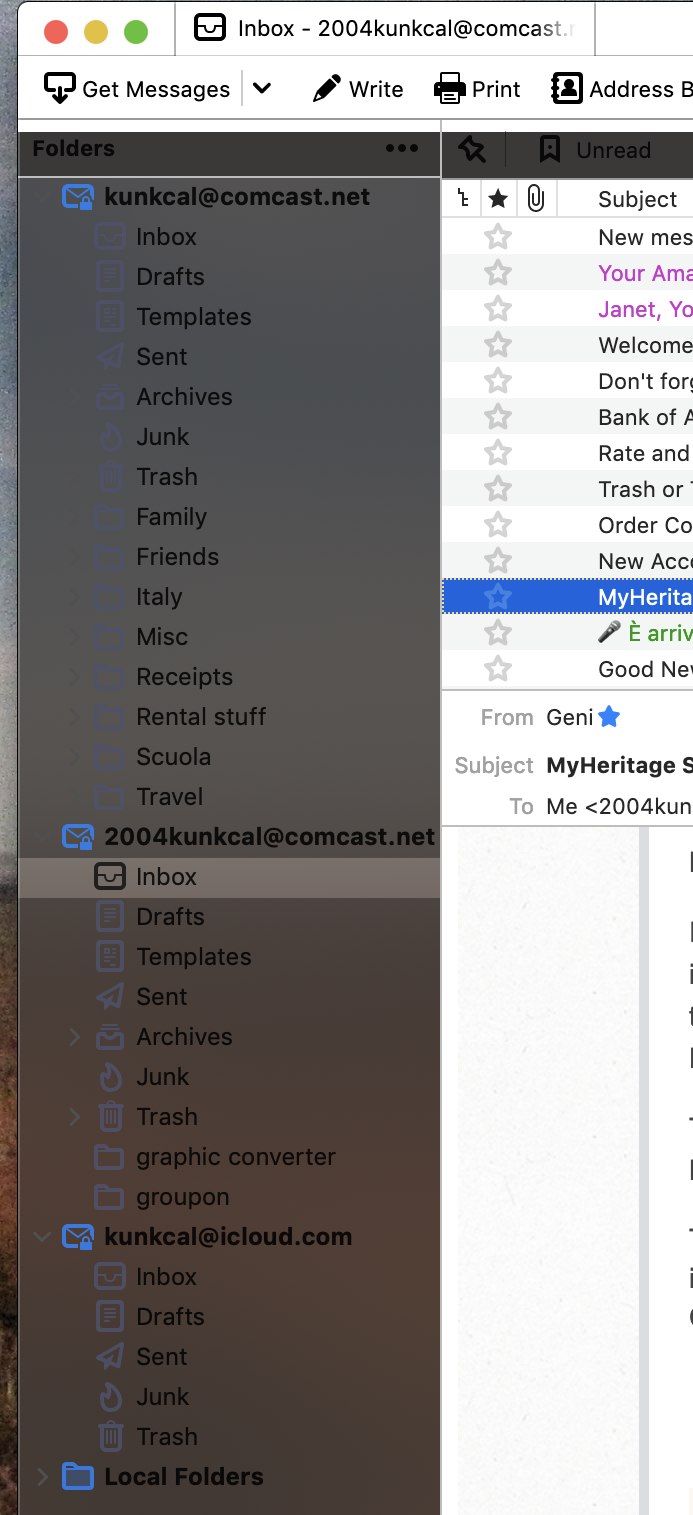
Dark folder pane

I have used and loved Thunderbird email app for years, but the updated version 91.2.1, (on iMac with Mojave), the Folder pane is now dark gray with black print so I can hardly read the folder names (see photo), also the drop downs (i.e. Tags) are gray and no long show the list of Tags in the colors assigned though tagged emails are colored properly. Please tell me this is not a new "feature"! Hopefully it will be corrected soon? Thanks!
Toutes les réponses (5)

Solution choisie
Switch to the Light theme. To get there, go to the Tools menu > Add-ons & Themes.
Thanks! Not sure how it got switched.
It didn't. It's the default System theme that acts up sometimes. It's supposed to adapt to your system's appearance (dark or light), but that doesn't always work quite right.
This morning when I opened Thunderbird, it had switched back to the dark folder pane. At least now I know how to change that. This hadn't happened before yesterday.
Modifié le par 2004kunkcal
That isn't right. It should stick to the Light theme (or whichever theme is enabled) upon restart.