


Bookmarks Toolbar is empty
For some reason all my toolbar bookmarks have disappeared from the toolbar line below the search box. View Bookmarks Toolbar is checked 'Always Show'. I tried customizing and restoring defaults but still don't show, although the toolbar line disappeared and option was changed from Always Show to 'Only Show In New Tab'
I am using Private Browsing, although it does same even if I don't. So frustrating
What happened? Was a new version released 4/12/2021?
Solution choisie
Oh boy - I solved the problem by quitting Firefox and restarting it.
Sorry, this should have been the 1st thing I tried :-(
But I did learn a lot about the toolbars in the meantime
Lire cette réponse dans son contexte 👍 0Toutes les réponses (5)

This article may help: https://support.mozilla.org/en-US/kb/recover-lost-or-missing-bookmarks Otherwise, this question: https://support.mozilla.org/questions/1314249
Is the bar completely blank, or does it have a "placeholder" message about adding bookmarks? This picture illustrates what I mean about the placeholder message (from the Customize tab):

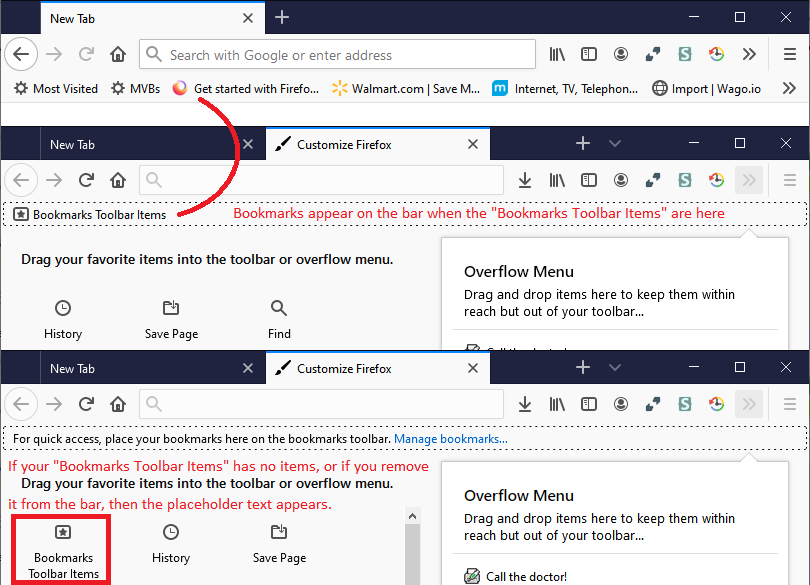

You can enable the bookmark toolbar by: Going to View > Toolbars and click on the Customize. Now check that the "Bookmarks Toolbar Items" is on the Bookmarks Toolbar.
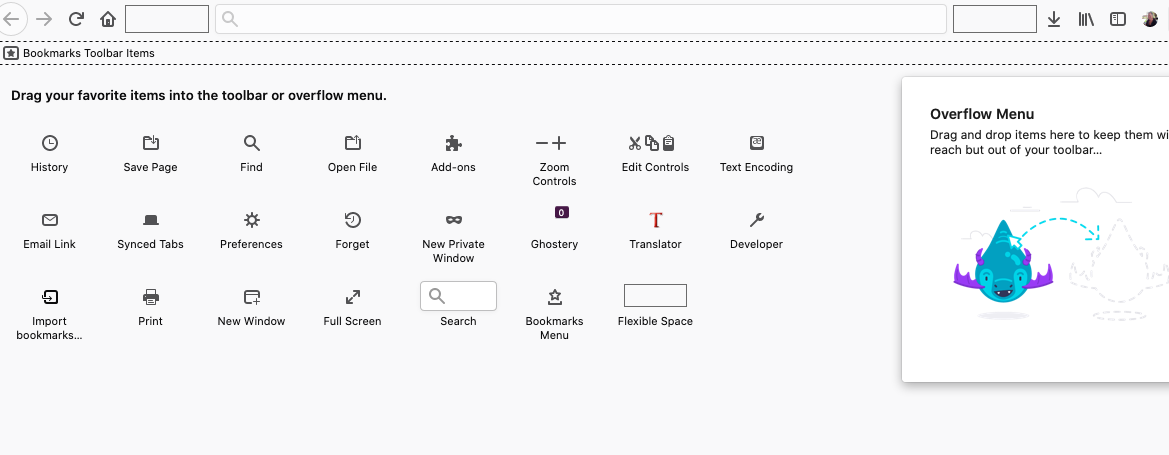
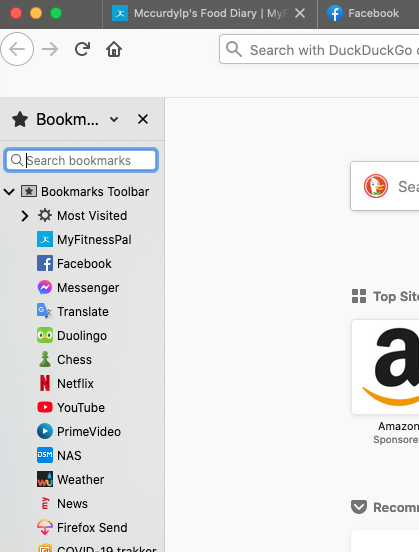
I tried jscher2000 suggestion, but still nothing in top pane. The toolbar items do show in left pane if I activate it, just to show that I do have items.
Solution choisie
Oh boy - I solved the problem by quitting Firefox and restarting it.
Sorry, this should have been the 1st thing I tried :-(
But I did learn a lot about the toolbars in the meantime