


Браузер Firefox 86.0.1 x64
Здравствуйте. Прошу прощения, на английском языке я не умеюб разговаривать, а писать с помощью переводчика, тогда вы вовсе не сможете понять о чем я говорю. Прошу помощи, у Вас, в браузере. Собственно ОС: Windows 7 Ultimate x64 Версия Firefox: 86.0.1 x64
Проблема состоит в том, что браузер перестал воспроизводить любые звуки с любых страниц. При этом, в микшере громкости всё включено, в т.ч. сам браузер. Переустанавливать браузер пробовал, проблема не решилась.
Обращаю внимание на то, что драйвера все стоят, звук есть везде, кроме Firefox.
В чём проблема и как её решить? Заранее спасибо. С уважением, Cobretti Ford
Solution choisie
jscher2000 said
Thanks, but I don't think a video will help. If Firefox doesn't show the icon on the tab, for some reason is not not receiving sound from the page. Is there an autoplay permission icon at the left end of the address bar?
Thank you so much for your willingness to help. But the problem was solved by itself. Firefox itself downloaded and installed some updates, after which the problem went away by itself.
Thank you so much again
The problem has been resolved.
Lire cette réponse dans son contexte 👍 0Toutes les réponses (8)
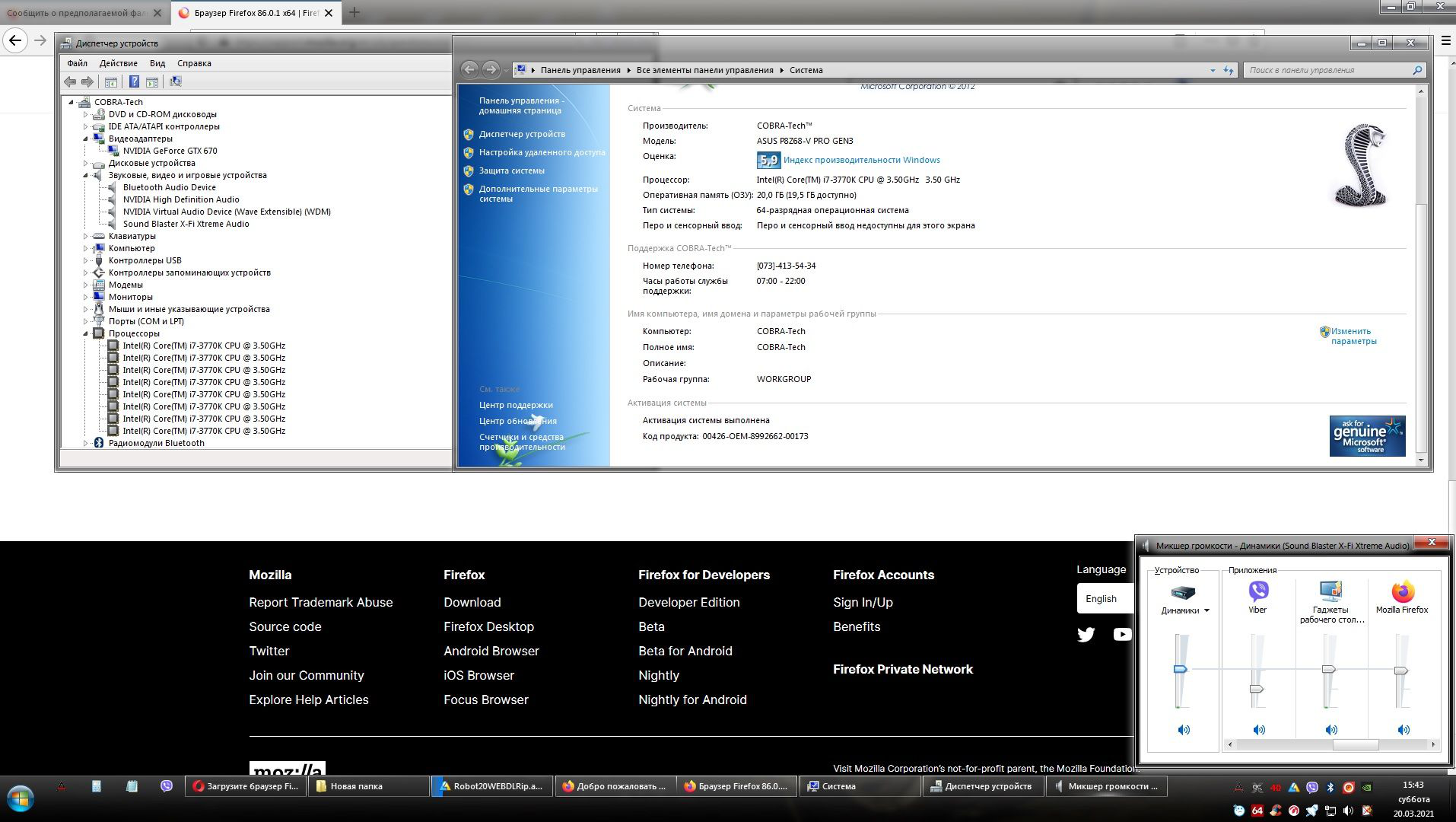
Добавляю скрин с общей информацией
Modifié le par C.O.B.R.A.
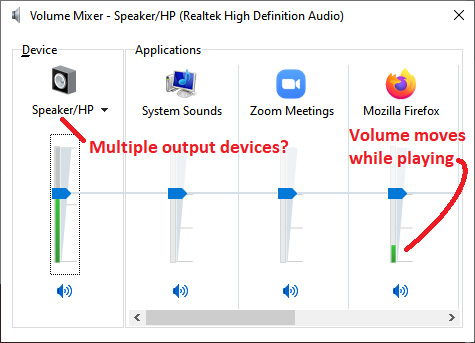
When you are playing audio in Firefox, does the Firefox slider in the volume mixer show that Windows is receiving audio? Example screenshot attached.
Do you have additional output devices, in case Firefox is sending audio to the wrong device?

jscher2000 said
When you are playing audio in Firefox, does the Firefox slider in the volume mixer show that Windows is receiving audio? Example screenshot attached. Do you have additional output devices, in case Firefox is sending audio to the wrong device?
Firefox does not even show the sound output. There are no other sound output devices.
Modifié le par C.O.B.R.A.
jscher2000 said
When you are playing audio in Firefox, does the Firefox slider in the volume mixer show that Windows is receiving audio? Example screenshot attached. Do you have additional output devices, in case Firefox is sending audio to the wrong device?
Firefox does not even show the sound output. There are no other sound output devices.
C.O.B.R.A. said
Firefox does not even show the sound output. There are no other sound output devices.
Hmm. Does Firefox show the little speaker icon/mute button on the tab that is playing audio? If that is showing, then Firefox is supposed to be sending audio to Windows.
jscher2000 said
C.O.B.R.A. said
Firefox does not even show the sound output. There are no other sound output devices.Hmm. Does Firefox show the little speaker icon/mute button on the tab that is playing audio? If that is showing, then Firefox is supposed to be sending audio to Windows.
Does not display. Again, firefox does not show at all that it is outputting sound.
If necessary, I can record a video
Thanks, but I don't think a video will help. If Firefox doesn't show the icon on the tab, for some reason is not not receiving sound from the page. Is there an autoplay permission icon at the left end of the address bar?
Solution choisie
jscher2000 said
Thanks, but I don't think a video will help. If Firefox doesn't show the icon on the tab, for some reason is not not receiving sound from the page. Is there an autoplay permission icon at the left end of the address bar?
Thank you so much for your willingness to help. But the problem was solved by itself. Firefox itself downloaded and installed some updates, after which the problem went away by itself.
Thank you so much again
The problem has been resolved.