


Not able to share voice or video on dscord

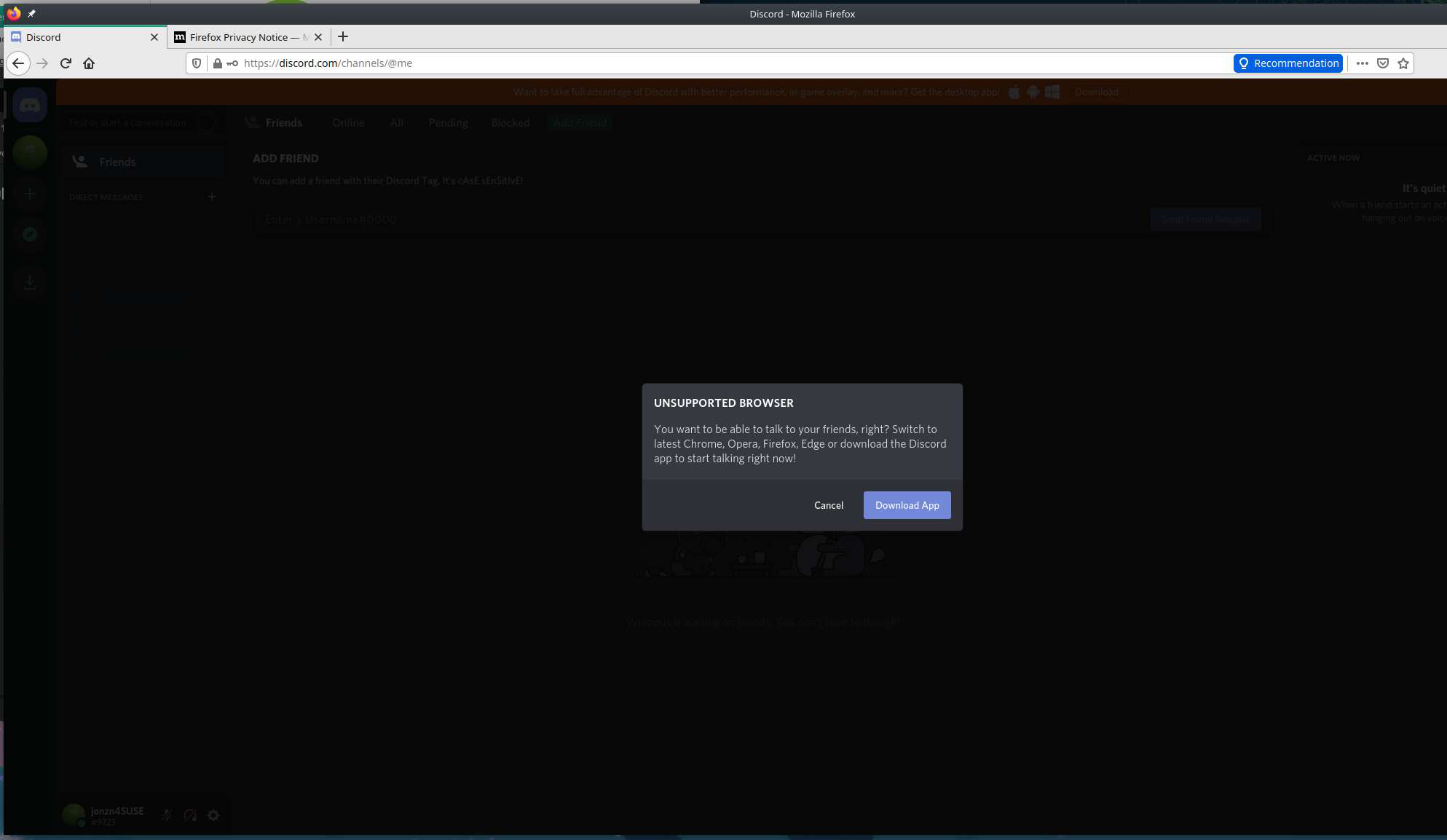
When I go to discord, I am not able to join in an audio call. When I go to un-mute my profile, I get an error that say >You want to be able to talk to your friends, right? switch to the latest Chrome, Opera, Firefox, Edge or download the latest discord app to start talking right now!
I am using firefox 78.6.1esr (64-bit) on Debian 10.7
I have had a back and forth with Discord and they informed me that its a Firefox only issue and to ask here instead.
Toutes les réponses (12)
Does Firefox ever prompt you to allow camera and microphone access? If it never does, something might be disabled, but perhaps it will help to pre-set permission for the site. While you are on the relevant page, you can call up the Page Info dialog using either:
- Ctrl+i (for Mac, Command+i)
- right-click a blank area of the page > View Page Info
- (menu bar) Tools > Page Info
When the dialog comes up, click the Permission icon at the top to show that panel.
Scroll down to "Use the camera" and uncheck the "Use default" box, and then select "Allow". Repeat with "Use the microphone."
Does that make any difference?
@jscher2000 that did not make a difference
I would download a separate copy of Firefox(new version) to a folder and run it from there.
https://www.mozilla.org/en-US/firefox/all/#product-desktop-release
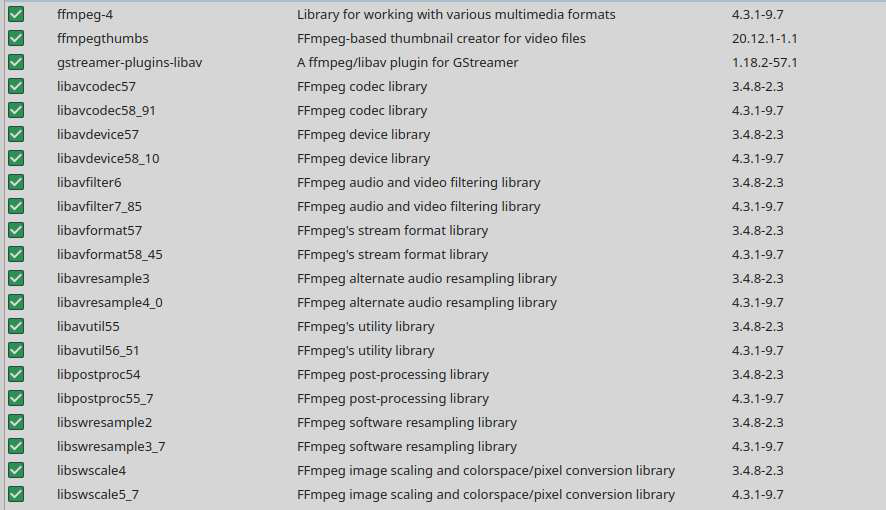
Also make sure you have the latest FFmpeg and libavcodec packages are updated. see screenshot I created a discord account and everything works for me. see screeshot
Operating System: openSUSE Tumbleweed 20210126 KDE Plasma Version: 5.20.5 KDE Frameworks Version: 5.78.0 Qt Version: 5.15.2 Kernel Version: 5.10.9-1-default OS Type: 64-bit Processors: 8 × Intel® Core™ i7-4810MQ CPU @ 2.80GHz Memory: 31.0 GiB of RAM Graphics Processor: Mesa DRI Intel® HD Graphics 4600
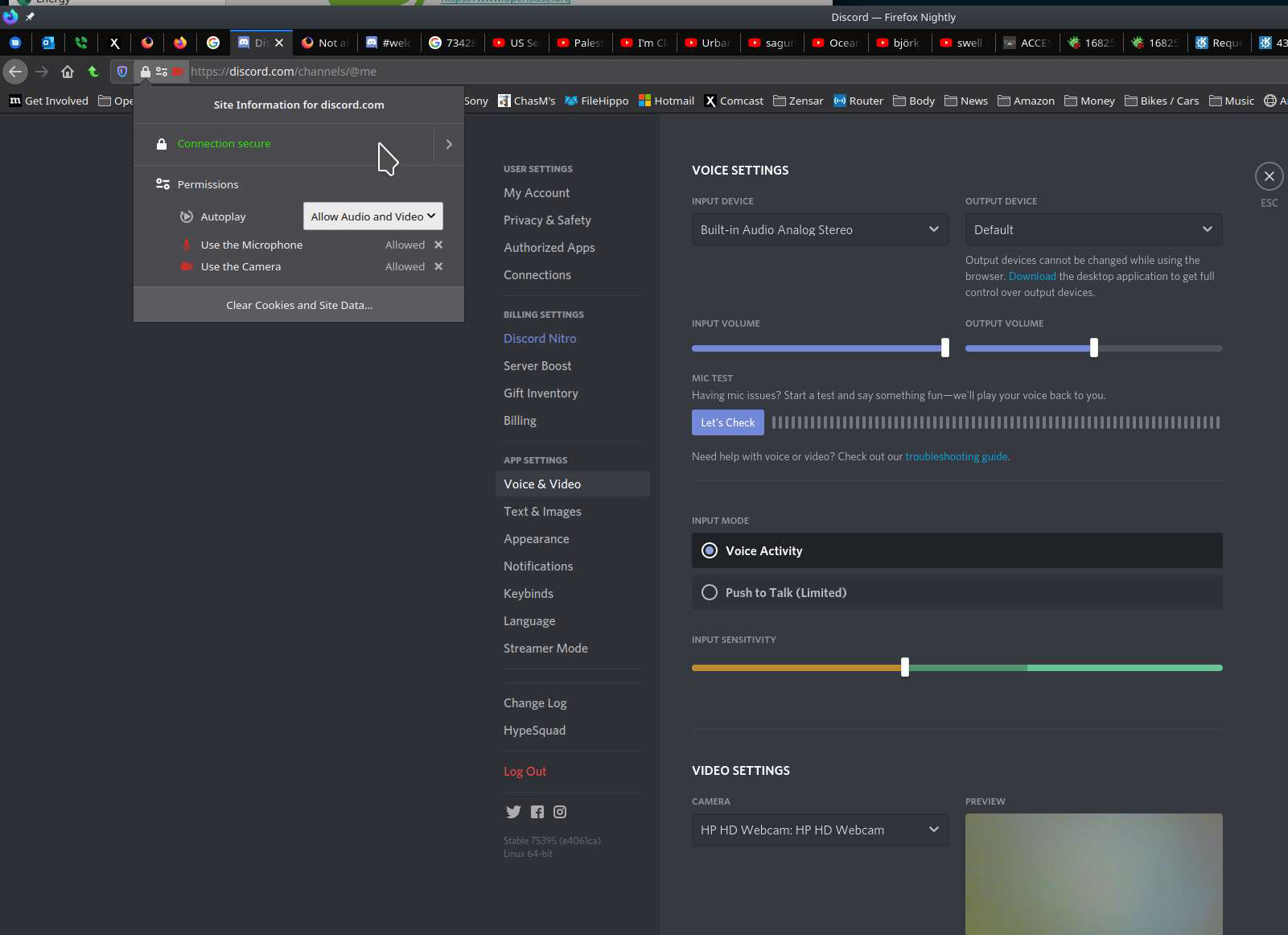
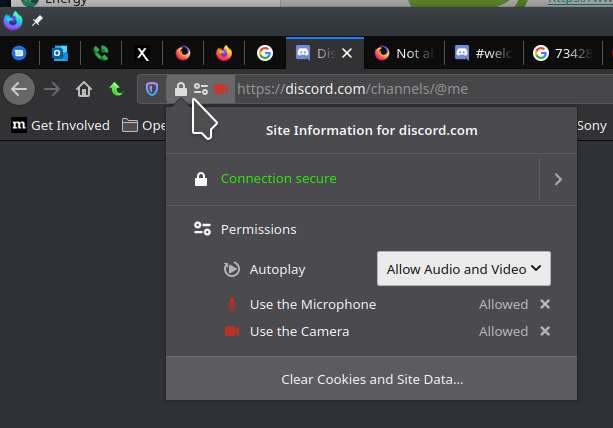
Can you post a screenshot showing the same section. see screenshot
@jonzn4SUSE it appears that this is only a problem with firefox-esr. regular firefox does not seem to have this issue.
Why is that?
No idea, but let me try that version and see what happens.
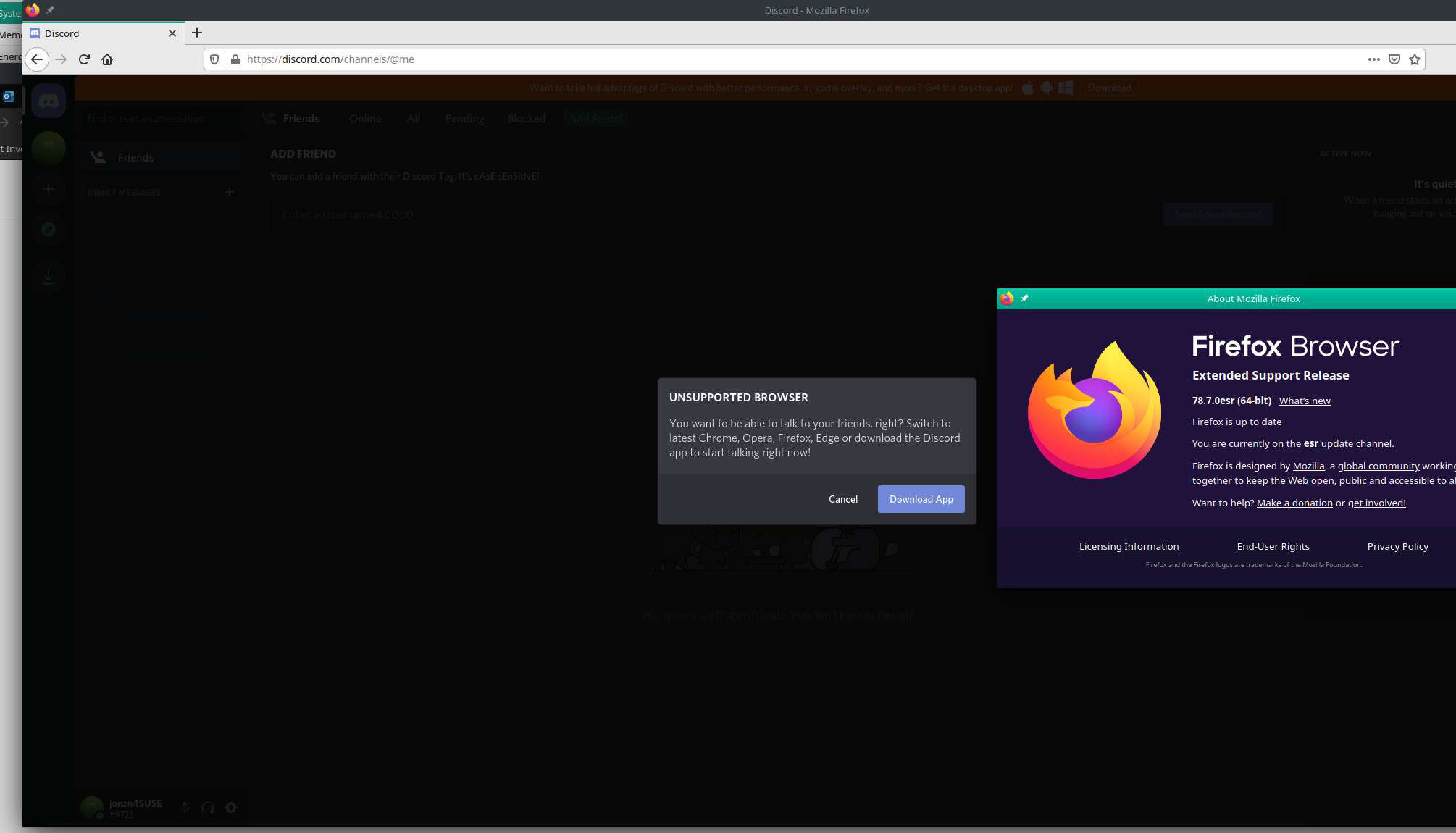
Here is your answer. see screenshot Time to get a new browser. ;-))
Modifié le par jonzn4SUSE
@jonsn4SUSE, yea I see that error but I wonder why it pops up. and if perhaps a ticket has to be filed with Mozilla cause of it.
Did you read the message? Discord is telling to update your browser.
@jonzn4SUSE, so basically firefox-esr is not currently compatible with discord's mic and video features and no tickets need to be filled with mozilla regarding this?
Correct.
You can keep the old browser, but you will need to download a new version if you want to use Discord. I'm running a few versions and I guess I'll keep this ESR version for issues like yours.
Modifié le par jonzn4SUSE